AI Governance
Regulators now ask the same questions about your AI systems that auditors have long asked about your infrastructure: what do you run, who owns it, how risky is it, how do you know it behaves, and what happened when it did not. AI Governance is the register that answers them — and, because ISO 42001 is the framework auditors reach for, it keeps an AI Management System (AIMS) posture against ISO 42001:2023 from the same SCF control set the rest of Compliance uses.
Where: left navigation → Threat & Intelligence → AI Governance.
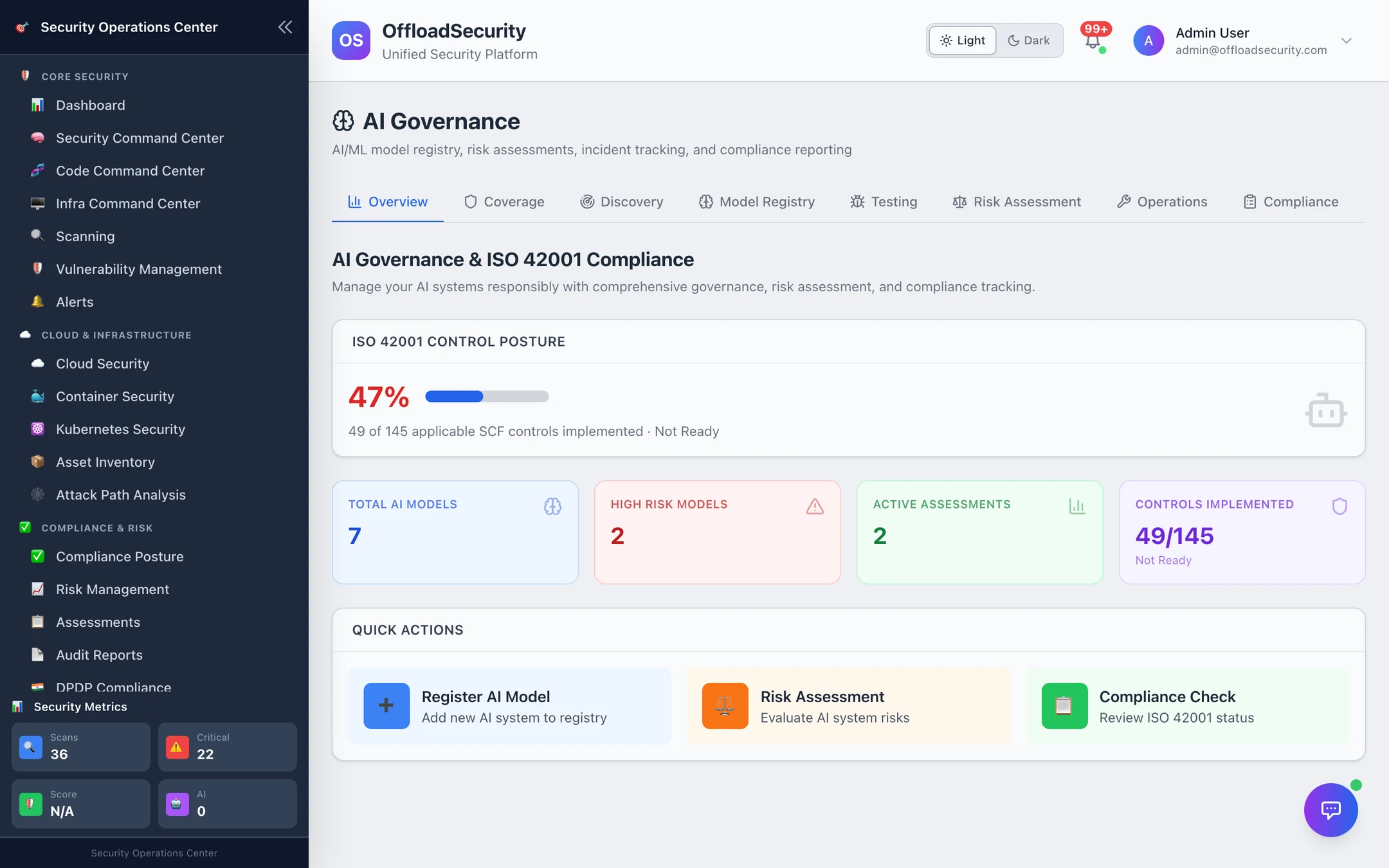
Overview
The ISO 42001 control posture is the headline: the share of applicable SCF controls implemented (49 of 145 in the screenshot) and the readiness level it implies. Beside it: total AI systems in the registry, how many are high risk, active assessments and controls implemented, then quick actions to register a model, run a risk assessment or open the compliance check.
Model registry
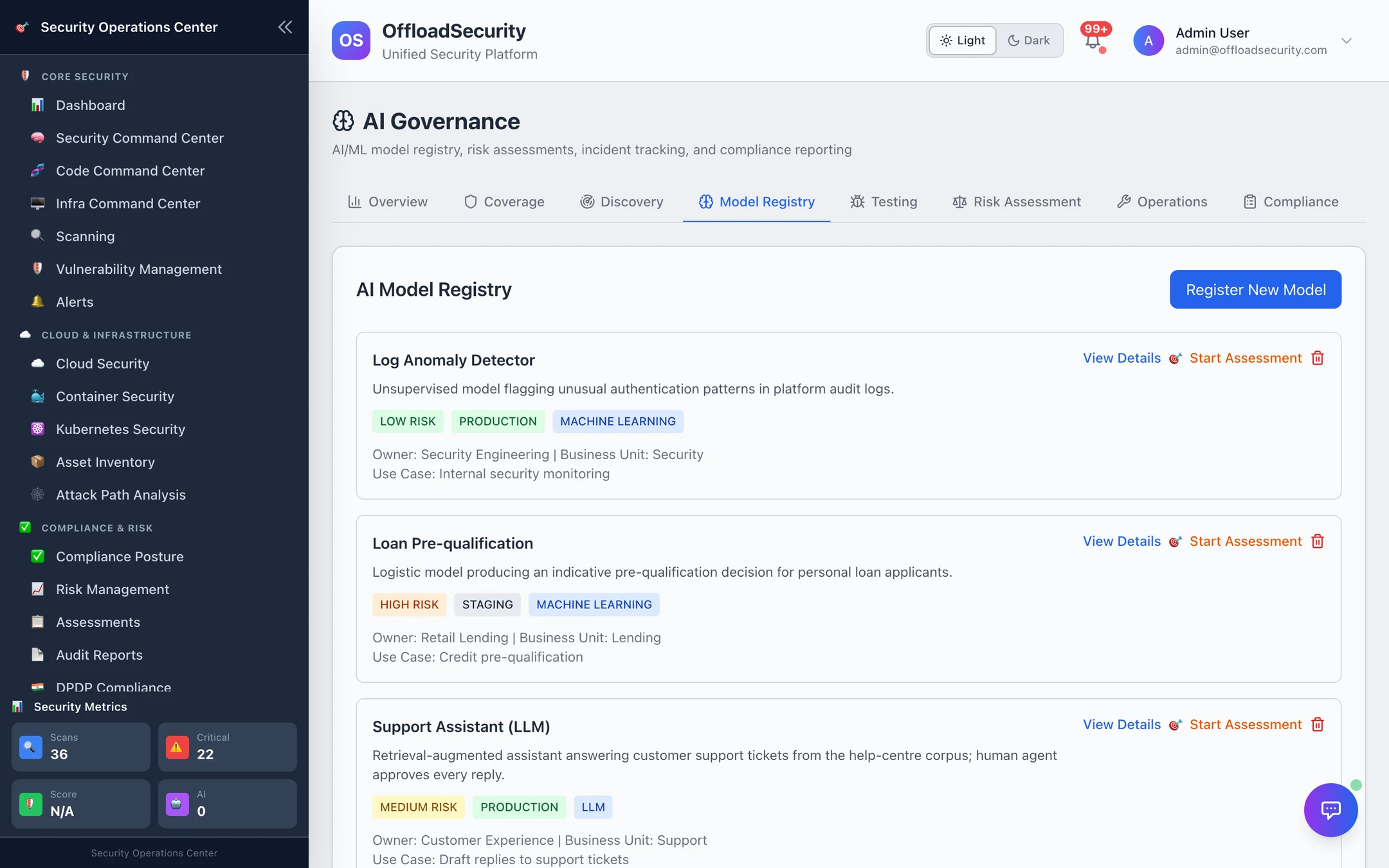
Every AI system your organisation operates or depends on, registered once:
| Field | Purpose |
|---|---|
| Name, description, use case | What it is and what decision it informs |
| Type | Machine learning · Deep learning · NLP · Computer vision · Generative AI |
| Risk level | Low · Medium · High — your classification, refined by assessments |
| Deployment status | Development · Testing · Production · Retired |
| Owner, business unit | Who answers for it |
| Data sources | What it is trained on or reads |
| Assessment dates | Last and next review |
Register New Model adds one by hand; AI Discovery adds systems it finds in your cloud inventory and LLM configuration as discovered entries for you to classify. Start Assessment on a card opens a risk assessment pre-linked to the system.
Risk assessments and bias tests
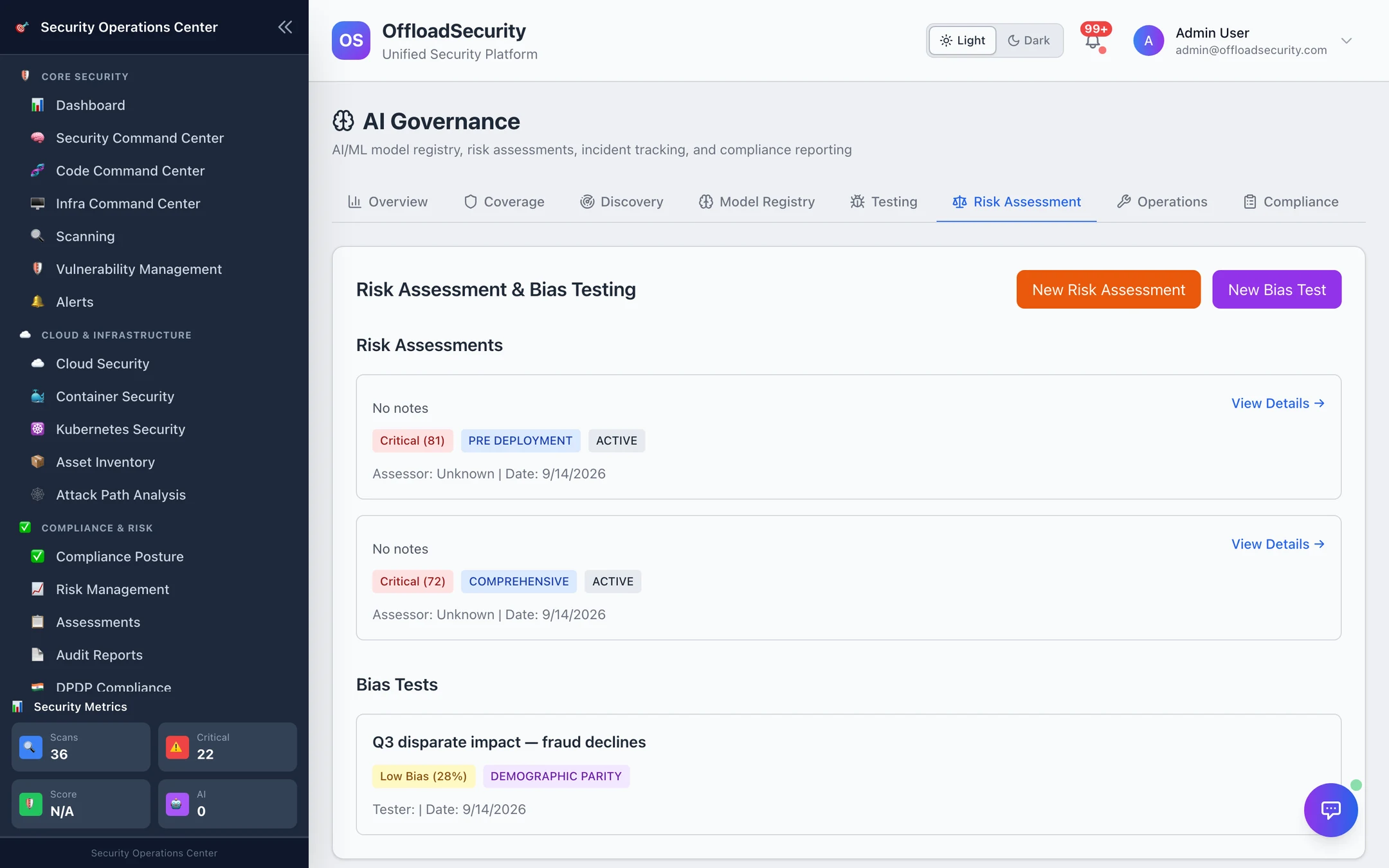
- Risk assessment — per system: assessment type (comprehensive, bias-focused, privacy-focused, safety-focused), the risk categories considered (fairness, privacy, safety, transparency, robustness…), impact and likelihood, an overall score, mitigation measures, who conducted it and the next review date. Scores and mitigations are yours; the AI assessment helper (when an LLM is configured) can suggest scores, mitigations and a summary from the description.
- Bias test — per system: test type (demographic parity, equal opportunity, individual fairness, calibration), protected attributes, data source, baseline metrics, results and a bias score with recommendations. A production system without a bias test is a certification blocker (below).
Both are records with evidence, not automated scans: the platform does not run your model. Automated fairness / privacy / data-quality checks exist over the API for teams that can provide the data (/api/ai-governance/automated-tests/*).
Coverage
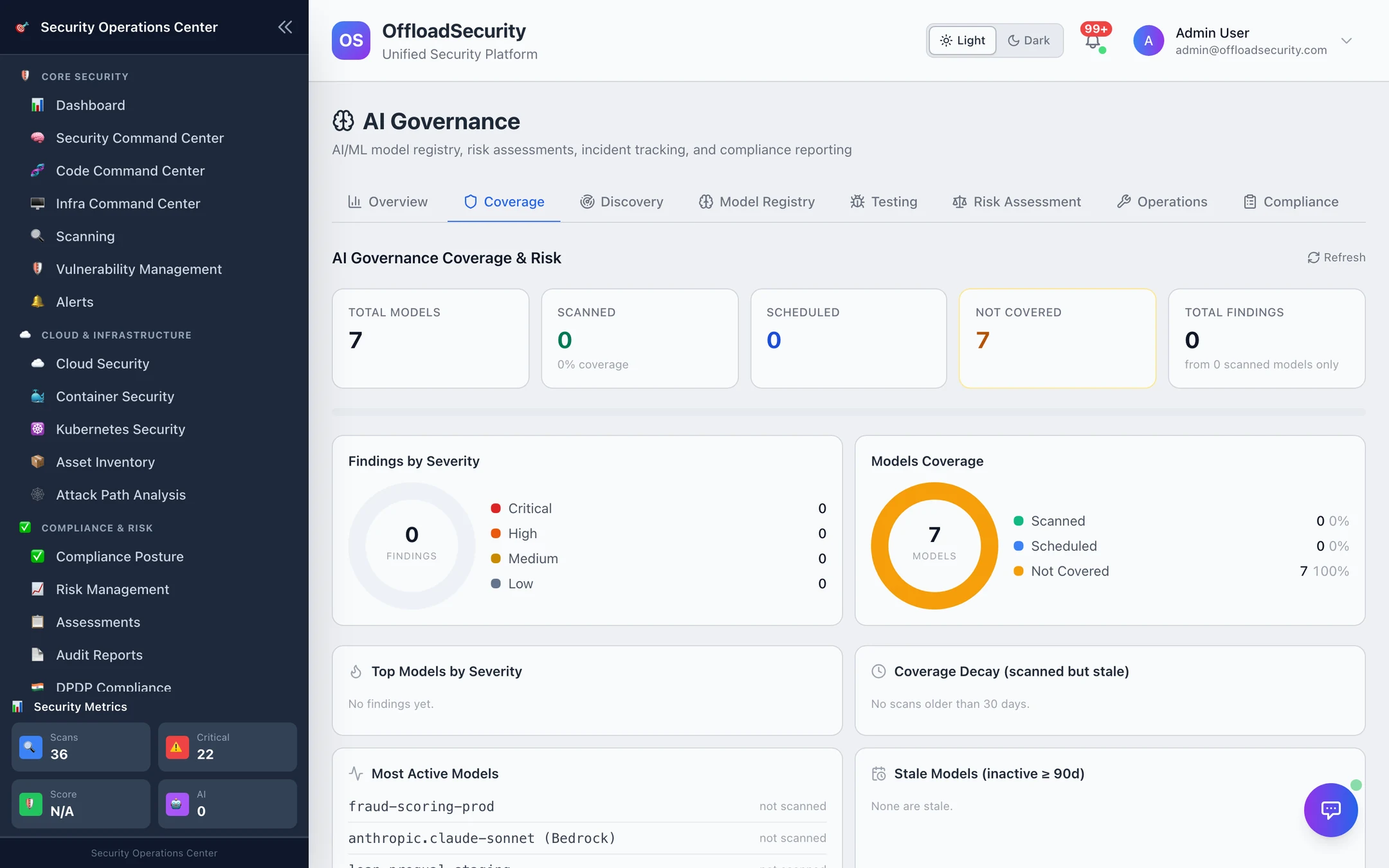
Coverage is the module's coverage dashboard: registered systems that are scanned, scheduled or not covered by any assessment or test, findings by severity, top systems by severity, stale coverage (no assessment in 30 days) and inactive systems. It is the fastest way to see which registered systems are governance-only entries.
Operations
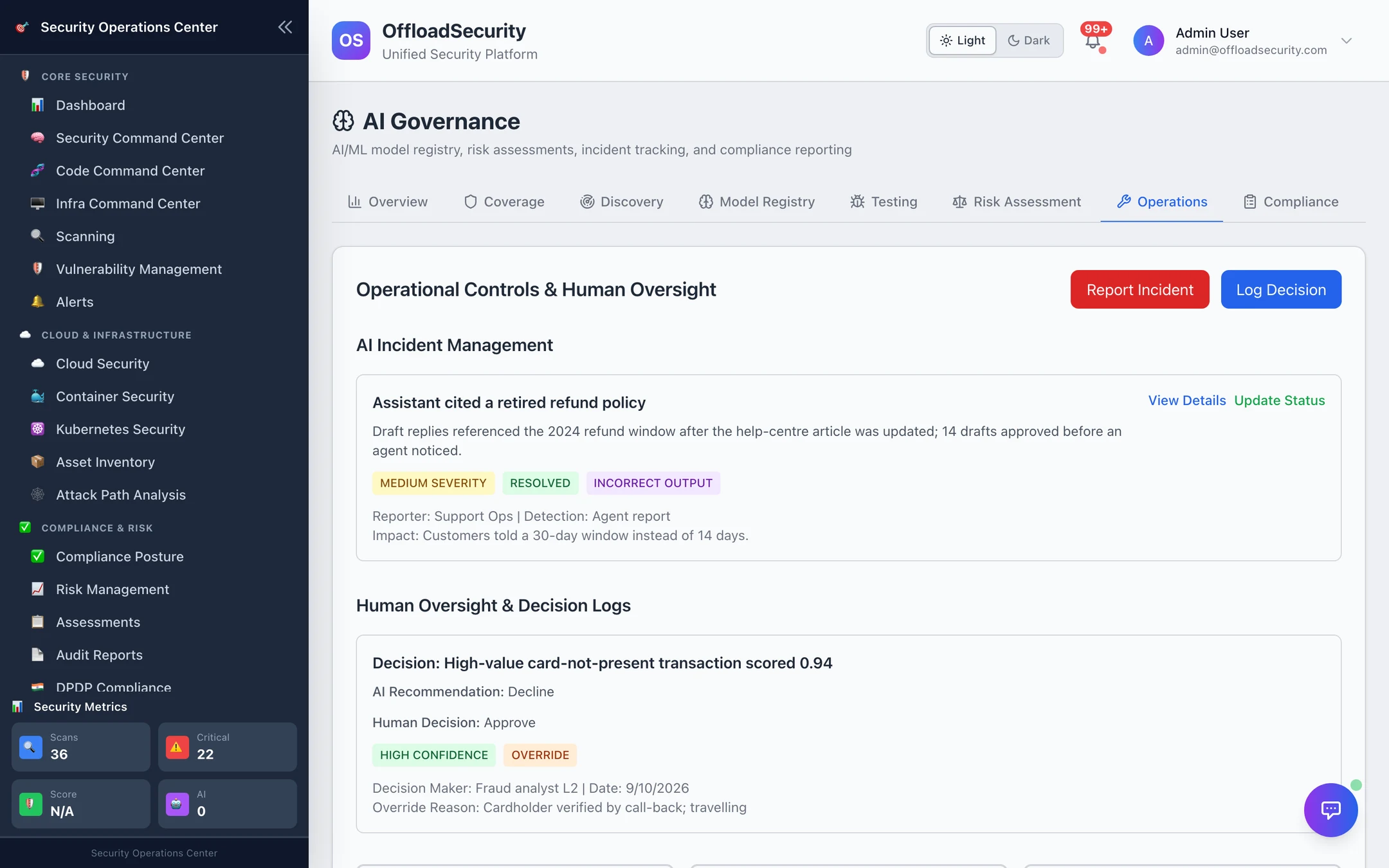
- Report Incident — an AI incident record: system, type (bias detected, privacy violation, security breach, performance degradation, ethical violation, safety concern), severity, description, detection method, impact, affected users, immediate actions, root cause, lessons learned, reporter, assignee, status.
- Log Decision — a human-oversight record for a decision where a person confirmed or overrode the system: context, AI recommendation, human decision, override reason, rationale, confidence, escalation and stakeholders. It is the evidence ISO 42001 asks for under human oversight.
- Training records (Compliance → Add Training) — who completed which responsible-AI training, when, with what score and certification.
Compliance — ISO 42001
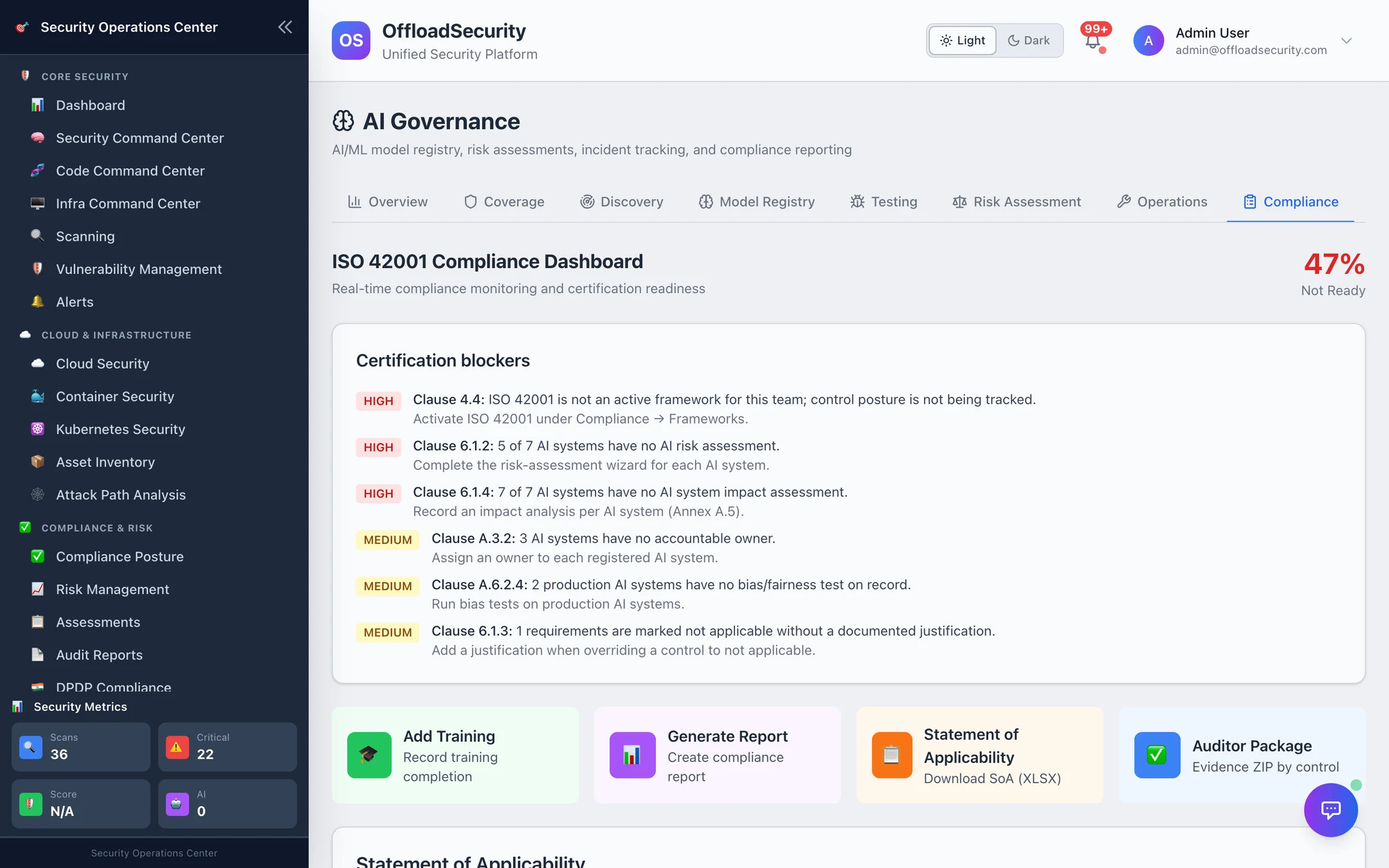
The AIMS posture is computed from two things: the SCF controls mapped to ISO 42001 clauses 4–10 and Annex A (their implementation status comes from Compliance Posture), and the records in this module. The readiness level:
| Level | Condition |
|---|---|
| Not Started / Not Assessed | Nothing registered / ISO 42001 not assessed yet |
| Not Ready | Score below 50 %, or any high-severity blocker |
| In Progress | 50–69 % |
| Nearly Ready | 70–84 %, or blockers remain |
| Audit-Ready | ≥ 85 % and no blockers |
Certification blockers name the clause and the fix:
| Blocker | Clause | Severity |
|---|---|---|
| ISO 42001 not activated as a framework for the team | 4.4 | high |
| No AI systems registered | 4.3 | high |
| A system has no risk assessment / no impact assessment | 6.1.2 / 6.1.4 | high |
| A system has no owner | A.3.2 | medium |
| A production system has no bias / fairness test | A.6.2.4 | medium |
| Requirements marked not applicable without a justification | 6.1.3 | medium |
| Controls implemented without evidence | 7.5 | medium |
| Clauses with no assessed requirement | (listed) | medium |
| No training records | 7.2 | low |
Exports for the audit: Statement of Applicability (XLSX — one row per ISO 42001 requirement with the mapped controls, status and the justification for anything excluded), Auditor Package (evidence ZIP by control, the same auditor package the Evidence Hub produces for other frameworks) and Generate Report (executive summary, compliance summary, gap analysis or audit-readiness report as PDF, Word or Excel).
Everything on this page — registry, assessments, tests, incidents, oversight, training, exports — needs the Manage Assessments permission. Records are team-scoped.
Related
- AI Discovery, AIBOM & Testing — how systems get into the registry without typing, and prompt-injection testing.
- Compliance Posture · Evidence Hub — where the control implementation and evidence behind the posture live.
- AI Data & Privacy — how the platform's own AI features handle your data.