Security Command Center
Scanners produce findings faster than a team can read them. The Security Command Center puts a set of agents in front of that stream: one triages every open finding into a verdict with a stated reason and confidence, one drafts the fix, one matches findings to remediation playbooks that wait for a human's approval, and one answers questions about the posture in plain language. Nothing changes in your environment without an explicit approve-and-execute, and every decision is written to an audit log with its reasoning.
Where: left navigation → Core Security → Security Command Center.
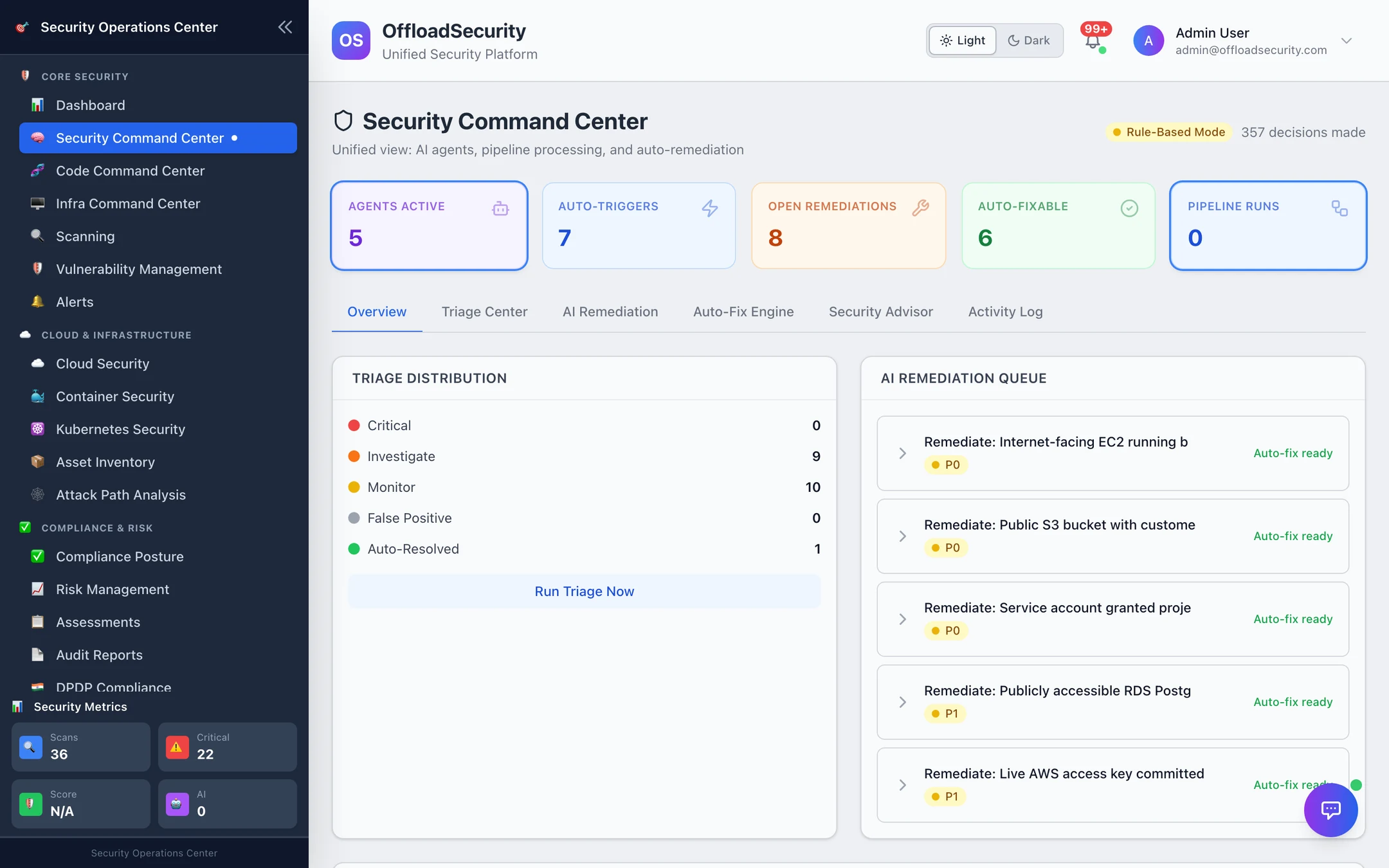
Two modes
The header badge says which mode the agents are in:
| Badge | Meaning |
|---|---|
| Rule-Based Mode | No LLM provider is configured for the team. Triage uses the built-in rule set below, remediation comes from the playbook and pattern library, the advisor answers from posture data with templated prose. Fully functional, deterministic, free. |
| LLM Active | A provider is configured (Knowledge Base → AI Assistant → AI Configuration). The model adds reasoning on top of the same signals — it can raise a verdict, explain it in context and draft resource-specific fixes — and falls back to the rules if the call fails. |
Decisions made counts every agent decision in the log for the team.
Overview
The tiles are the live state: agents active, auto-triggers (scans that kicked off agents), open remediations, auto-fixable (open remediations with a playbook), pipeline runs. Below: the Triage Distribution across the five verdicts with Run Triage Now, the AI Remediation Queue (P0 / P1 items marked Auto-fix ready), the Auto-Fix Engine summary by status, Pipeline Processing, and Recent Auto-Triggers with Run Threat Hunt.
Agents run on their own after a cloud scan completes: the trigger service triages the new findings, drafts remediation for critical and high ones and maps them to SCF controls (other scan types show up in the Command Center once their findings are in the unified store; use Triage new/changed for them). Run Triage Now triages the most recent scan run's open findings on demand.
Triage Center
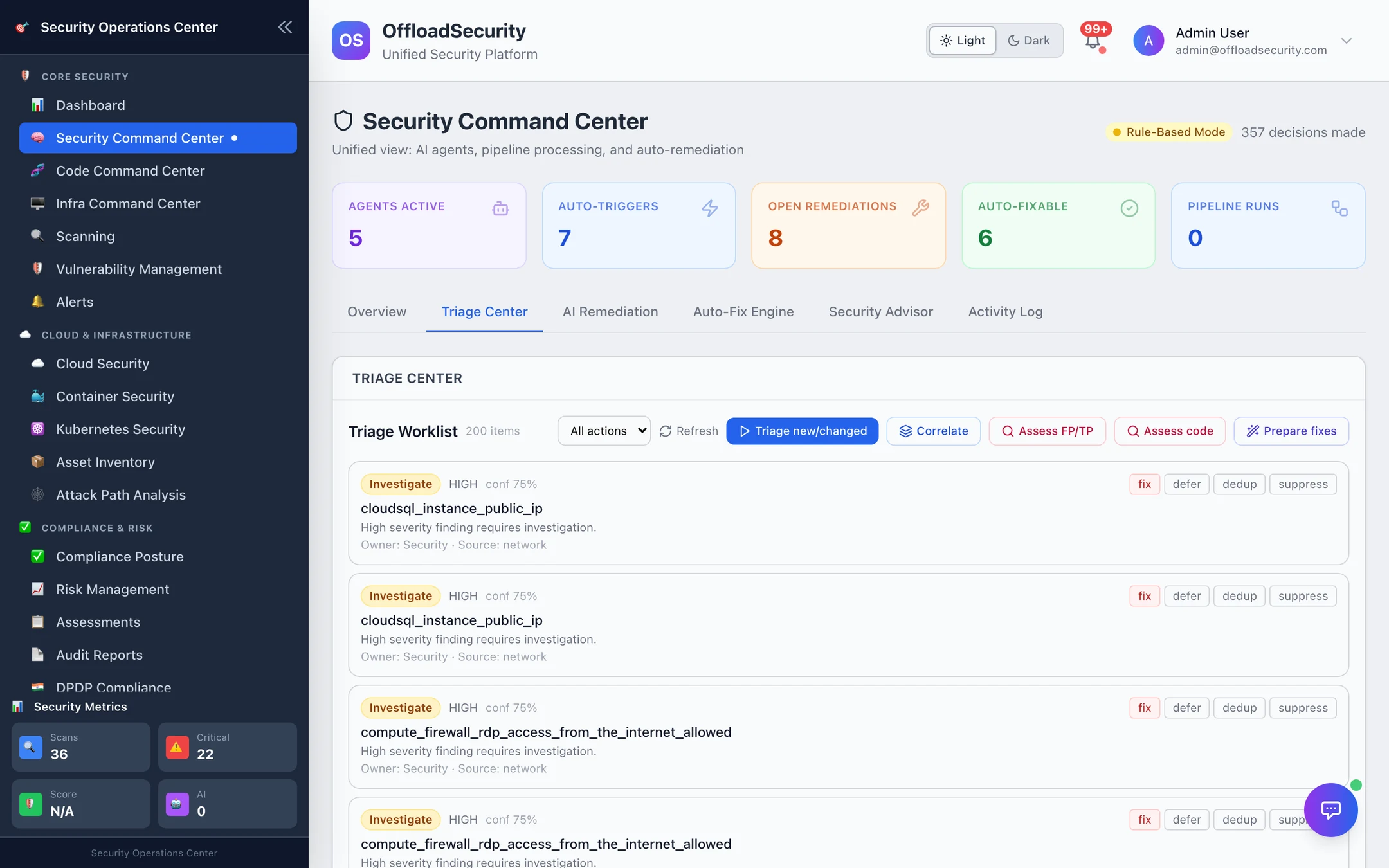
Triage new/changed builds the worklist from the team's open findings and skips any whose verdict is already current, so re-running is cheap. Each entry shows the verdict, severity, confidence and the sentence of reasoning behind it; the analyst's controls are fix, defer, dedup and suppress — a human override that is recorded as such.
How the rule set decides
| Verdict | When |
|---|---|
| Critical (act now) | Critical and in CISA KEV · critical on a production, internet-facing asset · critical and internet-facing · critical with EPSS > 0.5 · critical open for more than 30 days |
| Investigate | High and KEV or internet-facing · high on production · any other high |
| Auto-resolved | Medium or low that was previously resolved — same issue recurring, likely already addressed (higher confidence in non-production) |
| Monitor | A remediation workflow already exists · medium with EPSS < 0.1, not internet-facing, non-production · medium in dev / test |
| False positive | Low / informational severity in a non-production environment — the rule set's one severity-based FP call (0.7). Anything else needs the evidence-based assessment below |
| (Low elsewhere) | Low severity outside dev / test → Monitor; a finding no rule recognises → Investigate at 0.5 |
Signals come from the finding and its enrichment: severity, KEV flag, EPSS, whether the asset is public-facing, environment tags, first-seen date, and whether a similar finding was resolved before. Confidence is a property of the rule (0.97 for KEV-critical, 0.65 for medium-in-dev); a low number is a cue to look.
Bulk analyses
| Button | What it does |
|---|---|
| Correlate | Groups the team's open findings into incidents — one root cause seen across accounts and regions — so ten findings become one piece of work |
| Assess FP/TP | Evidence-grounded false-positive assessment over open findings. Only findings that carry code or reachability evidence use the model; the rest are marked needs review. Advisory: it stamps a verdict on the worklist entry and never suppresses anything itself |
| Assess code | The same for code findings from recent scans: secrets are checked by live validation and dependencies by reachability without a model; SAST uses the code snippet |
| Prepare fixes | Drains the team's auto-fix queue into prepared fix suggestions attached to each finding (opt-in per team). It does not open pull requests — that is the agentic fix pipeline's job, reachable per finding once its disposition is fix |
AI Remediation
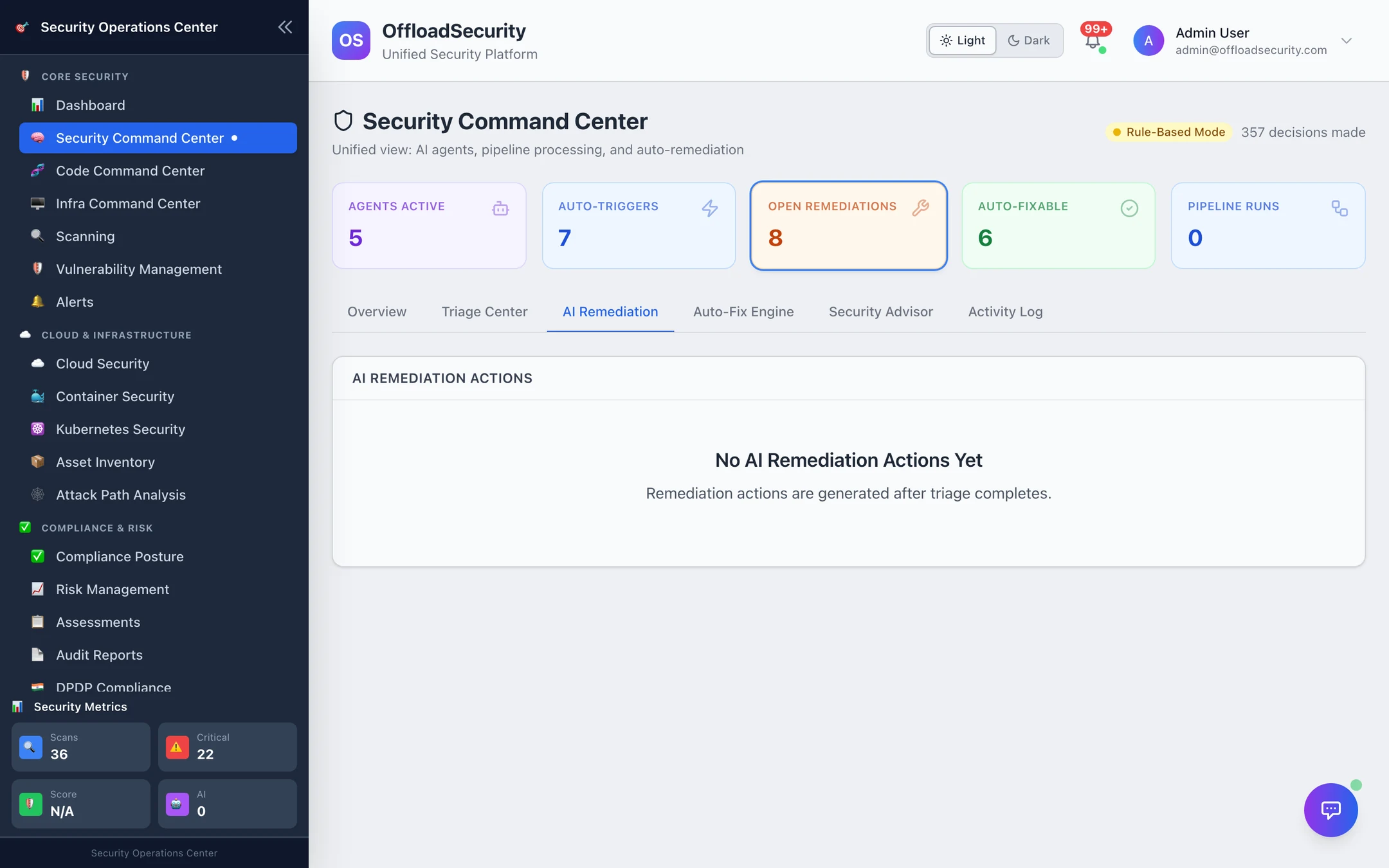
Fix guidance generated for prioritised findings — steps, and where a pattern exists, ready-to-run commands (an SSM downgrade, a bucket policy, a key rotation). In rule-based mode the text comes from the remediation pattern library keyed on the check; with an LLM it is drafted for the specific resource. Where a remediation workflow was created, the entry links to it. Nothing here executes.
Auto-Fix Engine
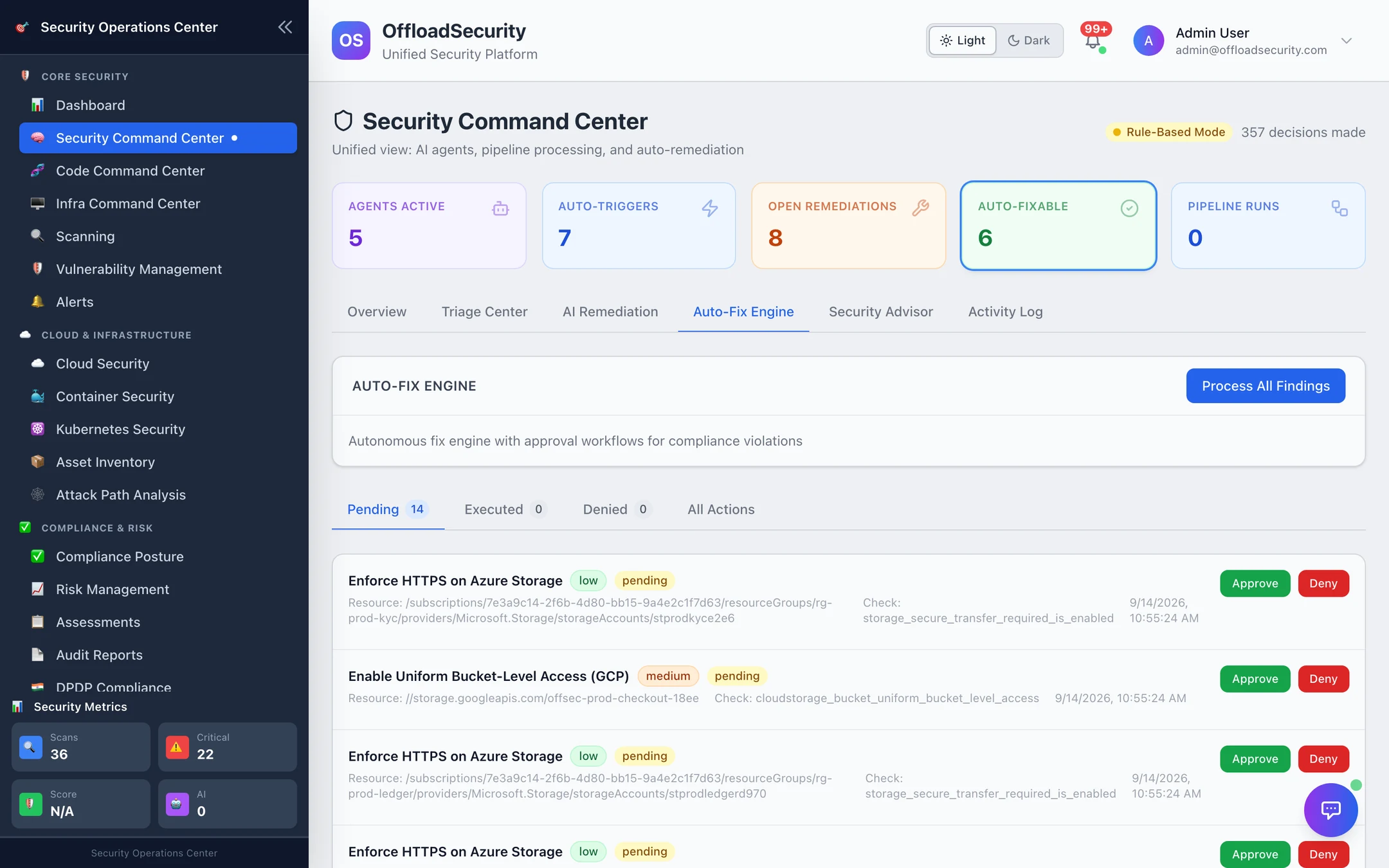
The one part of the Command Center that can change your environment — and it always asks first.
- Process All Findings matches the team's open cloud findings against the remediation playbooks (enforce HTTPS on a storage account, uniform bucket-level access, block public S3 access, enable flow logs, …). Each match becomes an action with the playbook, risk level, target resource, the exact fix and its rollback.
- Pending lists actions awaiting a decision. Approve queues one; Deny discards it with a reason. Playbooks flagged auto-approve (low-risk, reversible) are preferred when several match, but still wait for approval.
- Execute applies an approved action. Executed actions can be rolled back from the Executed tab.
Out of the box REMEDIATION_LIVE_EXECUTE is false: Execute (and Roll back) record the result as simulated without touching the cloud account. An operator enables live execution deliberately, per deployment. Approvals, denials, executions and rollbacks are all audit events.
Security Advisor
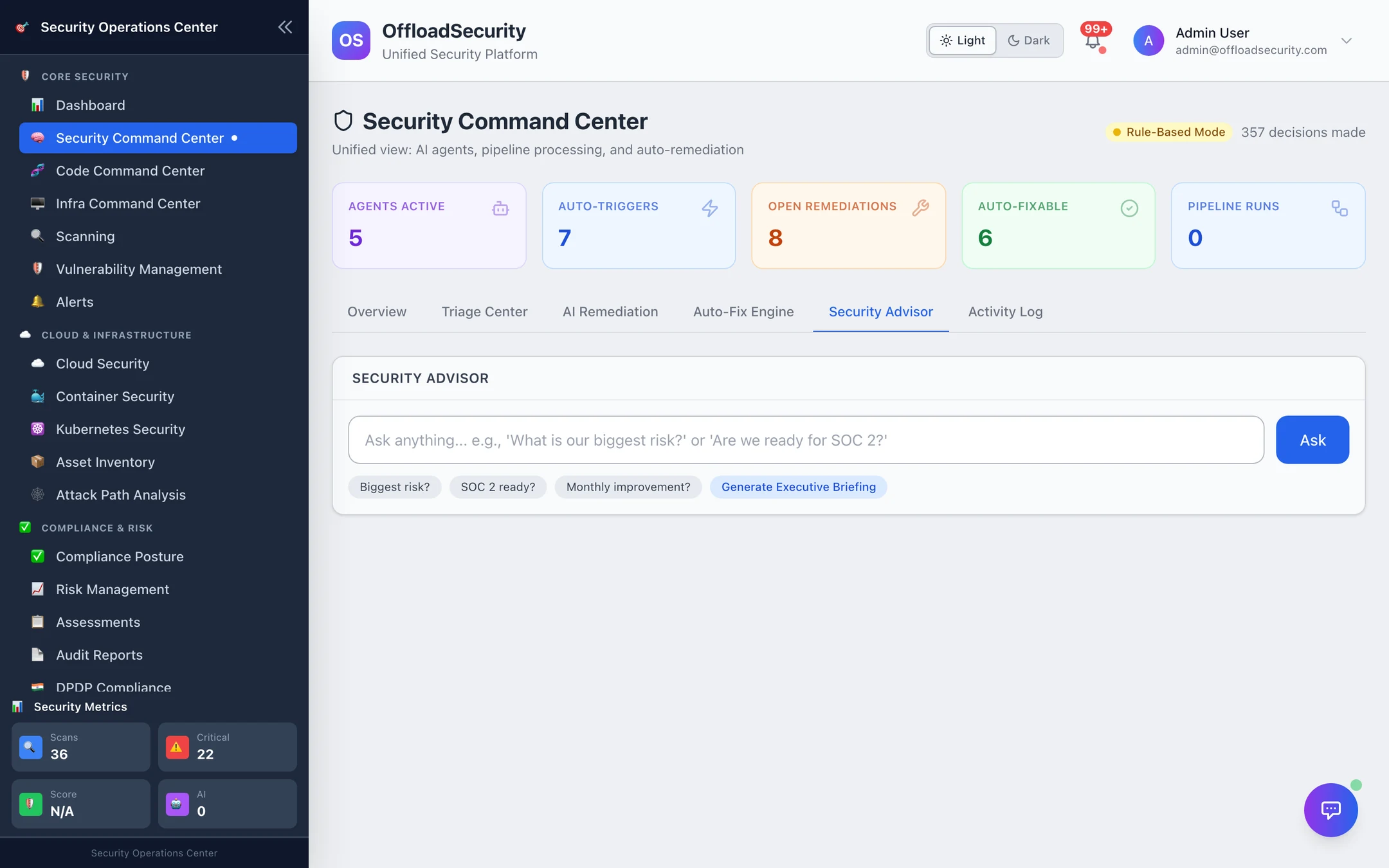
Ask in plain language — What is our biggest risk?, Are we ready for SOC 2? — or Generate Executive Briefing for a weekly summary. Answers are built from the team's live posture (active findings by severity, resolution rate, cloud accounts, controls implemented, framework scores) and come back with the supporting numbers. In rule-based mode the prose is templated around those numbers; with an LLM it is written, still from the same data.
Activity Log
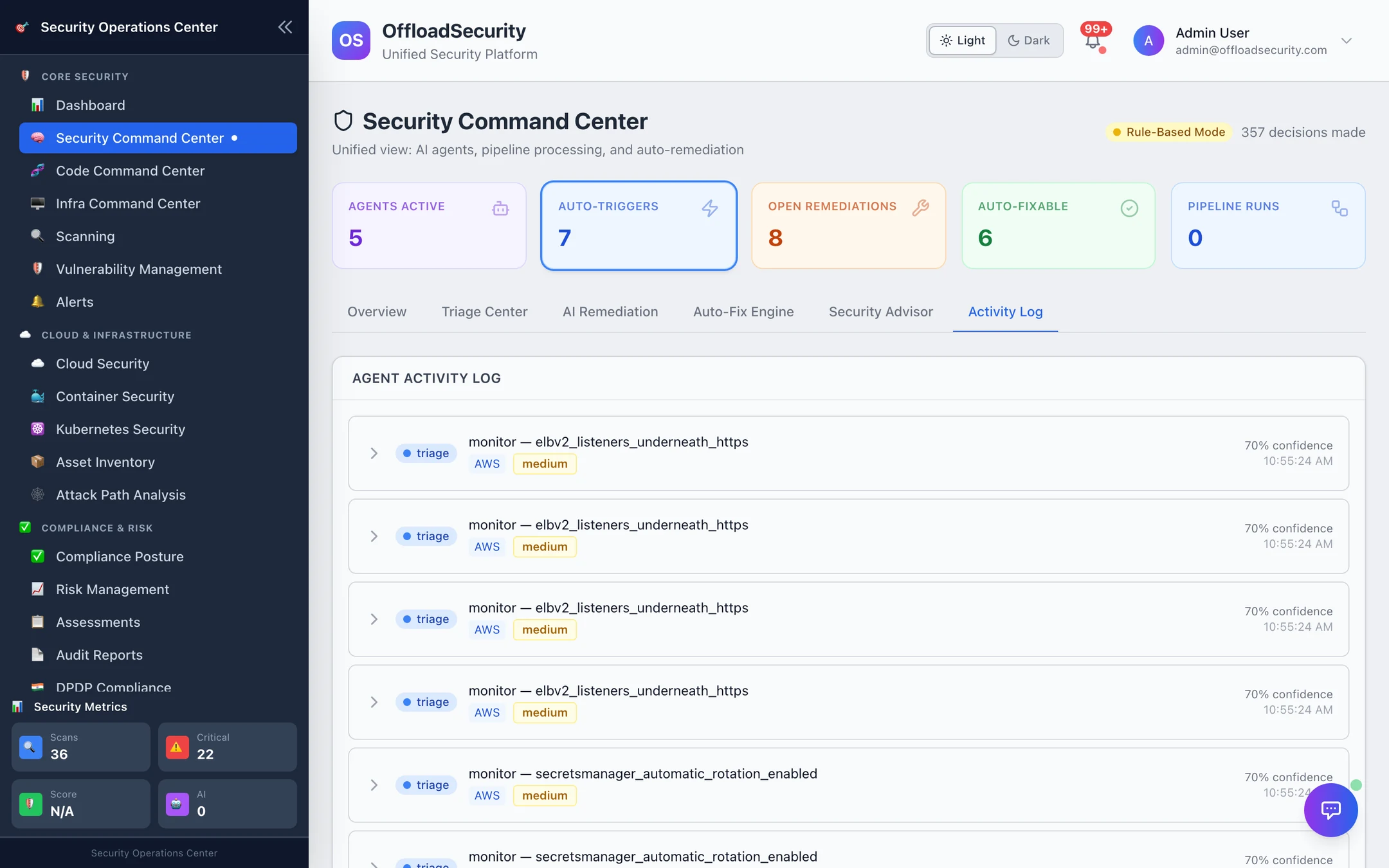
Every agent decision for the team, newest first: which agent, which finding and resource, the decision, the reasoning and the confidence. Human overrides from the Triage Center appear here too. It is the answer to "why did the platform call this critical", and it is scoped to the active team like everything else on the page.
Related
- Triage — the triage engine that ranks the action queue; the Command Center's verdicts are recorded there too.
- Threat Intelligence — where the KEV flag comes from.
- Remediation Queue — the cloud remediation workflow the Auto-Fix Engine feeds.
- API — every endpoint on this page.