Platform Security
A security platform holds the map of your weaknesses, so the controls around it matter as much as the findings inside it. This section covers the platform's own access controls: how people sign in, how roles decide what they can do, how teams keep data apart, how automation authenticates, what is written to the audit trail, and what the deployment's administrator can see and change. For how the platform protects data — encryption, isolation, AI handling, retention — see Trust & Security.
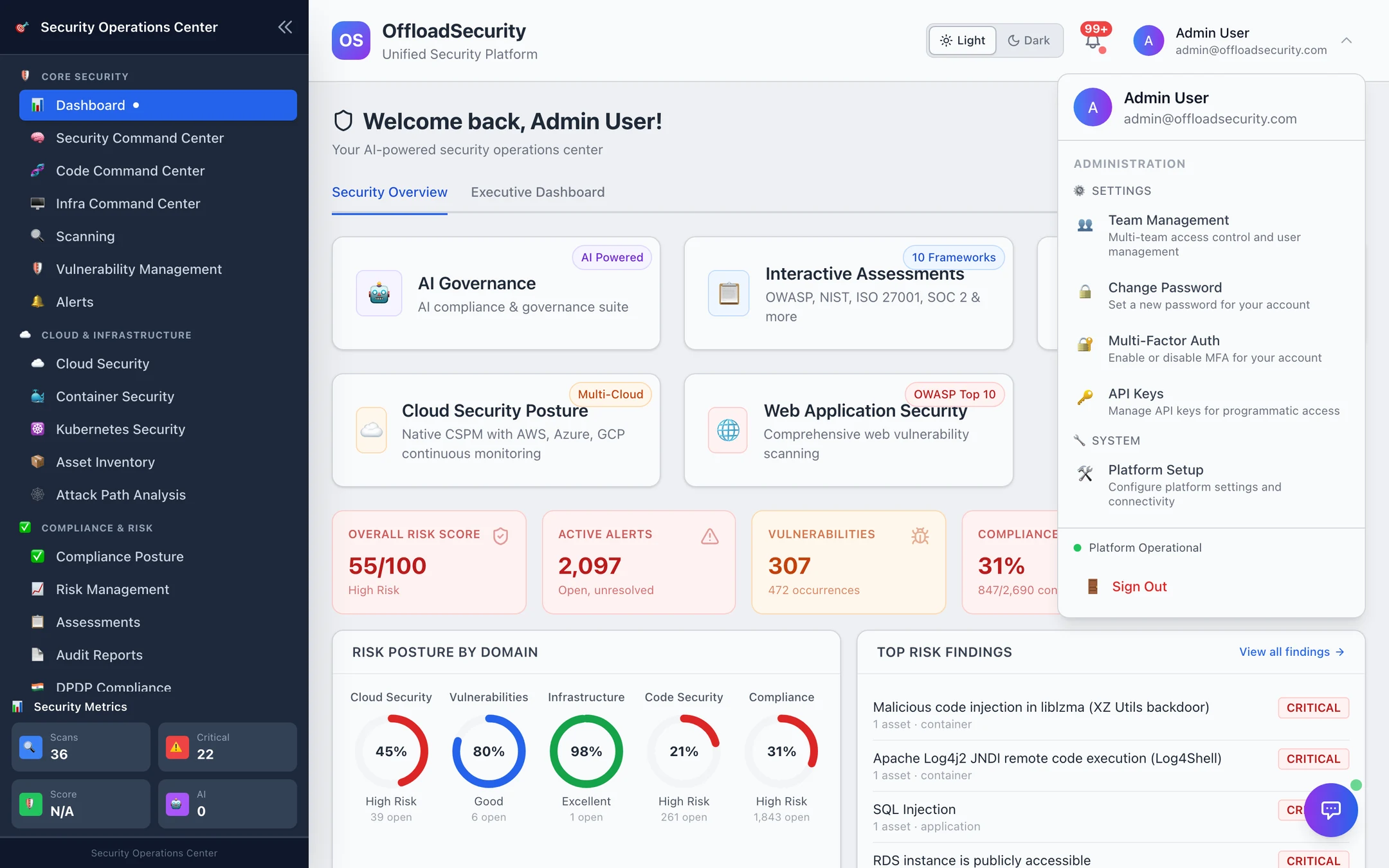
Where: account menu (top-right) → Team Management, Change Password, Multi-Factor Auth, API Keys, Platform Setup; left navigation → Management → Client Menu Settings, User Activity (platform administrator only).
The model in one table
| Layer | What it is | Where it is managed |
|---|---|---|
| Identity | Email + password (12+ characters, mixed case, digit, symbol), optional TOTP MFA with backup codes, or OIDC single sign-on (Okta, Entra ID, Google Workspace, Keycloak, Auth0…) — Signing In & Sessions | Login page, account menu, deployment environment |
| Session | Opaque token, 24 hours, at most 5 concurrent sessions per user, revocable | Sign out; User Activity (platform admin) |
| Team | The tenancy boundary — every scan, finding, asset, risk, report and integration belongs to exactly one team; you work in one active team at a time and can belong to several | Team Management |
| Role | One of six per team — Admin, Security Manager, Security Analyst, Compliance Officer, Auditor, Viewer — mapped to ~40 named permissions checked on every request — Roles, Teams & API Keys | Team Management |
| API key | osk_… key with a scope set, expiry, optional IP allowlist and rate limit, shown once, stored hashed, rotated with a grace period | API Keys |
| Audit trail | Every authenticated request classified into an action with actor, team, outcome and timing; sensitive fields redacted; 365-day retention by default — Audit Trail & User Activity | API; User Activity |
| Platform administrator | The first account created on a deployment; owns Client Menu Settings and User Activity, sees across teams, and keeps password sign-in when SSO is enforced (Platform Setup is open to any Admin) — Platform Administration | Account menu · Management |
Signing in, briefly
- Enter your email and password. Five failed attempts lock the account for 15 minutes; the response never reveals whether an email exists.
- If MFA is enabled on your account (or enforced for the deployment) enter the 6-digit code from your authenticator app, or a backup code.
- Where the deployment has SSO configured, Sign in with <provider> starts the OIDC flow instead; if SSO is enforced, the password form is hidden behind a fallback link for the platform administrator.
- You land on the Dashboard in your last active team. Sign Out ends the session server-side; a stolen token cannot be replayed.
Registration is invitation-only after the first account: a link from a team admin, tied to the invited email, expiring after 7 days. Deployments can additionally restrict registration and SSO provisioning to one email domain.
What each role can do, briefly
| Admin | Security Manager | Security Analyst | Compliance Officer | Auditor | Viewer | |
|---|---|---|---|---|---|---|
| View dashboards, scans, findings, risks, assessments, reports, alerts | ✓ | ✓ | ✓ | ✓ | ✓ | ✓ |
| Export reports | ✓ | ✓ | ✓ | ✓ | ✓ | |
| Run scans, create risks, work assessments, triage, run AI agents | ✓ | ✓ | ✓ | assessments · AI agents | ||
| Manage cloud accounts, scans, integrations, threat intelligence, container security; approve and execute remediations | ✓ | ✓ | ||||
| Manage team members and settings | ✓ | ✓ | ||||
| Everything, including promoting Admins and viewing the team's full audit trail | ✓ |
The exact permission list per role is on Roles, Teams & API Keys.
In this section
| Page | Read it for |
|---|---|
| Signing In & Sessions | Passwords, lockout, MFA setup and enforcement, SSO configuration, sessions, password reset and change |
| Roles, Teams & API Keys | The role catalog with permissions, inviting and switching teams, creating / rotating / revoking API keys |
| Audit Trail & User Activity | What the audit trail records and who can read it; the platform administrator's User Activity view |
| Platform Administration | The platform-admin account, Platform Setup, Client Menu Settings |
| API · Troubleshooting & FAQ | Endpoints and permissions; sign-in and key problems |
| Trust & Security | Encryption, tenant isolation, AI data handling, retention, disclosure |