SSL Certificate Monitoring
An expired certificate is an outage that looks like a security incident. The SSL Certificates tab watches the TLS certificates on the domains you register, re-checks them twice a day, and notifies you as expiry approaches — so renewal is a calendar item, not a 2 a.m. page.
Where: Cloud Security → SSL Certificates.
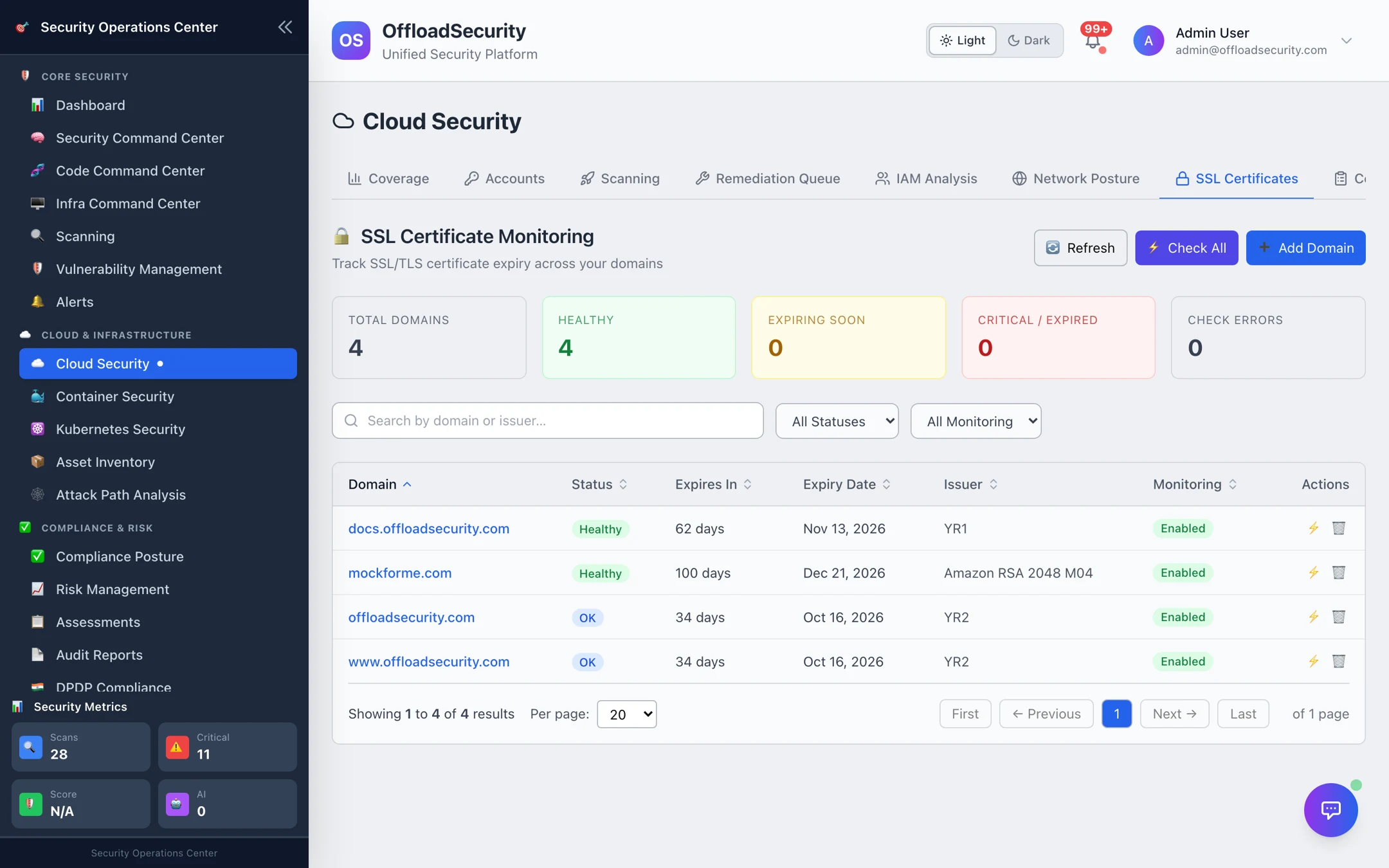
Add a domain
- Select Add Domain.
- Enter the domain (hostname only — no
https://or path), the port if it is not 443, an optional alert threshold in days (default 30) and optional tags such asproduction, api. - The platform connects immediately, reads the certificate and shows the result in the table.
You can register any host the platform can reach on TLS — public websites, APIs, and on-premises endpoints if the platform is deployed inside your network.
What is checked
For every domain the platform records the certificate's subject and issuer, validity window, serial, signature algorithm, whether the chain is trusted, and the days until expiry. That last number drives the status:
| Status | Condition |
|---|---|
| Healthy | More than 60 days left |
| Info | 60 days or fewer |
| Warning | 30 days or fewer |
| Critical | 7 days or fewer |
| Expired | Past the valid until date |
| Error | The check could not complete — DNS failure, connection refused, timeout, or a handshake error |
Open a row to see the full certificate detail and the check history for that domain.
Automatic re-checks and notifications
Every monitored domain is re-checked every 12 hours; you can also Check All or check a single domain on demand (for example right after renewing). Monitoring can be paused per domain with the Monitoring toggle without deleting its history.
Notifications are sent when a certificate changes state for the worse — into warning, critical or expired, honouring the per-domain alert threshold — rather than on every check, so you are told once per transition instead of twice a day. Delivery follows your team's notification channels.
If renewals need a change ticket and a week of lead time, set the alert threshold to 14 or 21 days for those domains so the warning arrives while there is still time to act.
Related
- Notifications — where SSL notifications are delivered.
- App & Infrastructure Scanning — the on-demand SSL/TLS configuration scan (ciphers, protocols, header checks) that complements expiry monitoring.