Audit Reports
An auditor's first request is rarely a dashboard; it is "send me the list". Audit Reports turn the compliance engine's state into flat, filterable CSV files — the same numbers the posture page shows, in a form that survives being emailed.
Where: left navigation → Audit Reports (also Compliance Posture → Compliance Engine → Audit Reports).
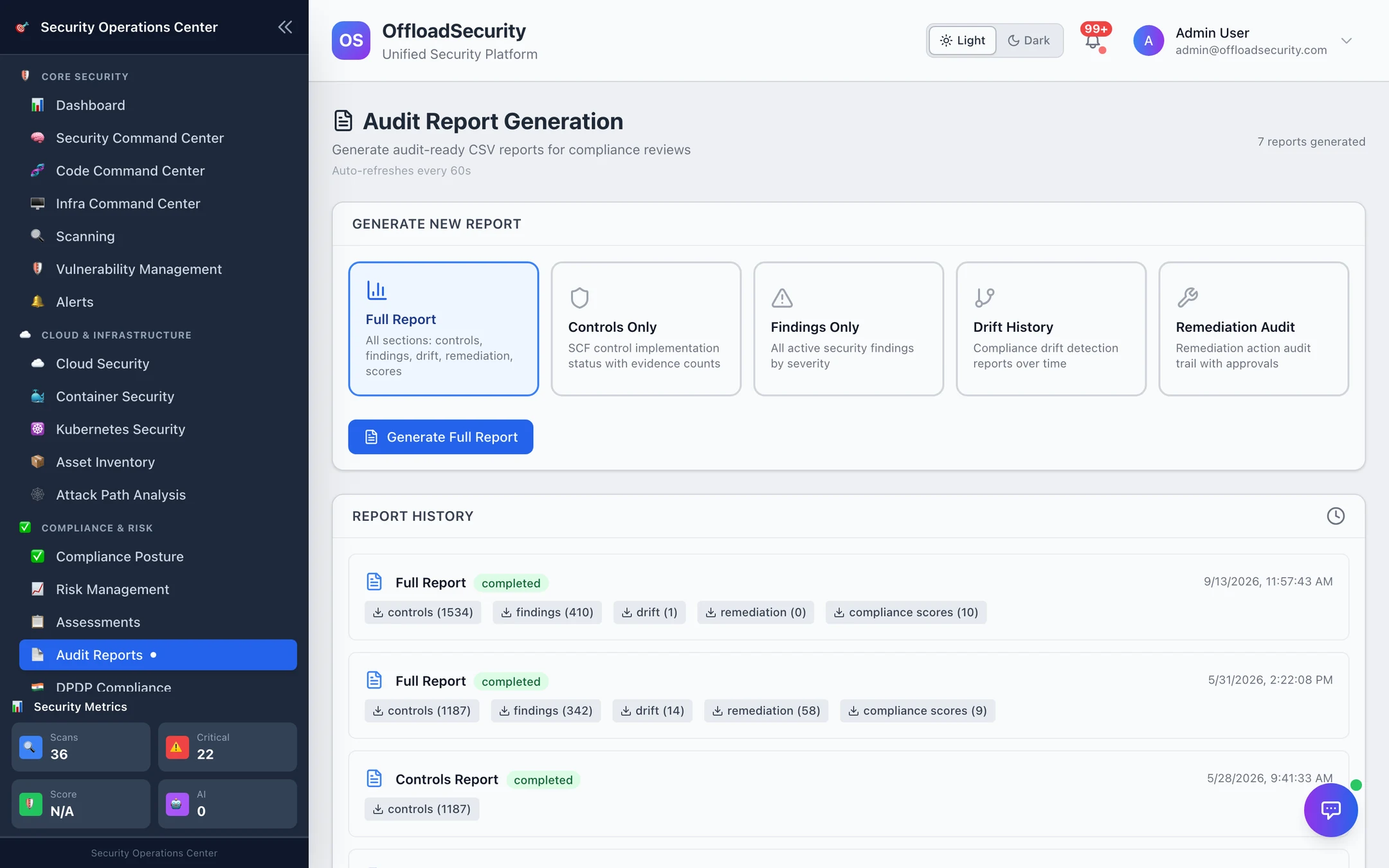
Report types
| Report | Sections included |
|---|---|
| Full Report | controls · findings · drift · remediation · compliance scores |
| Controls Only | controls |
| Findings Only | findings |
| Drift History | drift |
| Remediation Audit | remediation |
Pick a type and Generate. The report appears in Report History with a status and one download link per section; each section is a separate CSV so the auditor who wants controls does not receive findings. Reports are kept for 180 days (REPORT_RETENTION_DAYS) and scoped to your team.
What each CSV contains
| Section | Columns |
|---|---|
| controls | SCF ID, domain, control name, implementation status, manual override (yes/no), last auto-update, update reason, evidence count — one row per SCF control in scope |
| findings | Check ID, title, severity, status, service, provider, region, resource ID, description — every active cloud-posture finding |
| drift | Drift ID, detected at, total drifts, new failures, resolved, degraded, improved — one row per drift detection run |
| remediation | Action ID, playbook, check ID, resource ID, provider, risk level, status, auto-approved, requested by, approved by, created at, executed at — the full remediation playbook trail |
| compliance_scores | Sync ID, synced at, total controls, total findings, domains with findings, controls updated / upgraded / downgraded, duration — the sync history |
Which report for which question
| The auditor asks… | Send |
|---|---|
| "Show me your control status as of today, and which ones a human set" | Controls Only — the manual override and update reason columns answer the second half |
| "What open issues do you have in the cloud estate?" | Findings Only |
| "Has your posture regressed during the audit period?" | Drift History — plus the daily snapshots behind it if they ask for a specific date |
| "Who approved automated changes to production?" | Remediation Audit |
| "Give me everything" | Full Report |
For evidence rather than status — the artifacts behind each control — use the per-framework auditor package in the Evidence Hub. For the India DPDP regime, the DPDP audit pack is a separate, hash-verified export.
Related
- Compliance Engine — the syncs, drift and remediation actions these reports export.
- Reports & AI — executive and scheduled reports across the whole platform.
- Compliance & GRC API — generate, list and download over REST.