Drift Detection
A compliance score is a number; drift is the change in it — and change is what auditors, and you, actually care about between two dates. Drift detection compares today's posture snapshot with the previous one and names every control, framework and evidence item that moved the wrong way.
Where: left navigation → Compliance Posture → Drift Detection tab.
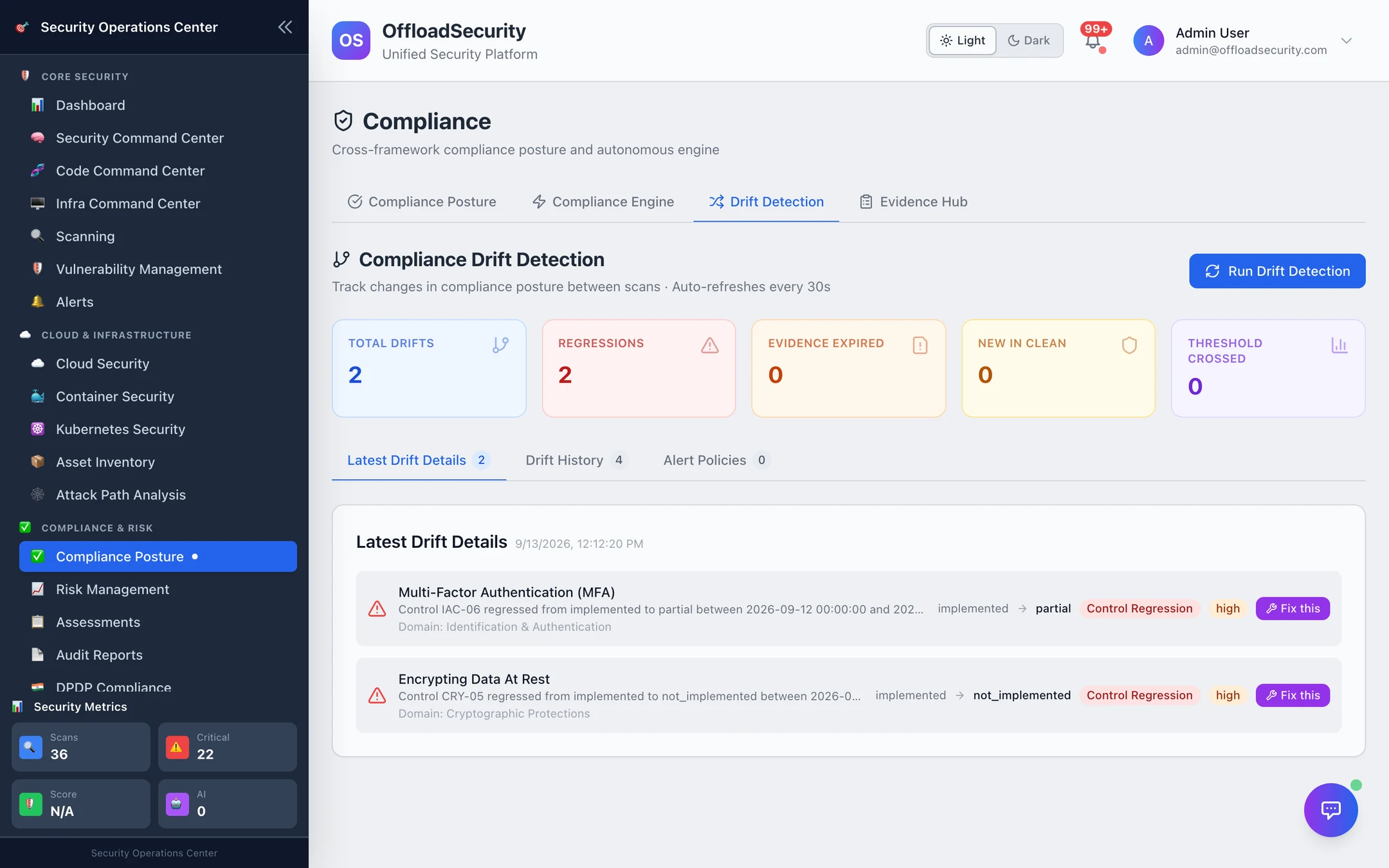
What counts as drift
| Type | Detected when | Severity |
|---|---|---|
| Control regression | A control's status moved in the wrong direction between the two most recent daily snapshots (implemented → partial, partial → not implemented, …) | high |
| Finding-count regression | A control's status did not change but the number of open findings behind it rose | high if it rose by 5 or more, otherwise medium |
| New finding in a compliant domain | An SCF domain that was fully clean in the previous snapshot now has a non-clean control | high |
| Evidence expired | Evidence linked to a control passed its validity date | medium |
| Threshold crossed | A framework's score fell below its threshold | critical |
Each drift names the control (SCF ID, name, domain), the previous and current status, the two snapshot dates and a message you can paste into a ticket.
Where the baseline comes from
The engine takes a snapshot of every control's status at 00:05 UTC every day (kept under the snapshot retention policy, trimmed weekly). Detection diffs the two most recent snapshots, so:
- Run Drift Detection re-runs the comparison now (the automatic run happens with every 4-hourly refresh) — it reports what changed since yesterday's baseline, not since the last click;
- a brand-new team has no drift until its second daily snapshot exists;
- a control locked by a manual override still produces a regression if you lower its status — the override is a decision, and decisions are auditable.
Drift History keeps every detection run with its counts by type.
Fix this
A regression whose control maps to one of the remediation playbooks shows Fix this: it creates a remediation action for the matching playbook (approval and dry-run rules apply as on the engine tab).
Alert policies
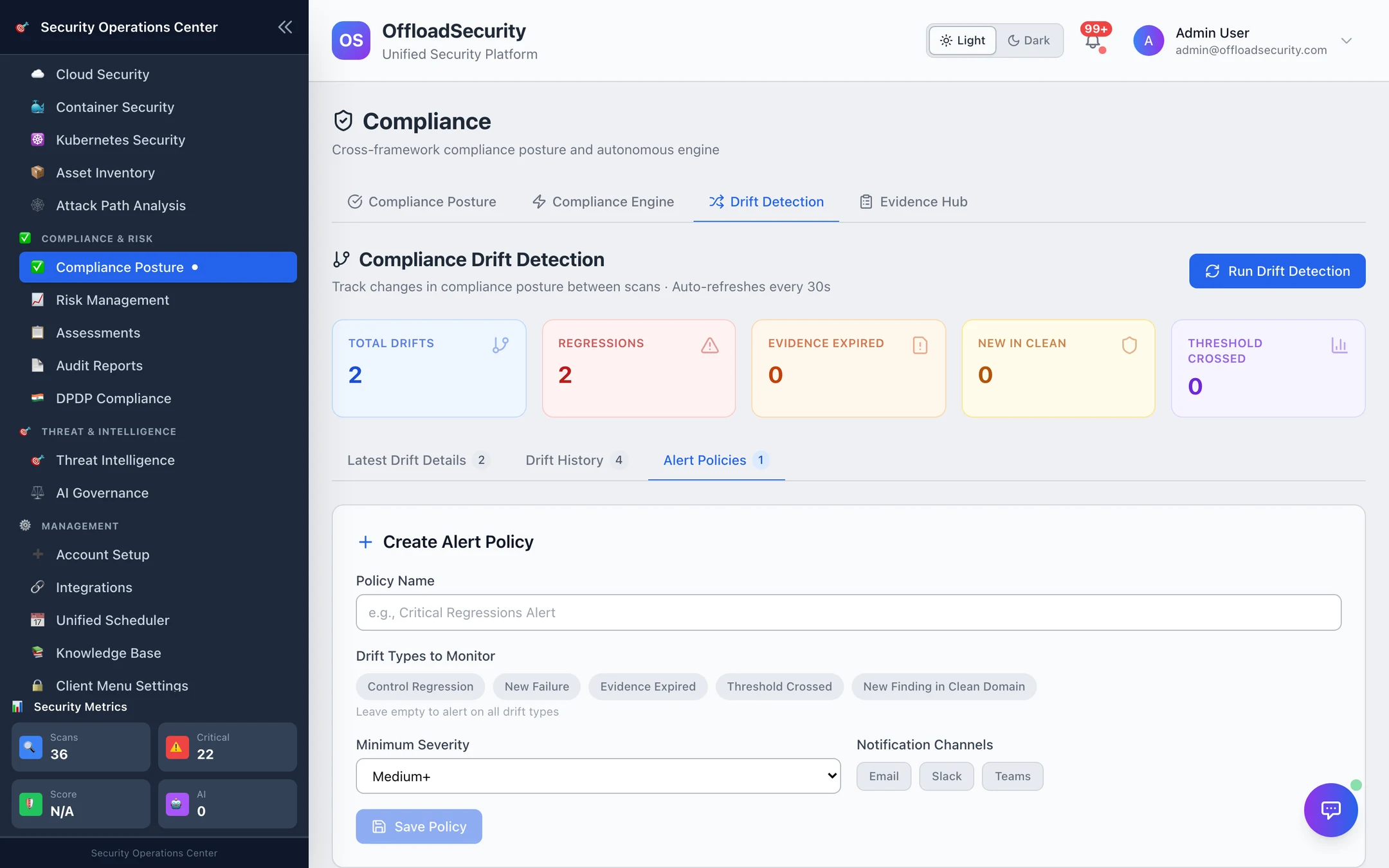
An alert policy decides which drifts become notifications:
| Field | Meaning |
|---|---|
| Drift types | Any of the five types above |
| Severity threshold | Minimum drift severity to notify (default high) |
| Frameworks | Only drifts touching these frameworks (empty = all) |
| Channels | Email, Slack, Teams, in-app — using the integrations configured under Notifications |
Policies are evaluated after every detection run; matching drifts are delivered once per run. Keep one broad policy at high for the security channel and one narrow policy (regulated frameworks, medium) for the compliance owner.
Related
- Compliance Engine — the refresh that triggers detection, thresholds and playbooks.
- Evidence Hub → Freshness — see expiring evidence before it becomes drift.
- Compliance & GRC API —
detect-drift,drift-history,alert-policies.