Reports & AI Assistance
Every module in Offload Security writes to one normalised data layer, and that is what makes reporting boring in the right way: the board pack, the auditor's CSV and the engineer's per-scan PDF all come from the same numbers you see on screen. AI sits on top of the same data — to explain, summarise and draft, never to decide.
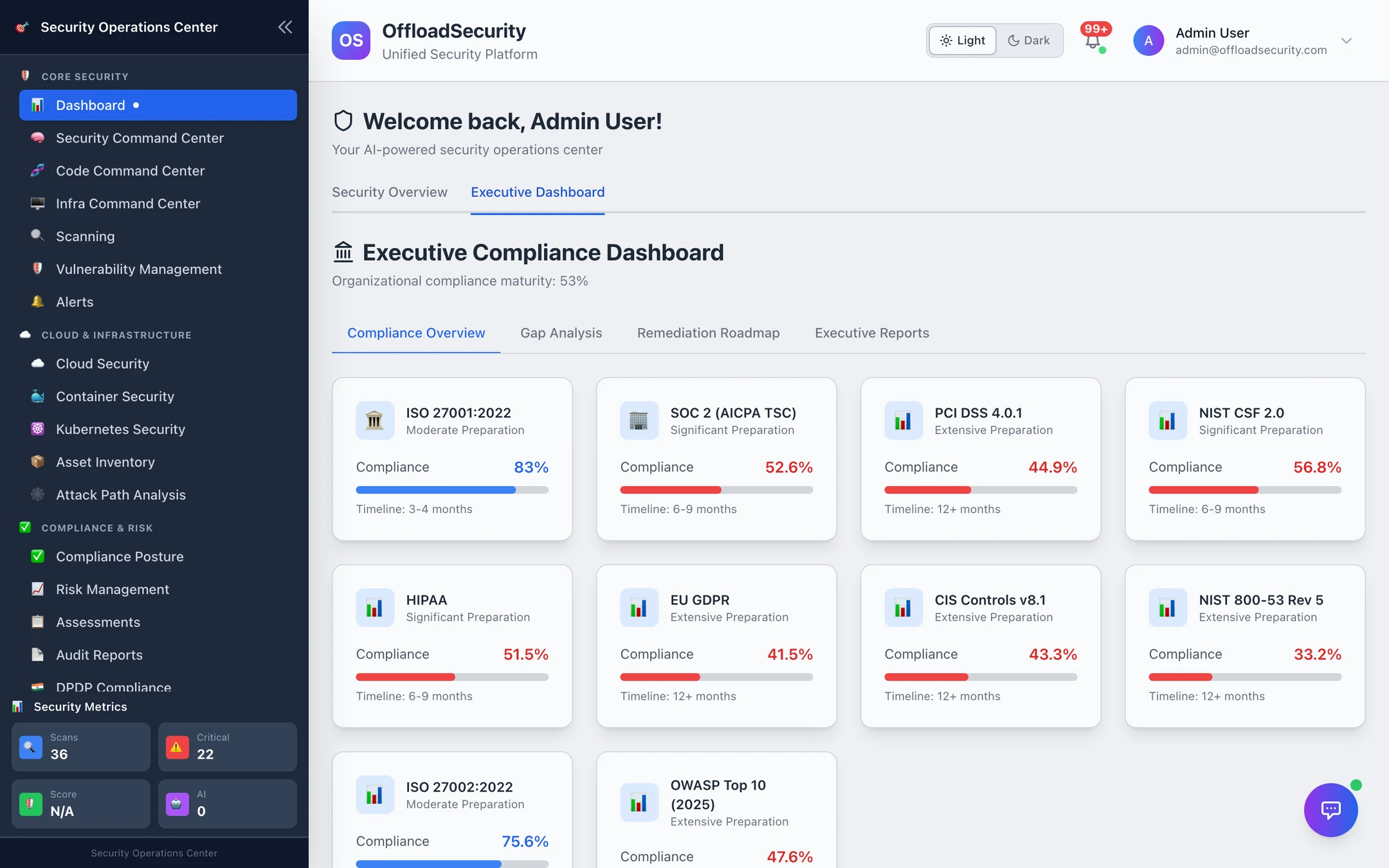
Where: reports are generated where their data lives (each module's page) and from the Executive Dashboard (Dashboard → Executive Dashboard tab); the AI Security Assistant is the floating button on every page; AI configuration lives under Knowledge Base → AI Assistant.
What this section covers
| Page | What it is for |
|---|---|
| Executive Dashboard | The leadership view — per-framework readiness, priority gaps, gap analysis, a remediation roadmap, board report and PDF export |
| Scheduled Reports | Weekly / monthly / quarterly executive reports rendered to PDF, emailed to recipients and kept in history |
| Report Catalog | Every export in the platform, by module — format, where to click, the API route, retention |
| AI Assistant | The floating security assistant, the in-context AI features across modules, provider setup, caching and data handling |
| API · Troubleshooting & FAQ | Endpoint map and the common problems |
How reporting fits together
Three properties hold everywhere:
- Reports are team-scoped. A report contains the active team's data only; switch teams before generating a report for another business unit.
- Reports are generated from live data and kept. Generated artefacts are stored with a retention window (180 days by default) so the version you sent to the auditor is the version you can download again.
- AI answers only from data your team can already see, and only generic questions are ever served from a shared cache — nothing derived from your tenant is.
Start here
- Open the Executive Dashboard once your frameworks are active — it is populated from the same scorer as Compliance Posture, so if the posture page is right, this is right. See Executive Dashboard.
- Schedule the board report monthly to the people who ask for it. See Scheduled Reports.
- Find the export you need in the Report Catalog — most questions are answered by a report that already exists.
- Configure an LLM provider (Knowledge Base → AI Assistant → AI Configuration) to switch on the assistant and the in-context AI features; without one, every AI button explains what it would do and asks for a provider. See AI Assistant.
Related
- Compliance → Audit Reports — the audit CSV packs.
- Compliance → Evidence Hub — per-framework auditor packages.
- Knowledge Base & AI Assistant — document Q&A and questionnaire auto-fill.
- Trust & Security — the data-handling commitments behind the AI features.