Report Catalog
Before building a report, check whether it already exists. This page is the complete list, grouped by who usually asks for it.
Scanning
| Report | Content | Formats | Where |
|---|---|---|---|
| Per-scan report | One web / API / network / TLS scan with findings, evidence and remediation | HTML · PDF · DOCX | Scanning → Completed → View / HTML / PDF per row · GET /api/native-scans/results/{scan_id}/download?format= |
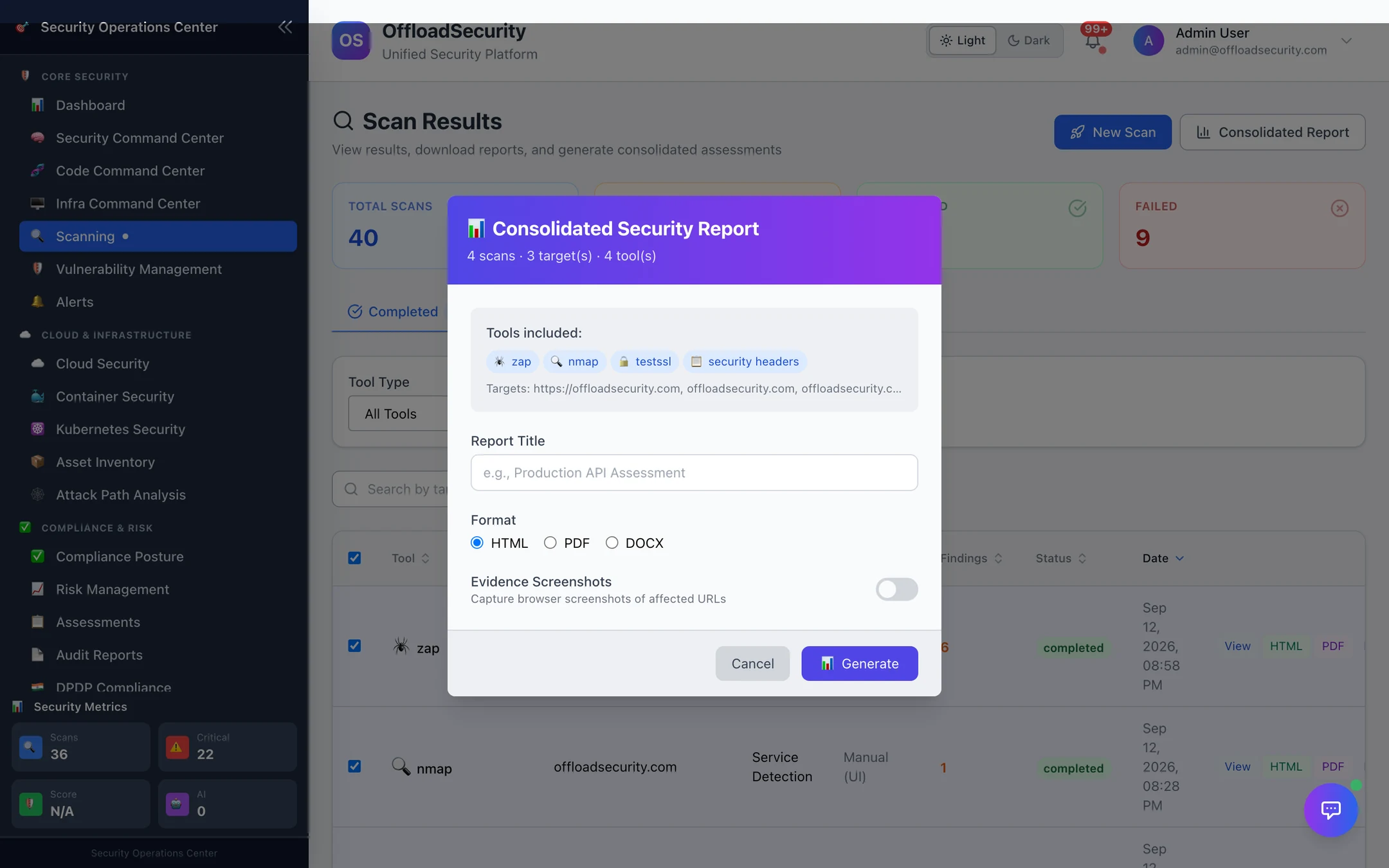
| Consolidated security report | Selected scans (or all completed scans of a target) merged into one executive document: risk matrix, findings by tool, optional evidence screenshots of affected URLs, remediation roadmap | HTML · PDF · DOCX | Scanning → Consolidated Report (tick scans first, or it takes all completed) · POST /api/reports/consolidated · POST /api/reports/target → job, then GET /api/reports/{job_id}/download; history at GET /api/reports/history |
| App Scan report | The all-tools application assessment with standards mapping | HTML · PDF | App Scan → run → Report · GET /api/app-scan/{app_scan_id}/report |
| Code report | Per-repository / per-scan SAST, secrets, SCA, IaC findings with tool breakdown | PDF (+ raw artifacts per tool) | Code Command Center → Reports → Export · GET /api/code/reports/{scan_id}/export?format=pdf · …/artifact/{kind} |
| SBOM | Components, licences, vulnerabilities for a code scan or image | CycloneDX / SPDX JSON · CSV · vulnerabilities CSV · licence notices | Code → SBOM & Licences → Download / Export · GET /api/code/sbom/{scan_id}/download · …/export?format=csv|csv-vulns|json · …/report |
| Container scan export | Image vulnerabilities from a full analysis | JSON · CSV · CycloneDX | Container Security → scan → Export · GET /api/container/scans/{scan_id}/export?format=json|csv|cyclonedx |
| Container compliance report | Image / registry / account against CIS Docker, NIST, PCI DSS or SOC 2 | JSON · HTML · PDF | Container Security → Compliance → Generate · POST /api/container-security/compliance-report |
| Kubernetes compliance report | Cluster against CIS, NIST, PCI DSS, SOC 2 or HIPAA | JSON · HTML · PDF | Kubernetes Security → Compliance → Generate report · POST /api/k8s/compliance/report |
Cloud, vulnerabilities and risk
| Report | Content | Formats | Where |
|---|---|---|---|
| Cloud findings export | Filtered CSPM findings | CSV · XLSX | Cloud Security → Findings → Export · GET /api/cspm/findings/export?format=csv|xlsx (session only) |
| Vulnerability occurrences / findings | The unified lake, filterable | JSON over the API | GET /api/vulnerabilities/occurrences · GET /api/vulnerabilities/findings |
| Risk register export | Risks with treatment plans and controls | CSV (selection) · JSON / CSV (full) | Risk Management → Export CSV on a selection · Reports → Full Risk Export · GET /api/risk-management/reports/export?format=json|csv |
| Risk executive summary | Register posture for a board pack | JSON (+ PDF data) | GET /api/risk-management/reports/executive-summary · …/executive-pdf-data |
| Heat map export | 5 × 5 matrix data | JSON | Risk Management → Heat Map → Heat Map Export |
| SLA breaches | Current breach list | JSON | GET /api/sla/breaches |
Compliance and audit
| Report | Content | Formats | Where |
|---|---|---|---|
| Audit reports | Controls (with overrides and evidence counts), findings, drift history, remediation audit trail, compliance-score history | CSV per section | Audit Reports · POST /api/compliance-engine/reports/generate → …/download/{section} — see Audit Reports |
| Auditor package | Per framework, per control, evidence in four layers | ZIP | Evidence Hub → Download audit package · GET /api/evidence-completion/auditor-package/{framework} |
| Statement of Applicability | Requirement → controls → status | JSON | GET /api/common-controls/soa/{framework} |
| Assessment PDF | A completed questionnaire with answers, evidence and score | GET /api/assessments/{assessment_id}/export-pdf | |
| DPDP audit pack | Event log slice + module state, SHA-256 sealed | JSON · PDF | DPDP Compliance → Audit & Export · POST /api/dpdp/audit/pack → …/pack/{pack_id}/pdf |
| DPDP breach reports | Rule 7(2) Board report and CERT-In report text | Text (for filing) | Breach → Report text · GET /api/dpdp/breach/{incident_id}/dpb-report-text · …/cert-in-report-text |
| Compliance posture PDF | Cover, implementation summary, status distribution, per-framework scores | Executive Dashboard → Export PDF · GET /api/executive-dashboard/export-pdf |
Executive
| Report | Content | Formats | Where |
|---|---|---|---|
| Board report · Trend analysis · Certification plan | See Executive Dashboard | On screen · PDF | Executive Dashboard → Executive Reports |
| Gap analysis · Remediation roadmap | Generated documents from the current gaps | On screen · PDF · email | Executive Dashboard → Gap Analysis / Remediation Roadmap |
| Scheduled reports | Any of the above on a cadence | PDF by email, history | Scheduled Reports |
Branded report family (API)
A set of branded, team-scoped documents that share one design system (cover page, document control table, charts, header/footer) and are rendered server-side. They are available over the API today and are what integrations and scripts should call for a finished document:
| Route | Formats | Content |
|---|---|---|
GET /api/export/executive-dashboard | Executive dashboard summary | |
GET /api/export/compliance-posture | Compliance posture (same as the dashboard's Export PDF) | |
GET /api/export/cloud-posture · .html · .docx | PDF · HTML · DOCX | Cloud posture across connected accounts |
GET /api/export/web-app · .html · .docx | PDF · HTML · DOCX | Web-application security findings |
GET /api/export/network · .html · .docx | PDF · HTML · DOCX | Network security findings |
GET /api/export/app-sec · .html · .docx | PDF · HTML · DOCX | Application security (code + dependencies) |
GET /api/export/consolidated-exec · .html · .docx | PDF · HTML · DOCX | Consolidated executive report across modules |
GET /api/export/scan-results?scan_type= | Scan results by type | |
GET /api/export/ai-decisions | AI SOC agent decisions audit |
All of them stream the file with a Content-Disposition attachment header; authenticate with X-API-Key.
Retention and scope
- Generated reports (consolidated, executive, scheduled, audit) are kept 180 days by default (
REPORT_RETENTION_DAYS); per-scan reports follow the scan retention policy in Scan Management. - Every report contains only the active team's data; API keys are scoped to their team.
- Branding (logo, colours, confidentiality banner) comes from the team's brand configuration and applies to every server-rendered document.
Related
- Executive Dashboard · Scheduled Reports
- Reports & AI API — the routes above with parameters.