Scheduled Reports
The report nobody has to remember to generate is the one that actually reaches the board. A scheduled report renders the chosen executive report to PDF on its cadence, emails it, and keeps every run so the copy the CFO received in March is still downloadable in September.
Where: Dashboard → Executive Dashboard → Executive Reports → Scheduled reports.
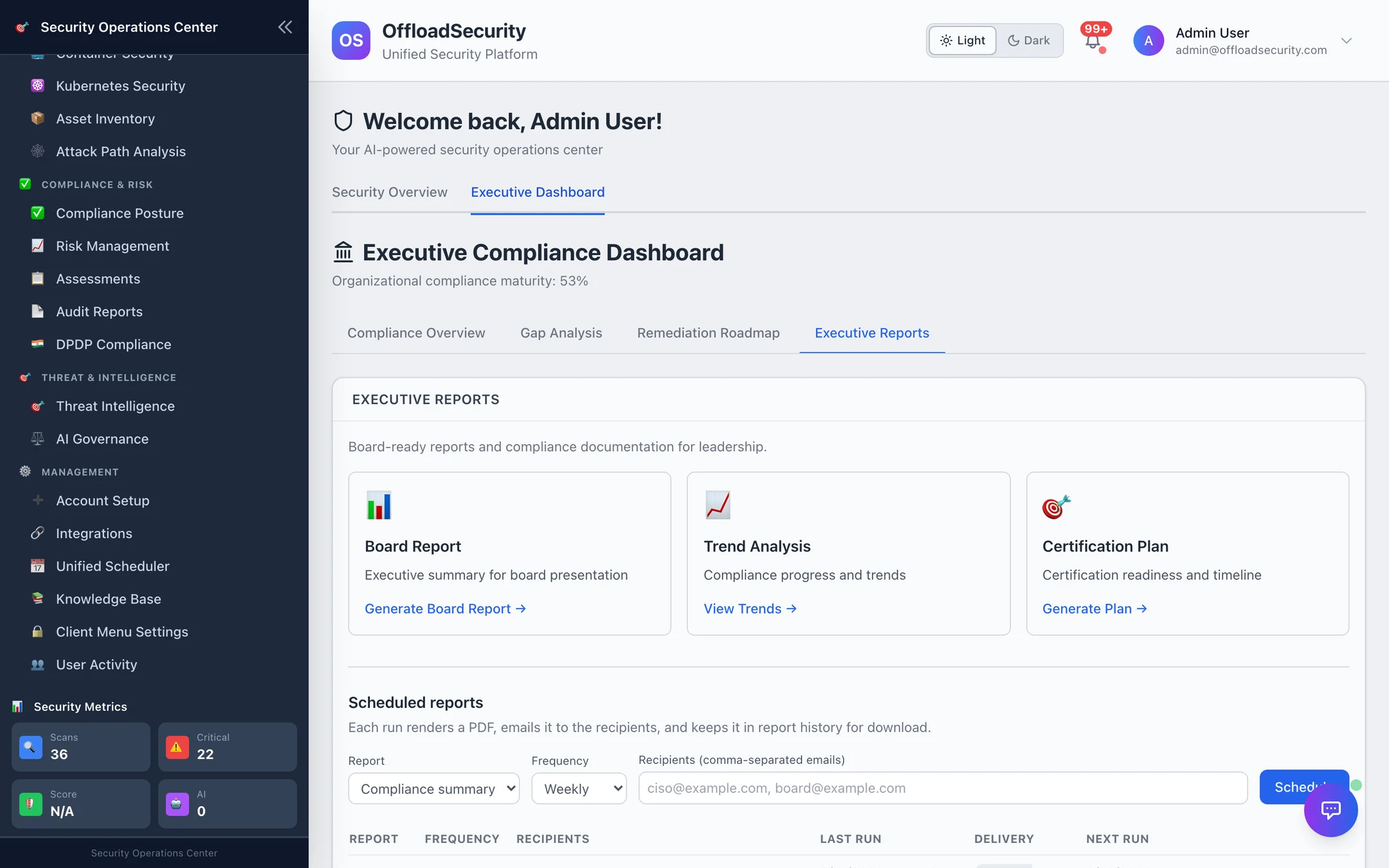
Create a schedule
| Field | Options |
|---|---|
| Report | Compliance summary · Board report · Gap analysis |
| Frequency | Weekly · Monthly · Quarterly (daily is available over the API) |
| Recipients | Comma-separated email addresses |
Schedule creates it; the first run is one interval out, at 09:00 UTC. Schedules are per team; anyone on the team can see them.
What a run does
Every 30 minutes the platform looks for schedules whose next_run has passed and, for each:
- Builds the report from the live executive overview (the same scorer as the dashboard).
- Renders it to PDF (falls back to a labelled text report if the PDF renderer is unavailable — never a silent empty file).
- Stores the artefact in report history (team-stamped, kept 180 days).
- Emails it to the recipients as an attachment, subject
[OffloadSecurity] Scheduled <report> compliance report — <maturity>; if no email channel is configured the run is recorded as not delivered rather than pretending. - Writes
last_run,last_status(generated, orerror:<category>),run_countand the nextnext_runback onto the schedule.
The history endpoint lists every run; latest downloads the most recent PDF.
Delivery prerequisites
Email needs the platform's SMTP settings (SMTP_HOST/SMTP_SERVER and credentials) — see Notifications. Without them reports are still generated and downloadable; only the send is skipped, and the schedule row says so.
Board report — monthly to the executive list; Compliance summary — weekly to security leads; Gap analysis — quarterly to the control owners. Recipients who get the wrong depth stop reading.
Related
- Executive Dashboard — the reports being scheduled.
- Reports & AI API — create, list, history, latest, delete.