Code Command Center
The Code Command Center is where source code gets tested before it becomes a running system: static analysis, vulnerable dependencies, leaked secrets, infrastructure-as-code mistakes, and the licences you are shipping. Connect a Git provider once, then scan repositories on demand, on a schedule, or from every pipeline run — and work the findings with a lifecycle that survives re-scans.
Where: left navigation → Code Command Center.
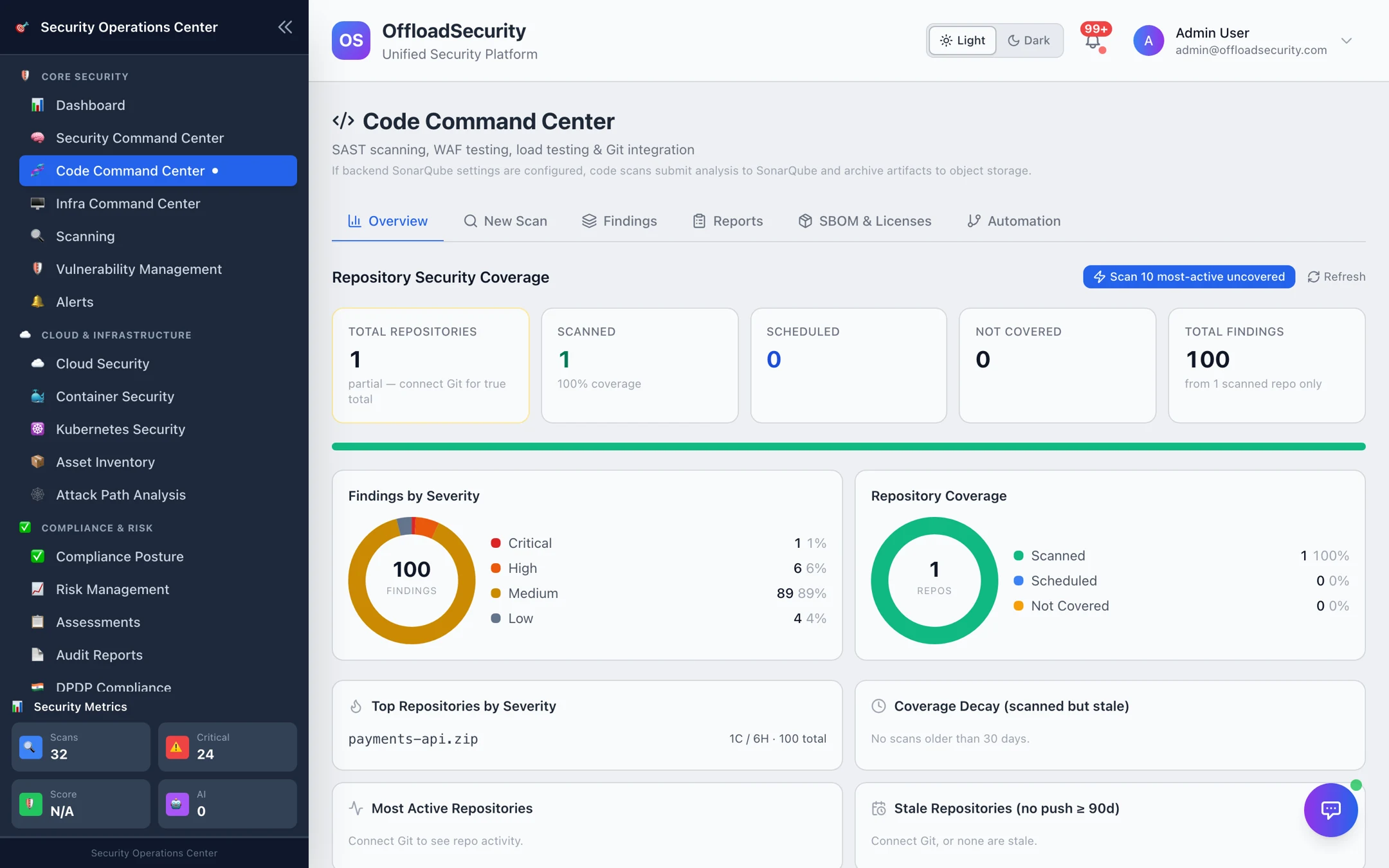
What you get
| Scan type | Engine | Finds |
|---|---|---|
| SAST | OpenGrep + Bandit (+ SonarQube when connected) | Injection, insecure deserialization, weak crypto, dangerous calls — per file and line, with code context |
| Dependency / SCA | OSV.dev, enriched with CISA KEV and EPSS | Vulnerable packages across lockfiles (npm, pip, Go, Maven, …), with fixed versions and exploit-likelihood signals |
| Secrets | Gitleaks | API keys, tokens, passwords and private keys in code and config |
| IaC | Checkov | Terraform, CloudFormation, Kubernetes manifests, Dockerfiles — public buckets, open security groups, unencrypted storage |
| SBOM & Licences | Syft (CycloneDX), licence enrichment via deps.dev | Component inventory, licence families and obligations, policy-pack checks |
| Compiled Image Scan | Trivy + Grype | The Docker image a pipeline just built |
Full Code Security runs all of the above in one pass.
The workspace
| Tab | Use it to | Page |
|---|---|---|
| Overview | Repository coverage — scanned, scheduled, uncovered, stale (no push in 90 days) — and findings by severity. | this page |
| New Scan | Scan a repository, an uploaded ZIP, a build artifact or a compiled image. | Running Code Scans |
| Findings | Triage across repositories: SAST, secrets, dependency CVEs and IaC in one list with lifecycle states. | Findings & Reports |
| Reports | Per-scan reports, exports and AI analysis. | Findings & Reports |
| SBOM & Licenses | Generate or upload SBOMs, licence governance, fix plans. | SBOM & Licences |
| Automation | Git connections, scheduled scans, CI/CD pipeline generation. | Connecting Repositories · CI/CD & Automation |
How it flows
Findings are fingerprinted (rule + file + code context, or package + CVE), so a re-scan updates the same finding instead of creating a new one, and a triage decision — triaged, risk accepted with an owner and justification, false positive — carries forward.
Prerequisites
- Run Scans to scan; Execute Remediations to open fix pull requests.
- A Git provider token with repository read access — see Connecting Repositories. Uploaded ZIPs and artifacts need no connection.
Related
- CLI & CI/CD — the
scan.shscript, the CLI and release gates. - Container Security — the images your code becomes.
- Vulnerability Management — code findings in the unified view with SLAs.