Findings & Reports
Findings
Where: Code Command Center → Findings.
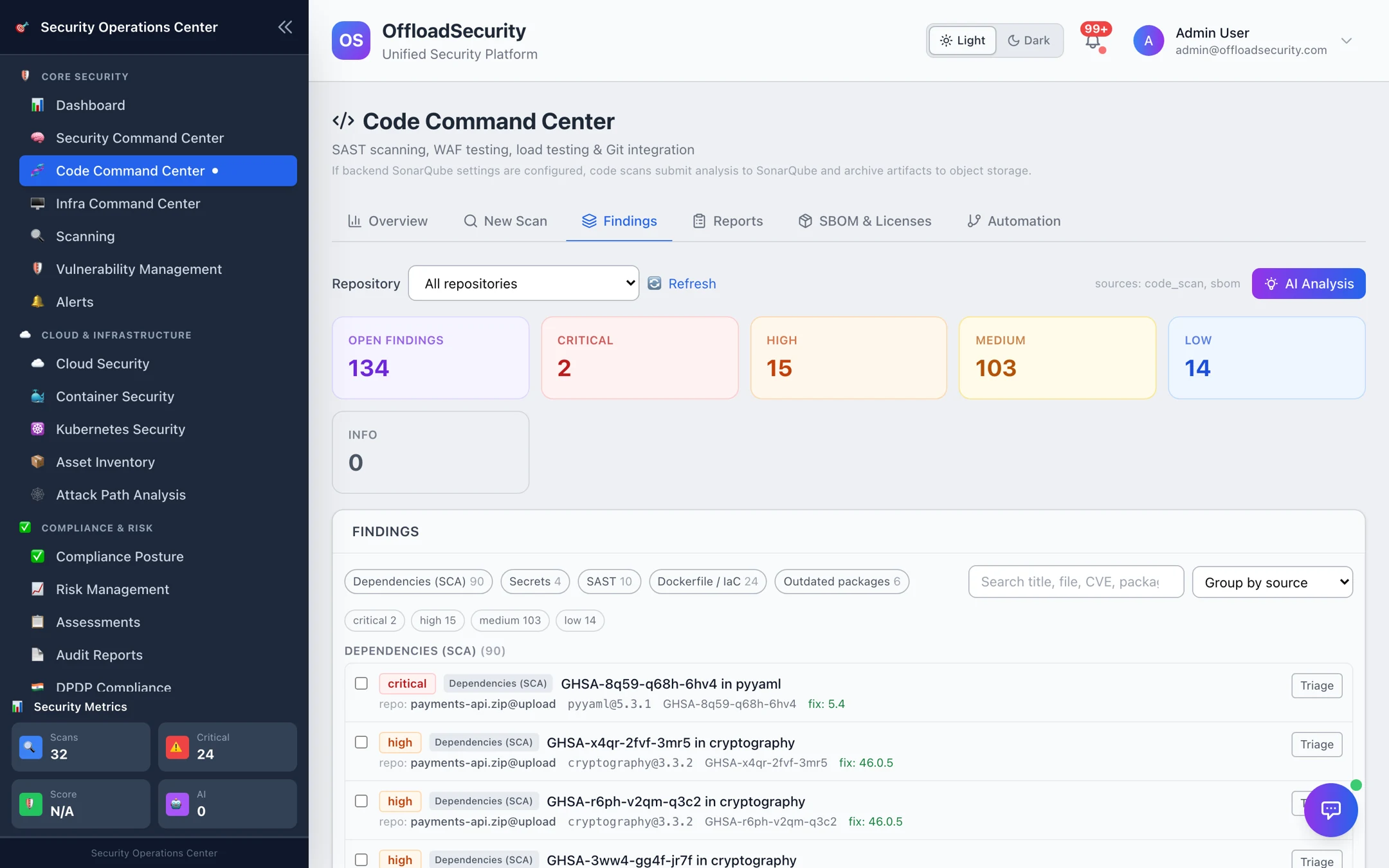
The Findings tab is the cross-repository triage list. Pick a repository (or all), and the tiles show open findings by severity. Findings can be searched by title, file, CVE or package, and AI Analysis summarises the current view: what is exploitable, what is noise, where to start.
Grouping
| Group by | One row per | Use it when |
|---|---|---|
| Rule (default) | rule, detector or CVE — with the worst severity, the source, open/suppressed counts and the repositories it appears in | Working the list: the same mistake in forty files is one decision, not forty |
| Source | Dependencies (SCA), Secrets, SAST, Dockerfile / IaC, Outdated packages | Reviewing one engine's output |
| Severity | severity band | Reporting |
| Repository | repository (when all repositories is selected) | Seeing which repository carries the load |
| None | finding | A flat list |
In the rule view, ticking a rule selects every finding it produced into the bulk bar, and Triage all N opens one decision for exactly those findings. Expand a rule to see its individual findings.
Each row shows severity, source, the identifier (rule, CVE/GHSA, detector or Checkov check), the location (file and line, or package and version) and, for dependencies, the fixed version plus KEV (actively exploited) and EPSS badges. Secrets carry their validation badge (verified live / inactive) and, when found in git history rather than at HEAD, history only with the introducing commit. Open a row for the code context or advisory text, the remediation, the activity history and comments.
Lifecycle
Every finding starts open. Triage records a decision that survives re-scans:
| Decision | Requires | Effect |
|---|---|---|
| Resolved | — | Closed; re-detected on a later scan → reopened automatically. |
| Accept risk (time-bound) | Owner, justification, expiry | Hidden from open counts until the expiry, then returns for review. Under the Production policy pack acceptances also need an approver and are capped at 30 days (90 under Baseline). |
| False positive | Justification | Excluded from counts, scores and reports; kept on the finding. |
| Reopen | — | Returns an accepted or resolved finding to open. |
Attach evidence (a link or note) to any decision; it appears in the activity log and in exports, which is what an auditor asks for when they see an accepted critical. Decisions can be applied in bulk to a selection.
Scope: this repository, or every repository
A finding's fingerprint is the rule, the package or file, and the code context — so the same rule in the same file name exists in many repositories. A decision therefore applies to the repository it was made in by default: a false positive on acme/app does not hide the same finding in acme/web, where it may be real. When the decision genuinely holds everywhere, tick Apply to every repository in the team in the decision dialog (offered for risk acceptance and false positive). Bulk decisions carry each finding's own repository. Decisions recorded before scoping existed apply team-wide and are marked as legacy in the Suppressions view.
Re-scans and coverage
A resolved finding reopens when a later scan reports it again — but only when that scan actually ran the engine that found it. If the SAST engine was skipped or failed on a scan, SAST findings are marked not reassessed rather than silently resolved, so a broken scanner cannot look like a fixed codebase.
Suppressions
Where: Code Command Center → Suppressions (also under Vulnerability Management).
Everything currently hidden from the open counts, in one place: by rule, with what was decided (false positive, accepted risk, suppressed), since when, by whom, how many findings it covers, and — for time-bound decisions — the expiry, days remaining, and whether it has already expired or is expiring soon. Search and filter by decision or status inside a rule group; expand a rule for the individual findings; Revoke an active exception (needs triage-management rights) to bring its findings back into the open counts. Include revoked shows history.
This is the list to bring to a review: "which rules are suppressed, why, and for how long" is answerable without opening a single finding.
Fixing
- AI Fix Suggestion drafts the code change for a SAST finding or the upgrade for a dependency, with an explanation.
- Fix PR pushes a branch with the change and opens a pull request on the connected provider (GitHub, GitLab or Bitbucket). It needs the Execute Remediations permission and a token with pull-request write access. The PR body links back to the finding.
- Fix with agent lets an agent clone the repository, make the fix and open the pull request itself, then verify the fix on the merged commit — opt-in per deployment and per team. See Fix with Agent.
- Copy PR body and Copy upgrade commands are available when you would rather open the change yourself.
Fix PR and Fix with agent are the only code-scanning actions that write to your repository, and both only ever open a pull request.
Verification
When a fix pull request merges, the platform re-scans the merged commit and records the outcome on the finding: verified fixed (the finding's own scanner ran and no longer reports it), still present, or verification inconclusive — the scan ran on another commit, was truncated, or the scanner that produced the finding did not complete. Nothing is closed on an inconclusive verification.
Dependency findings usually outnumber everything else and are the cheapest to fix — a version bump. Filter to KEV-flagged and fixable high/critical dependencies, ship those, then work SAST criticals with the code context in front of you.
Scan reports
Where: Code Command Center → Reports.
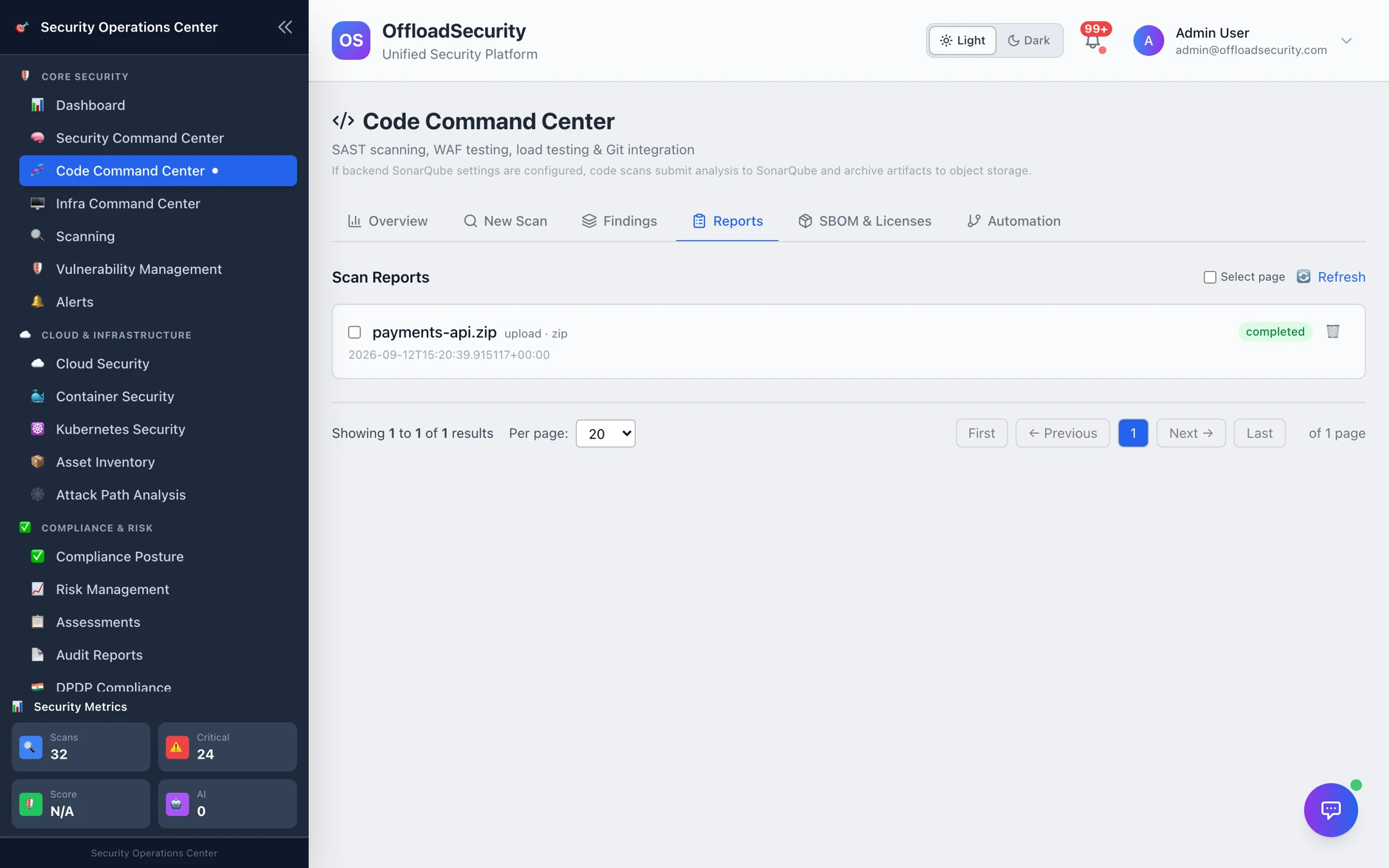
One report per scan: source (repository and branch, or upload), type, status (completed, completed with errors when a tool failed, failed) and date. Filter with Show: application / owner once repositories are mapped (Repository ownership). Select several and Delete to prune.
Open a report for the detail view:
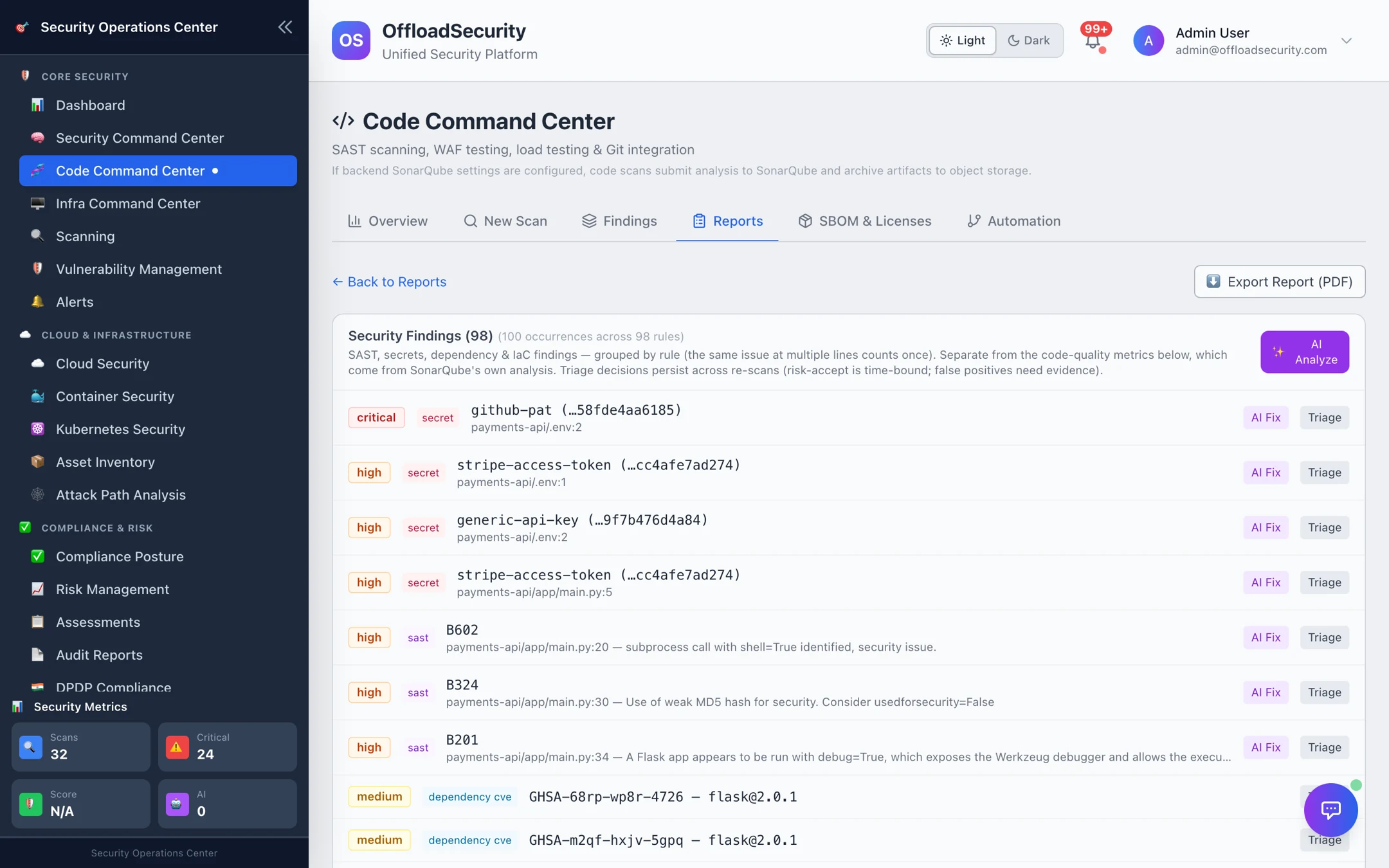
- Security findings for that scan — the same rows, grouping, drawer (code context, activity, fix PR) and triage as the Findings tab, so a decision made from a report is the same decision. Findings are marked new or existing against the previous scan of the same repository, including its SBOM, so a dependency CVE that was already there is not "new" on every scan.
- The linked SBOM when the scan generated one.
- Artifact / image scan results when the scan was of a build artifact or compiled image.
- SonarQube report when SonarQube is configured — the platform stores the report artifact and links it.
- AI Analysis of the whole scan and Export Report (PDF) for a release record or an auditor.
Where code findings go next
- Vulnerability Management — SCA and image CVEs appear in the unified view with SLAs and ownership (Vulnerability Management).
- Risk Register — promote an accepted critical into a tracked risk (Risk Register).
- Release gates — the same findings drive the pass/fail decision in CI (CI/CD & Automation).
Related
- Running Code Scans — producing the findings.
- SBOM & Licences — the inventory and licence side of the same scans.
- Secret Detection — validation badges and history-only secrets.
- Pull Request Review — the same findings, reviewed on the pull request before merge.
- Scanning API — findings lifecycle, reports and exports over REST.