Image Scanning
Three ways to scan: Quick Scan for any image reference (public or one you have credentials for), registry scans for the images you already synced (Registries), and Compiled Image Scan from the Code Command Center for the image a pipeline just built. All three produce the same result shape and land on the Scan Results tab.
Quick Scan
Where: Container Security → Quick Scan.
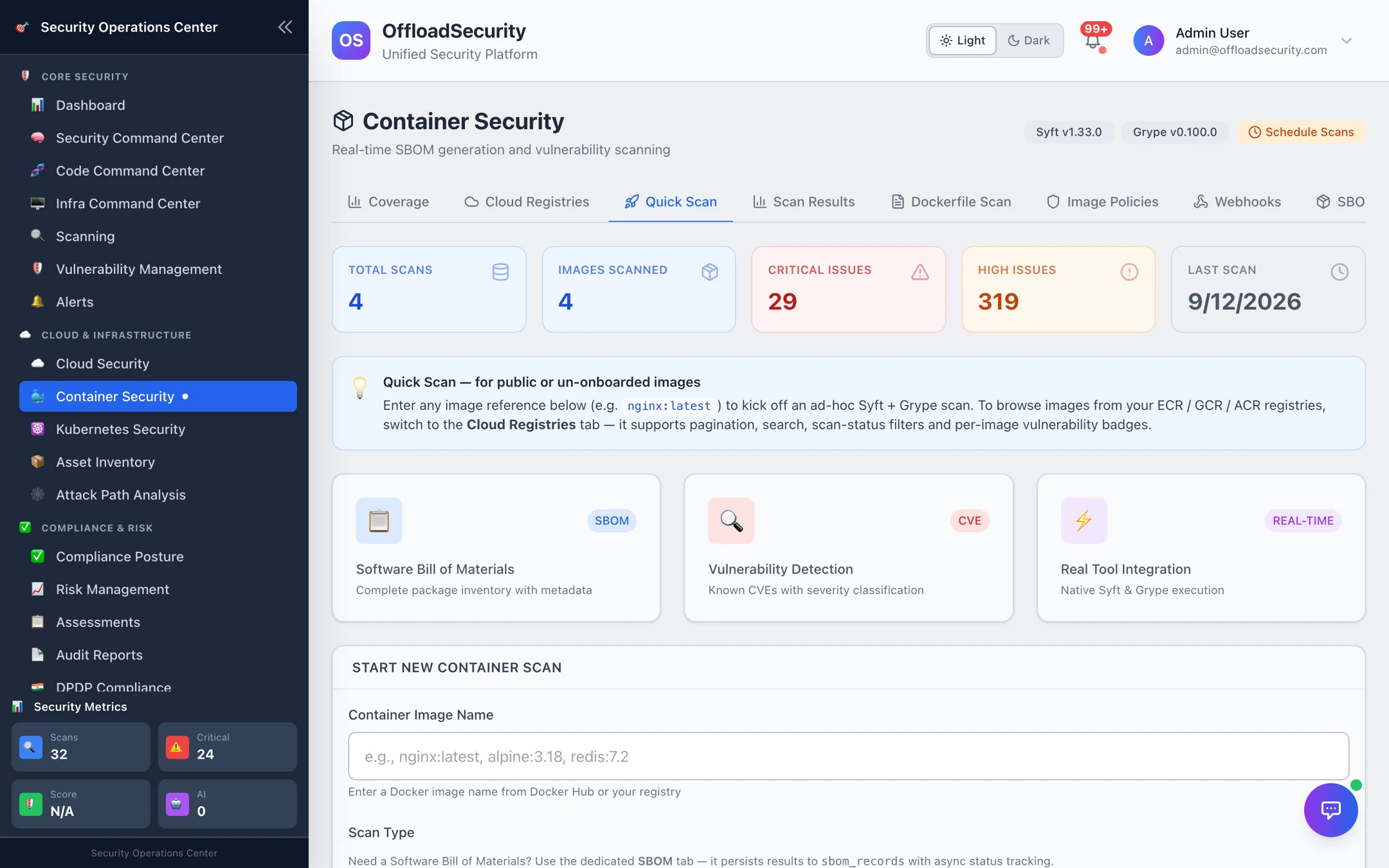
-
Enter the image reference —
nginx:1.25.3,ghcr.io/org/app:2.4.0, or a full registry path. Docker Hub public images work without setup; private registries use the credentials of a connected registry. -
Pick the scan type:
Type Runs Use when Full Analysis Trivy vulnerabilities and misconfigurations, Syft SBOM, secrets in image layers, recommendations Default — everything you need to decide whether an image may ship. Vulnerability Only Grype CVE scan with CVSS scores and fix versions Fast check of a base image or a re-check after a rebuild. SBOM Syft SBOM in CycloneDX, SPDX or Syft JSON Inventory or licence questions — see SBOM lifecycle. -
Start scan. The image is pulled and analysed in the background; results appear on Scan Results in a few minutes for typical images.
Registry scans (Registries) can run Syft, Grype and Trivy per image; results are normalised to the same shape whichever engine produced them.
Reading a result
Where: Container Security → Scan Results → View Details.
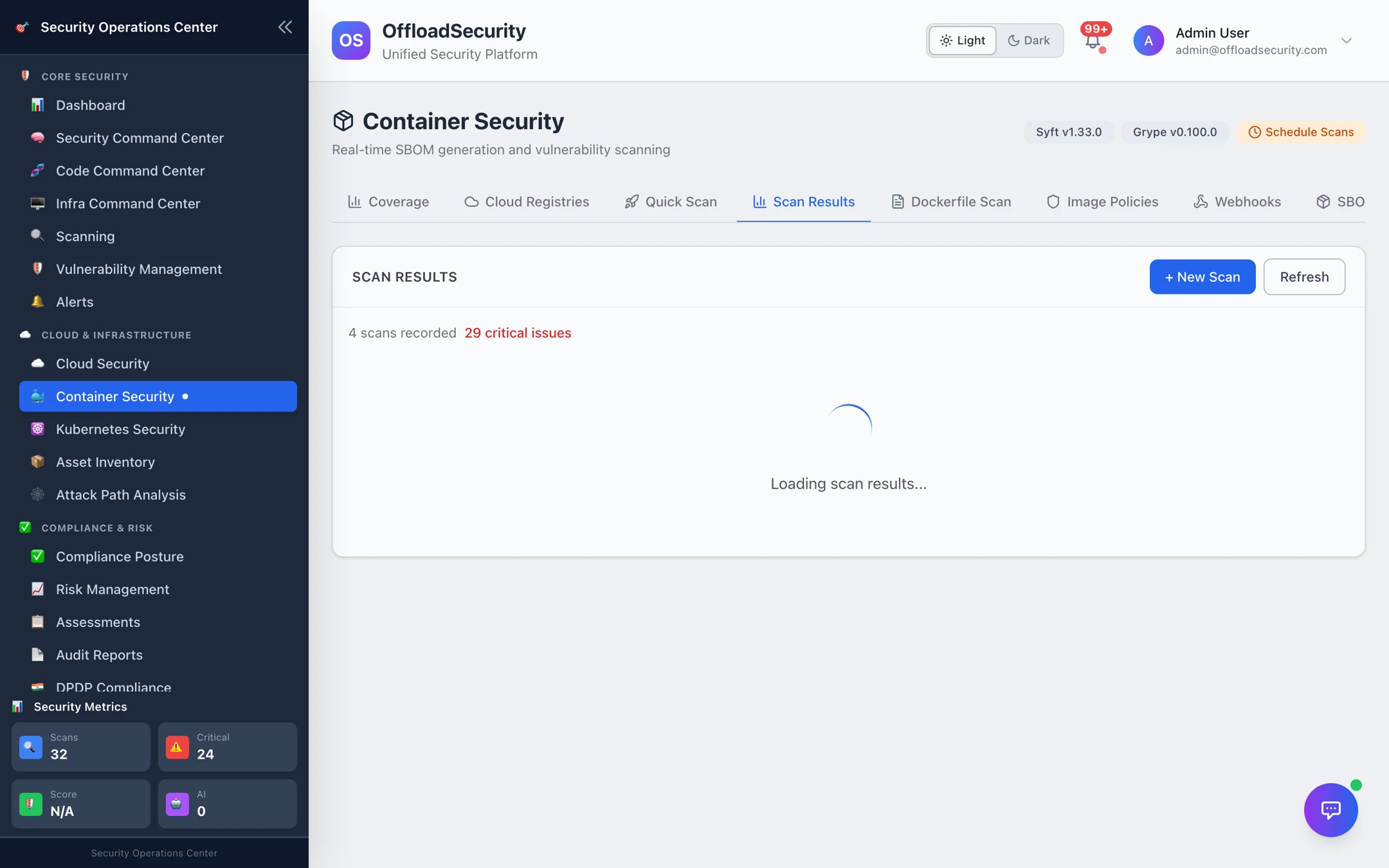
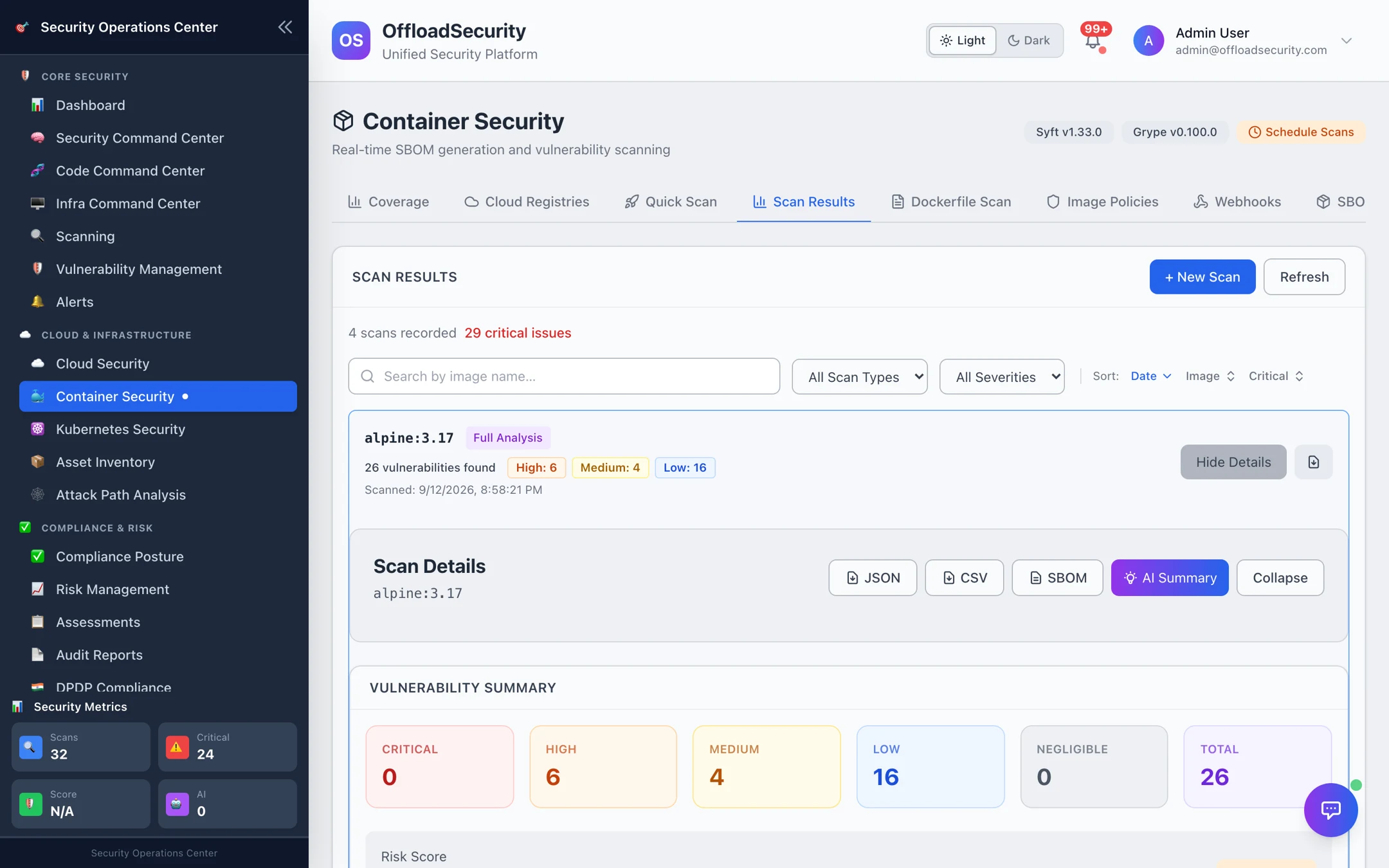
| Section | What it tells you |
|---|---|
| Vulnerability summary | Counts by severity (critical / high / medium / low / negligible), total, a risk level and risk score. |
| Vulnerabilities | One row per CVE × package: ID, package, installed version, fixed version when one exists, severity, description. Sort to find the fixable criticals first. |
| SBOM | Total packages and the package list by type (OS packages, npm, pip, Go modules, …). |
| Secrets / misconfigurations | Hard-coded credentials found in layers and image configuration issues (full analysis). |
| Recommendations | Plain-language next steps — upgrade the base image, pin versions, drop packages. |
| Exports | JSON (full result), CSV (vulnerability table), SBOM (the generated SBOM), and an AI Summary for a ticket or a release note. |
Re-scanning the same image later shows the change since the previous scan — new and fixed vulnerabilities — and the Security Posture Trend on the Compliance tab plots total findings per scan over time.
Most of an application image's CVEs come from its base. Compare python:3.9-slim (1,200+ findings in the example above) with a current slim or distroless base before chasing individual packages.
Dockerfile scanning
Where: Container Security → Dockerfile Scan.
Paste a Dockerfile and select Scan Dockerfile to get a graded result in seconds — before anything is built.
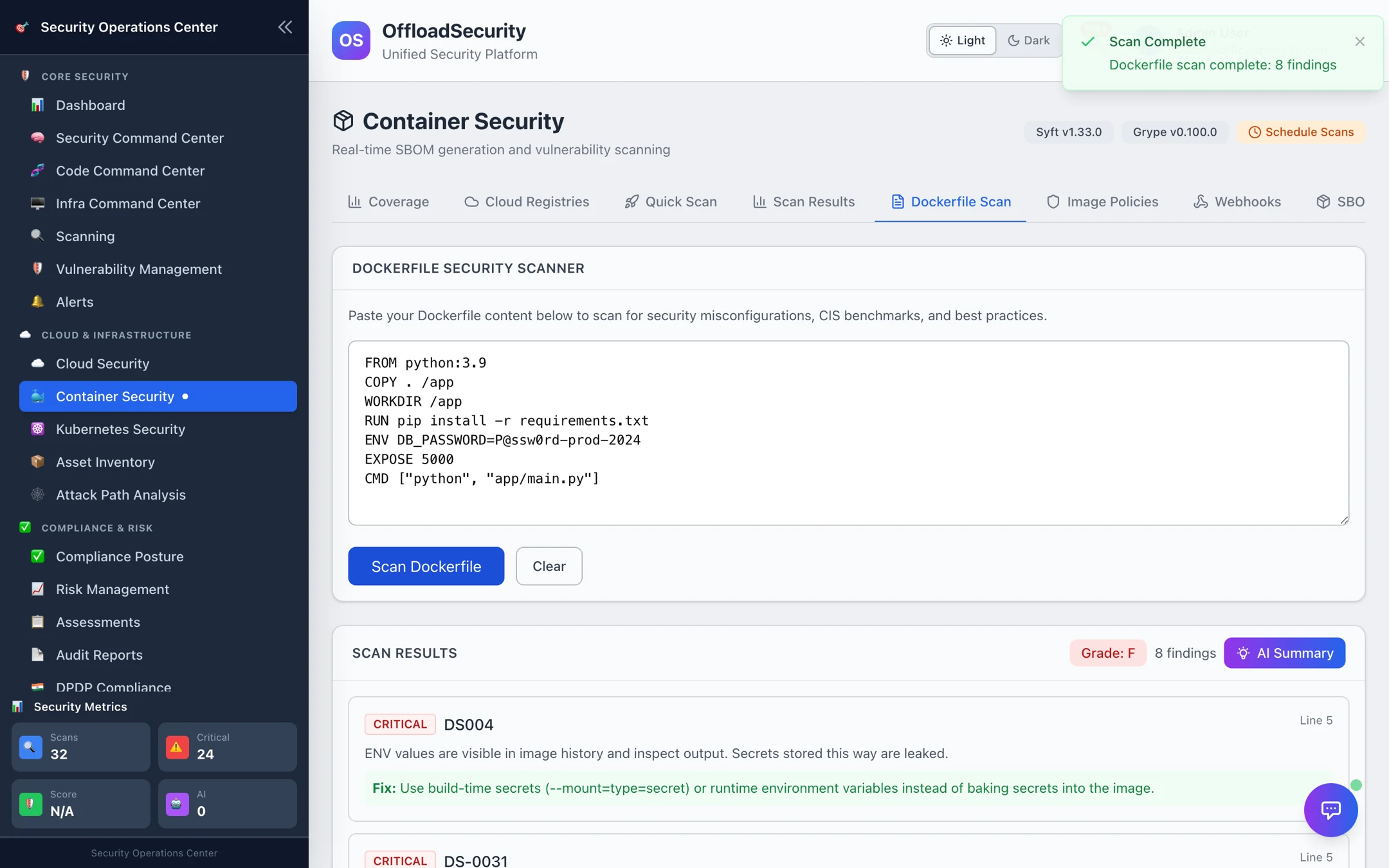
The 14 rules and their severities:
| Rule | Severity | Checks |
|---|---|---|
| DS001 | High | Container runs as root |
| DS002 | Medium | latest tag on the base image |
| DS003 | Medium | ADD used where COPY is safer |
| DS004 | Critical | Secrets in ENV instructions |
| DS005 | Medium | Missing HEALTHCHECK |
| DS006 | Low | Unnecessary EXPOSEd ports |
| DS007 | Low | No multi-stage build |
| DS008 | Low | apt-get / apk without --no-cache or cleanup |
| DS009 | Medium | Unpinned package versions |
| DS010 | High | sudo in the image |
| DS011 | Medium | Privileged ports |
| DS012 | Medium | apt-get upgrade in the build |
| DS013 | High | No non-root USER before CMD / ENTRYPOINT |
| DS014 | Medium | VOLUME on sensitive paths |
Each finding shows the line, the rule and the fix. Dockerfiles committed to a repository are also covered by the IaC scan in the Code Command Center (Checkov's Dockerfile checks).
Related
- Registries — scan the images you actually ship, on a schedule or on push.
- Policies, Webhooks, SBOM & Compliance — turn scan results into a deploy gate.
- Running Code Scans — Compiled Image Scan — scan the image a pipeline just built.