Infra Command Center
The Infra Command Center collects the operational checks that sit next to scanning: the CI/CD setup guides (GitHub Actions and Jenkins) for the platform's scan step, a WAF test that fires real attack payloads at a URL to see what gets through, and an API load test.
Where: left navigation → Infra Command Center.
GitHub Actions and Jenkins
Where: Infra Command Center → GitHub Actions / Jenkins.
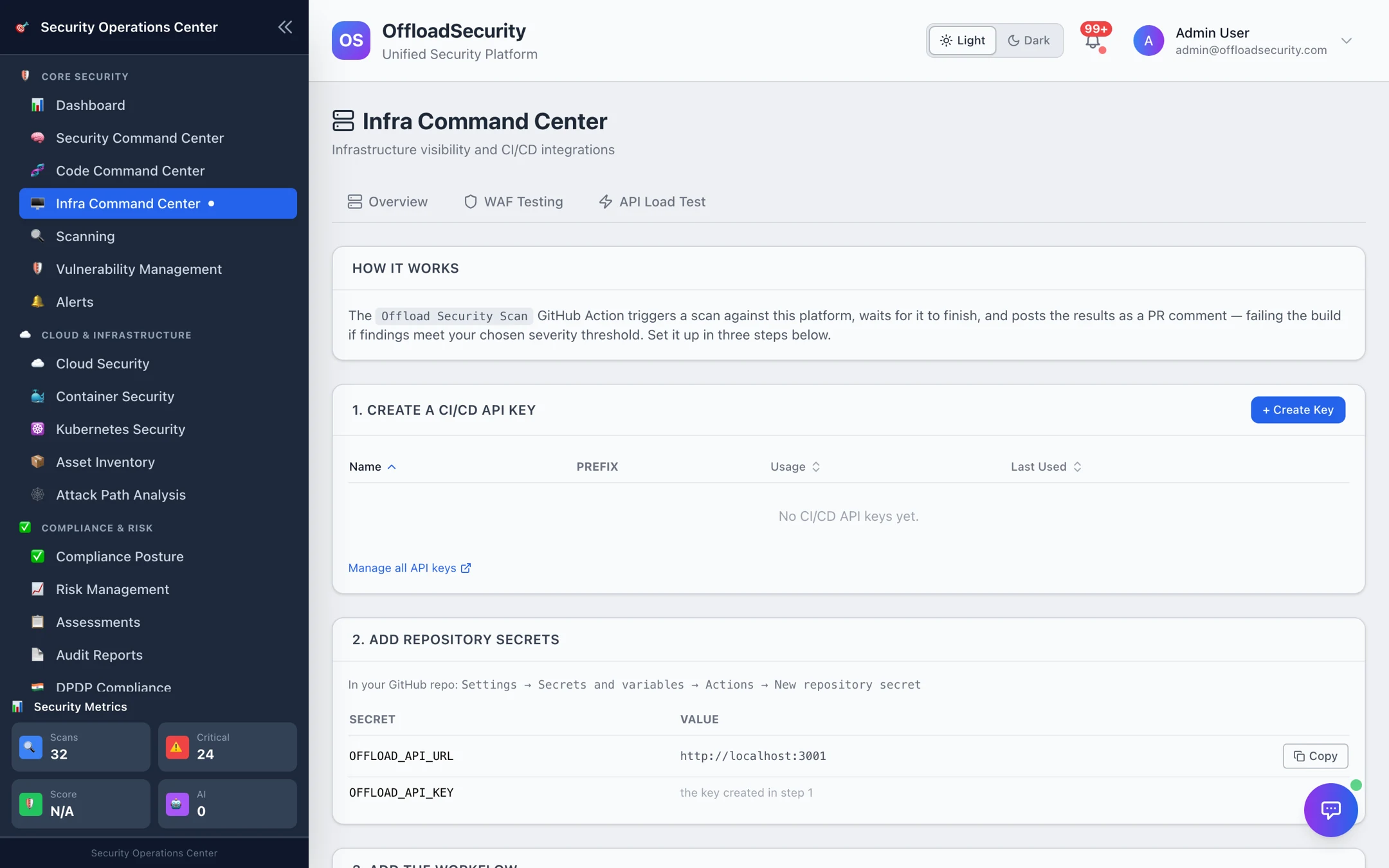
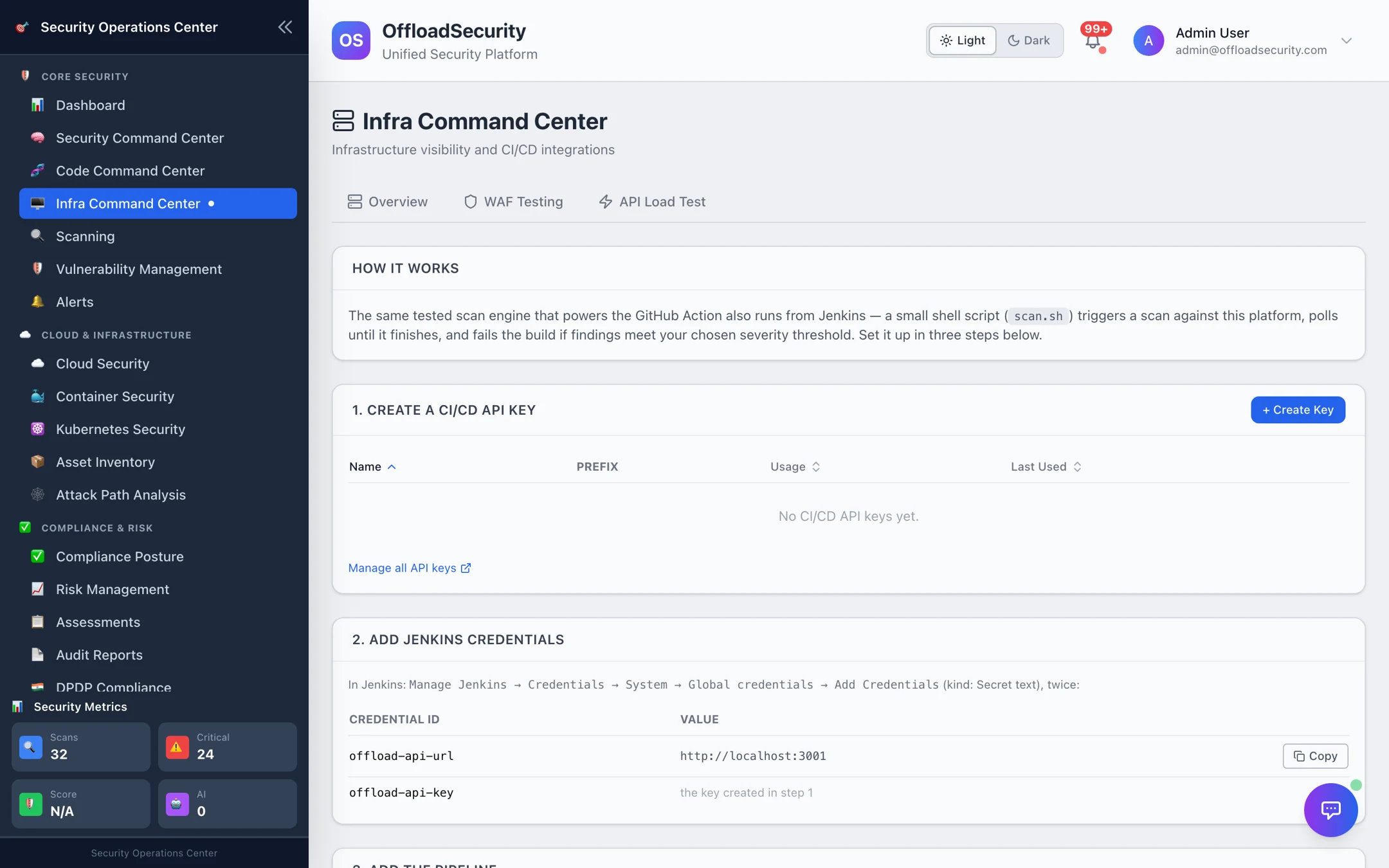
Both tabs walk through the same three steps for their CI system:
- Create a CI/CD API key — generated here with the CI preset (scan trigger + read scopes); the key is shown once. Manage all API keys.
- Add the secrets —
OFFLOAD_API_URL(pre-filled with this instance's URL) andOFFLOAD_API_KEY: in GitHub under Settings → Secrets and variables → Actions → New repository secret; in Jenkins under Manage Jenkins → Credentials → System → Global credentials → Add Credentials (the tab shows the credential IDs the Jenkinsfile expects). - Add the step — GitHub gets the Offload Security Scan action; Jenkins gets a
Jenkinsfilestage that runsbash jenkins/scan.sh. Both trigger an App Scan of your target (a web URL, or a container image), poll until it finishes, print the results, and fail the build when the severity threshold is breached (fail_on, defaultcritical;timeoutdefault 30 minutes). On GitHub the action also posts the results as a pull-request comment and can set a commit status.
The action's inputs cover target_url or container_image, optional code_repo / code_branch / git_provider for code scans, cloud_account_id for a posture scan, signature verification (signature_identity, signature_oidc_issuer) and secrets_only_verified to fail only on live secrets. For GitLab, Bitbucket and Azure DevOps use the generator in CI/CD & Automation; the underlying REST calls are documented in CLI & CI/CD.
WAF Testing
Where: Infra Command Center → WAF Testing.
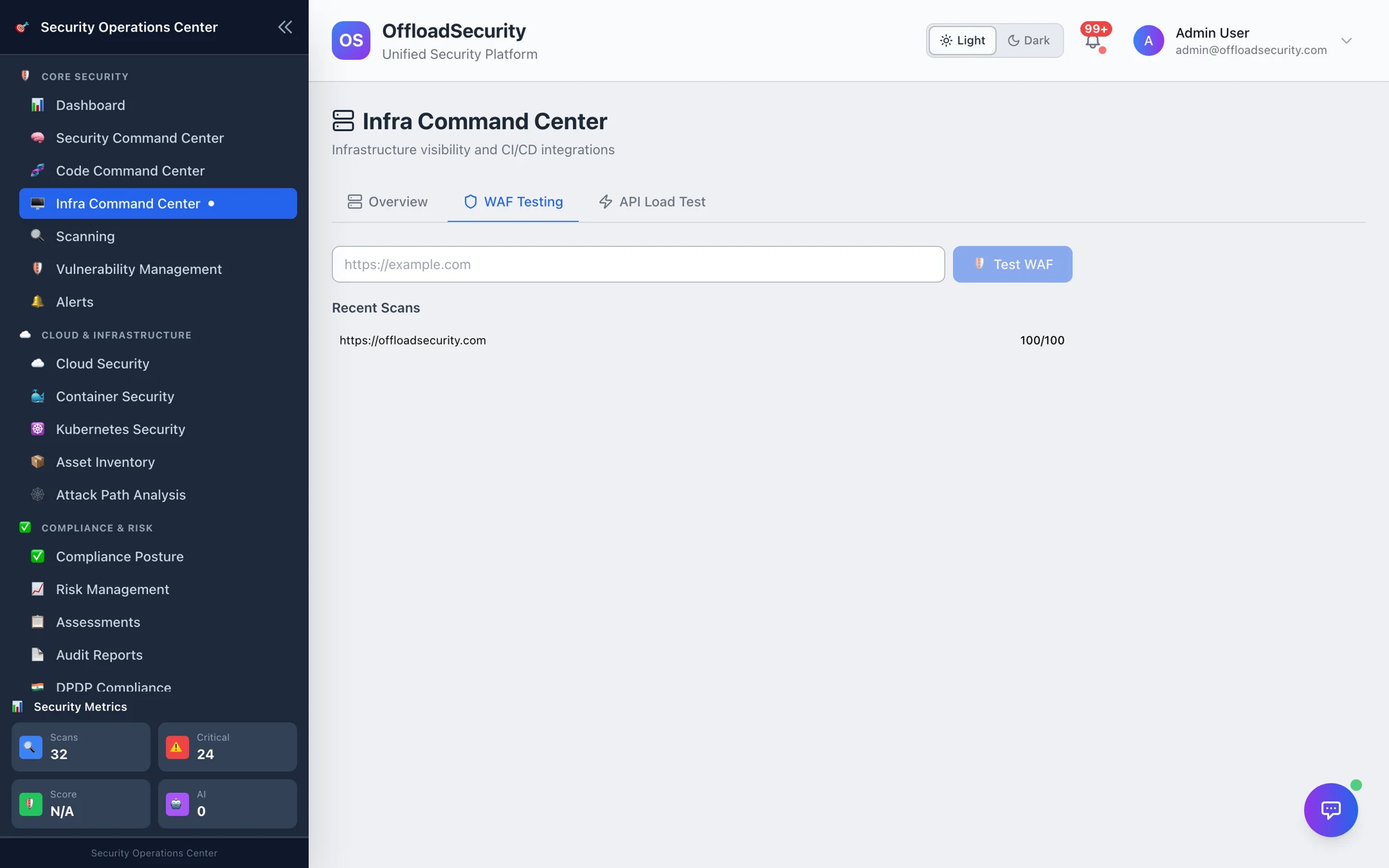
Enter a URL and select Test WAF. The platform sends ten attack payloads — SQL injection (UNION and boolean), reflected XSS and event-handler XSS, local file inclusion, remote code execution, XXE, SSRF to cloud metadata, URL path traversal and Log4Shell (JNDI) — and records, per rule, whether the request was blocked or passed. The result is a score out of 100, the detected WAF vendor where one identifies itself, and the list of payloads that got through — the ones to add rules for. Recent tests are kept per target.
These payloads are genuine attack strings. Only test endpoints you own; on shared platforms confirm your provider's testing policy first.
API Load Test
Where: Infra Command Center → API Load Test.
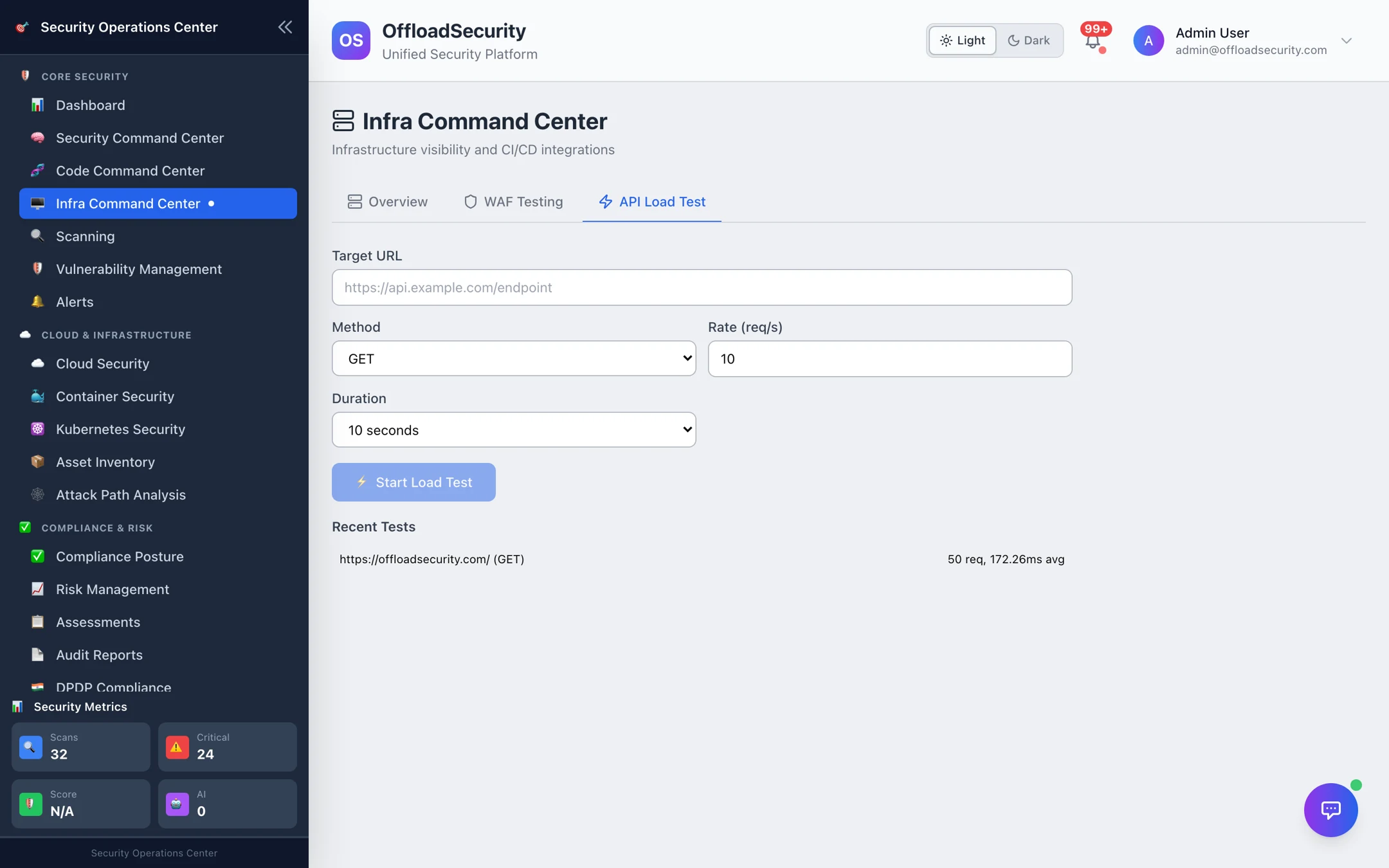
Point it at an endpoint, choose the method, a rate (requests per second, up to 500) and a duration (5 seconds to 2 minutes), and Start Load Test. You get total, successful and failed requests, the status-code distribution and latency (average, min, max). It is a quick sanity check that an endpoint — or the rate limit in front of it — behaves as expected, not a replacement for a full performance suite.
Related
- CLI & CI/CD — the complete pipeline contract.
- CI/CD & Automation — generated pipelines for every provider and the release gates.
- Running Web, API & Host Scans — the scans a pipeline triggers.