Kubernetes Security
Kubernetes Security assesses your clusters for misconfigured control planes and nodes, risky workloads, over-permissive RBAC and vulnerable images — then shows the result per cluster, across the fleet, and mapped to the MITRE ATT&CK Containers matrix and to compliance frameworks. It works for managed clusters (Amazon EKS, Google GKE, Azure AKS) and on-premises Kubernetes, always with read-only access.
Where: left navigation → Kubernetes Security.
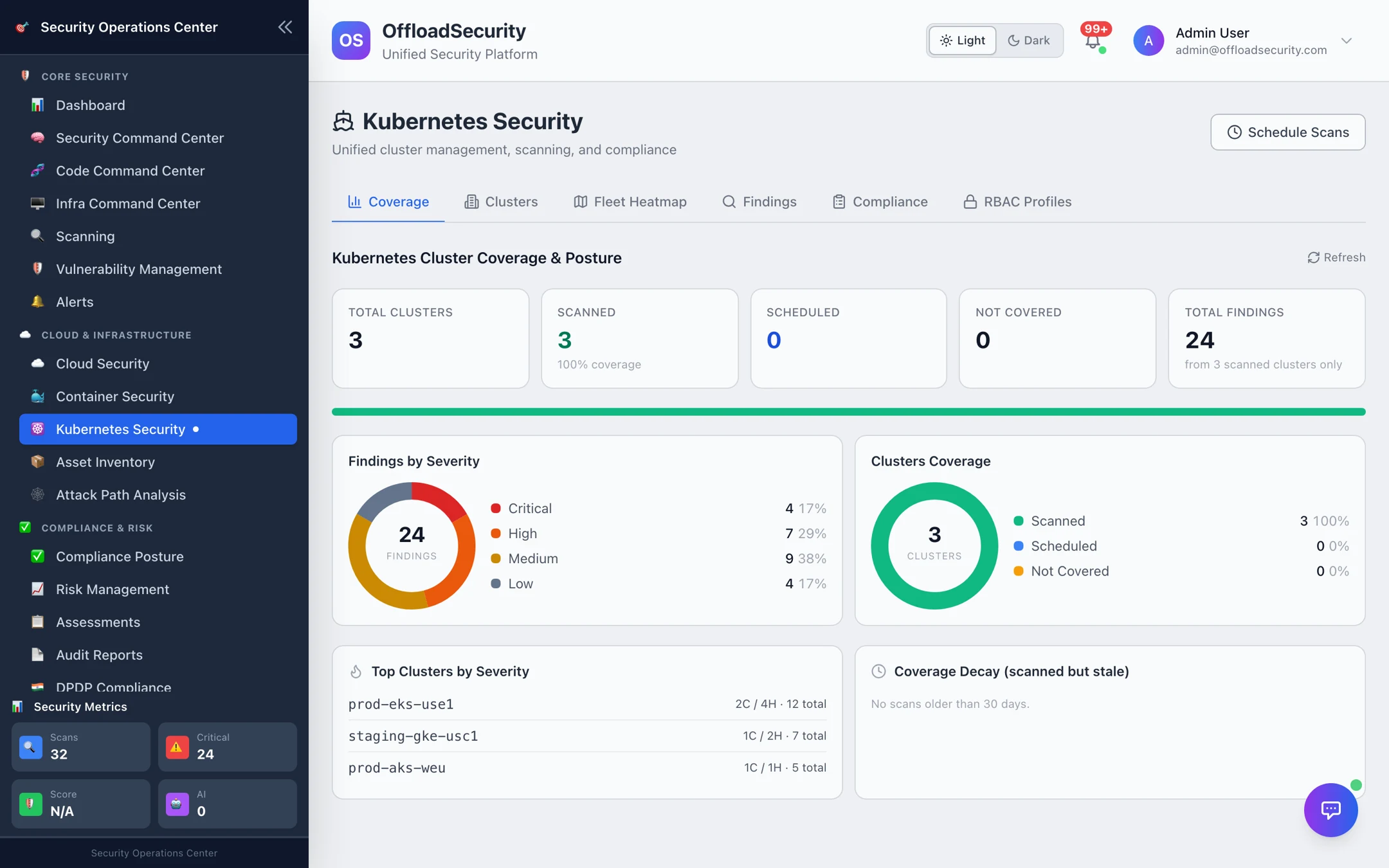
What you get
| Capability | Detail |
|---|---|
| Read-only onboarding | A kubeconfig or a service-account token; managed clusters are also auto-discovered from connected cloud accounts and imported in one click. |
| Least-privilege RBAC profiles | Generated ClusterRole scripts — Minimal (no Secrets or ConfigMaps) or Extended (metadata only) — so the platform gets exactly the read access it needs. |
| Multi-engine scans | kube-bench (CIS Kubernetes Benchmark), Polaris (workload best practices), Kubescape (NSA-CISA, MITRE, CIS frameworks), Trivy (misconfigurations and image vulnerabilities) and kube-hunter (attack-surface probing). |
| Findings with triage | Severity, affected resource, scanner, remediation; statuses open / resolved / suppressed / false positive that survive re-scans. |
| Fleet heatmap | Every cluster by severity plus the MITRE ATT&CK container tactics your findings map to. |
| Compliance posture | Per-cluster scores and grades for CIS, NIST 800-53, PCI DSS and SOC 2 (HIPAA on request), with exportable reports. |
| Coverage | Which clusters are scanned, scheduled, uncovered or stale — the same coverage model as Cloud Security. |
The workspace
| Tab | Use it to | Page |
|---|---|---|
| Coverage | See scanned / scheduled / uncovered clusters and where findings concentrate. | this page |
| Clusters | Add, import, test and scan clusters; open a cluster's dashboard. | Onboarding Clusters |
| Fleet Heatmap | Compare clusters by severity and MITRE tactic. | Compliance & Fleet Posture |
| Findings | Filter and triage every finding across clusters. | Scanning & Findings |
| Compliance | Read per-cluster framework scores and generate reports. | Compliance & Fleet Posture |
| RBAC Profiles | Choose the scanner's access level and generate the deployment script. | Onboarding Clusters |
Schedule Scans (top right) opens the Unified Scheduler to set recurring cluster scans — see Scan Management & Scheduling.
How a cluster scan flows
Prerequisites
- Network reachability from the platform to the cluster API server.
- Read-only credentials: a kubeconfig or service-account token bound to one of the RBAC profiles. Cloud IAM alone does not grant in-cluster read — apply the
ClusterRolefrom Required Permissions — Bucket B. - Platform permission Manage Container Security to onboard and scan; View Scans to read.
Related
- Container Security — the images running in your clusters.
- Attack Path Analysis — cluster findings and namespaces become nodes in the security graph.
- Vulnerability Management — SLA tracking for Kubernetes findings.