Scan Results
Every scan started from the Scanning workspace — and every scan sent in from CI or the API — lands in the Scan Results hub. It is the single history for web, API, network, TLS and reconnaissance runs, with per-scan reports and a consolidated report across many.
Where: left navigation → Scanning.
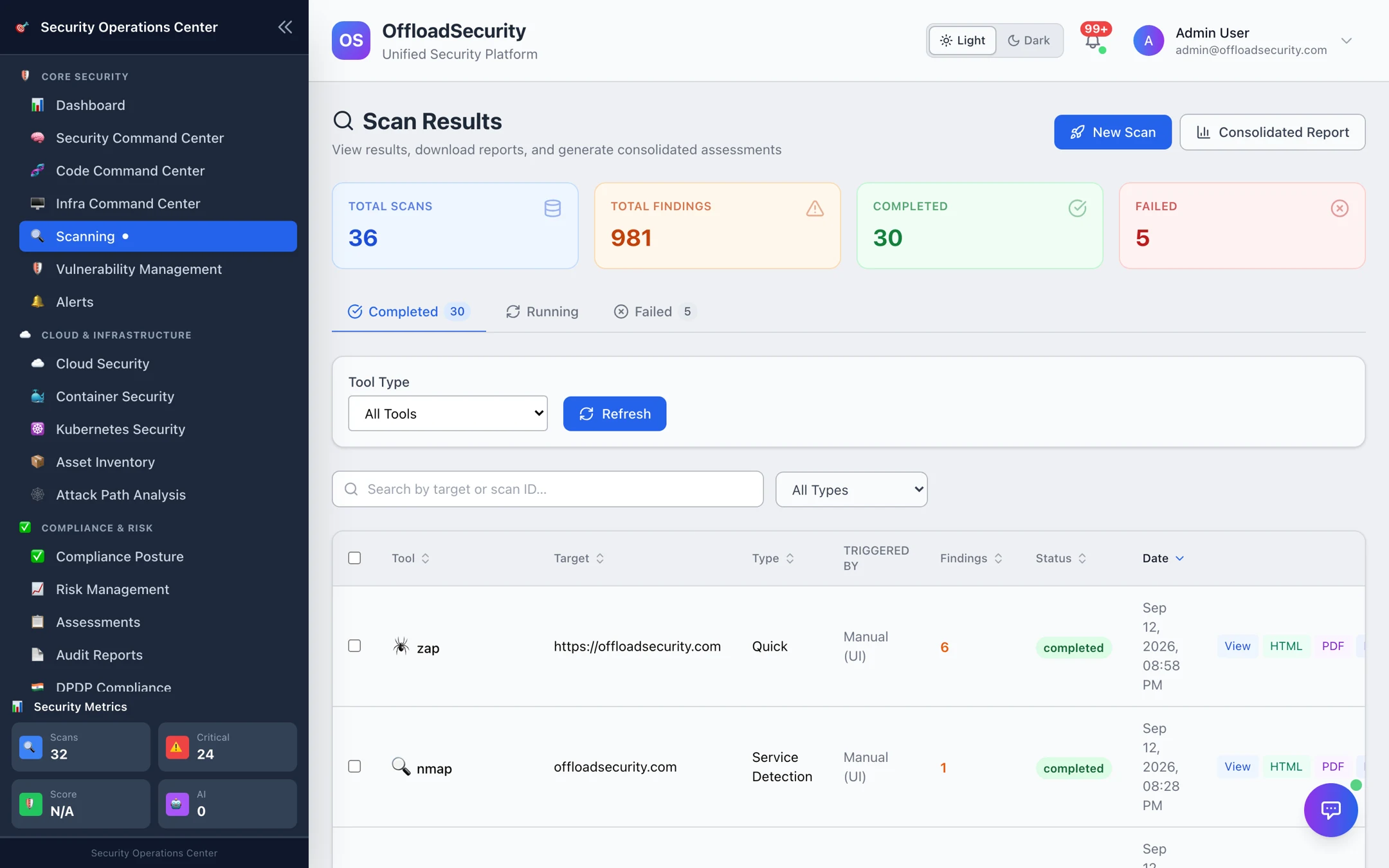
The list
- Tiles — total scans, total findings, completed and failed counts.
- Tabs — Completed, Running (refreshes itself every few seconds) and Failed, so a scan that errored is visible instead of silently missing.
- Filters — by tool type (ZAP, Nmap, testssl, Nuclei, headers, …) and by scan type; search by target or scan ID.
- Columns — tool, target, type, triggered by (manual UI, API key, CI pipeline), findings, status and date.
- Row actions — View, HTML, PDF, plus per-run Rescan and Delete inside the detail view.
Cloud posture scans are listed on their own tab in Cloud Security; they are excluded here to keep this list about application and host testing.
The detail view
Select View to open a run: target, scan type, status and finding count at the top, then the findings — each with severity, what was observed and the recommended fix. Network scans show host, port, protocol, state and service; API scans group findings by OWASP API Top 10 category; reconnaissance scans show DNS records, IPv6, email-security rating and exposed services.
From the detail view you can:
| Action | What you get |
|---|---|
| HTML Report / PDF Report / DOCX Report | A formatted report of this run — executive summary, findings by severity, remediation — for a ticket or an auditor. |
| With Screenshots | The web-scan report including captured evidence screenshots. |
| AI Summary | A plain-language recap of what the scan found and what to do first. |
| Rescan | Re-runs the same tool against the same target with the same profile — the fastest way to verify a fix. |
| Delete | Removes the run and its report. |
Consolidated reports
Tick several runs — for example the ZAP, Nuclei, testssl and Nmap scans of one application — and choose Consolidated Report to merge them into a single executive report (HTML, PDF or Word) with one severity roll-up and one remediation list. Use it for release sign-off or a customer-facing assessment.
Where results go next
- Vulnerability Management — findings feed the unified view for SLA tracking, ownership and trends (Vulnerability Management).
- Risk Register — promote a significant finding into a managed risk (Risk Register).
- Compliance — web and API findings map to OWASP categories and NIST SSDF for the compliance and executive reports (Reports & AI).
Related
- Running Web, API & Host Scans — starting scans, profiles, authentication.
- Scan Management & Scheduling — recurring scans and pipeline gates.
- Scanning API — list, poll, download and re-scan over REST.