Vulnerabilities & Risk
Scanning produces findings. This section is where findings become decisions and work: one queue across cloud, Kubernetes, containers, code and web scans; a risk score that ranks exploitable, exposed, in production ahead of critical on paper; SLAs and alerts that keep deadlines honest; and a Risk Register that turns the important ones into owned, treated, reported business risks.
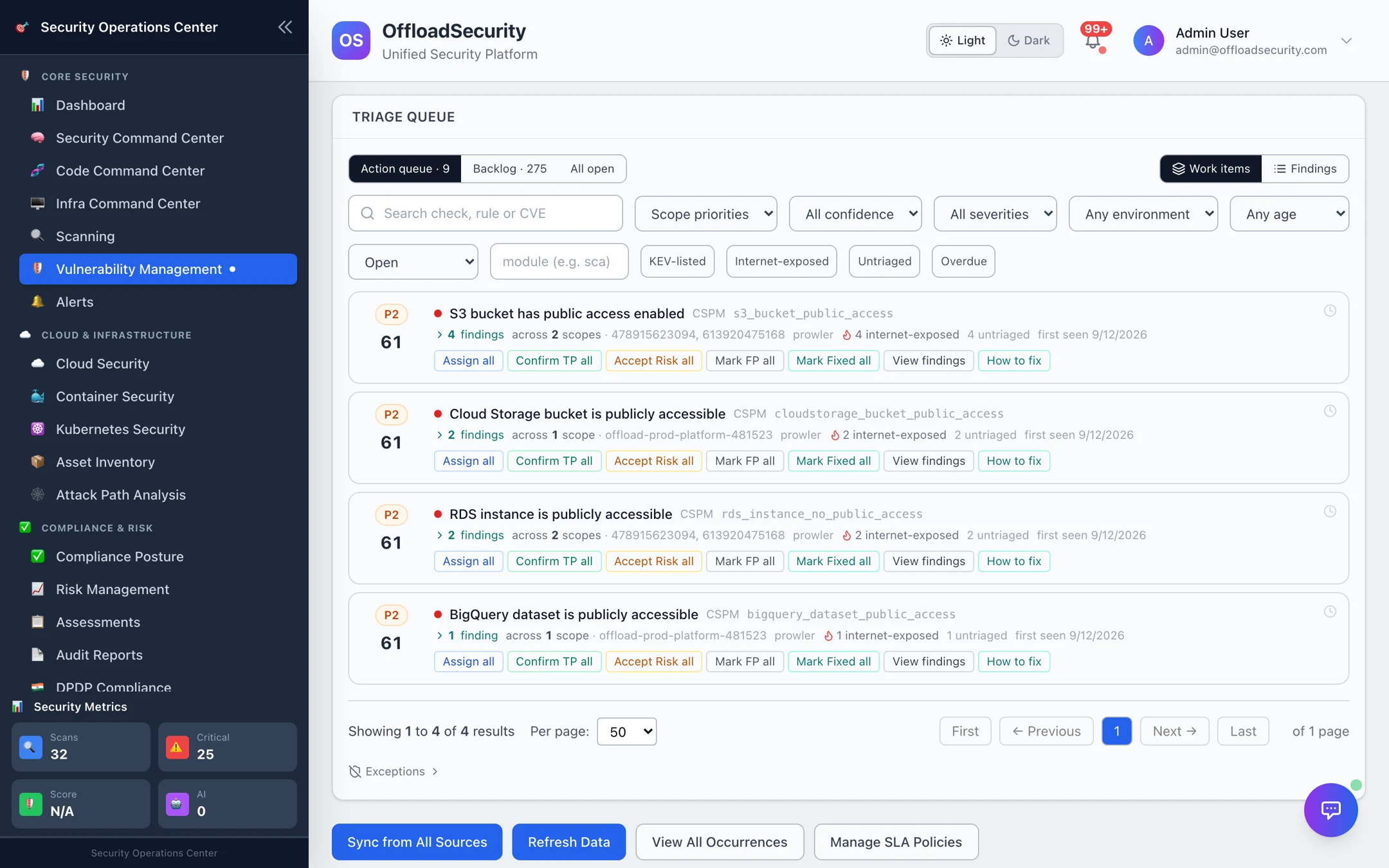
The four workspaces
| Workspace | Where | What it answers | Pages |
|---|---|---|---|
| Vulnerability Management | Core Security → Vulnerability Management | What do we fix first, and is it actually fixed? | Overview · Triage Queue · Raw Findings & Occurrences · Dashboard |
| SLA Management | Vulnerability Management → SLA Policies | Are we fixing things as fast as we promised? | SLA Management |
| Alerts | Core Security → Alerts | What just changed that someone must look at? | Alerts |
| Risk Management | Compliance & Risk → Risk Management | Which of this is a business risk, who owns it, and is it within appetite? | Overview · Risk Register · Treatment & Controls · Appetite, KRIs & Scenarios |
How findings flow
- Unify. Every scanner's output is normalised into one finding model and fingerprinted, so the same weakness reported by two tools, or found again next week, is one record with history — not a duplicate.
- Score. The Triage Engine gives each open finding a risk score (0–100) from severity, exploitability (KEV, EPSS, exploit availability), internet exposure, environment, asset criticality and scanner confidence, and buckets it P1 Immediate → P4 Review. Internet-exposed + exploitable + production is always P1.
- Decide. Work the Action queue (P1 + P2) as work items — one check across all the resources it affects — and record a decision that survives re-scans: fixed, accepted risk, false positive, duplicate.
- Enforce. SLA policies start a clock on every finding, flag breaches and escalate; alerts surface new criticals, scan failures and breaches to the channels you choose.
- Govern. Promote what matters into the Risk Register — manually or by automatic import of high-severity findings — give it an owner and a treatment plan, test the controls, and report against risk appetite.
Vulnerability vs. risk
A finding is a specific weakness on a specific asset. A risk is the business concern it represents, with an owner, a likelihood × impact rating and a plan. One risk usually covers many findings — you work the technical detail in Vulnerability Management and the business view in Risk Management.
Start here
| If you want to… | Go to |
|---|---|
| Clear today's must-fix list | Triage Queue |
| See every finding from one scanner or on one asset | Raw Findings & Occurrences |
| Set remediation deadlines and see what is late | SLA Management |
| Get told when something new and critical appears | Alerts → Notifications |
| Put risks in front of leadership | Risk Register → Appetite, KRIs & Scenarios |
| Automate any of it | Vulnerabilities & Risk API |
Prerequisites
- Platform permissions: View Scans to read; Manage Triage to score and decide; Manage Risks / Create Risks for the register; Manage Alerts to acknowledge and resolve (RBAC).
- At least one scan completed in Cloud Security or App & Infrastructure Scanning — findings arrive here automatically.