Alerts
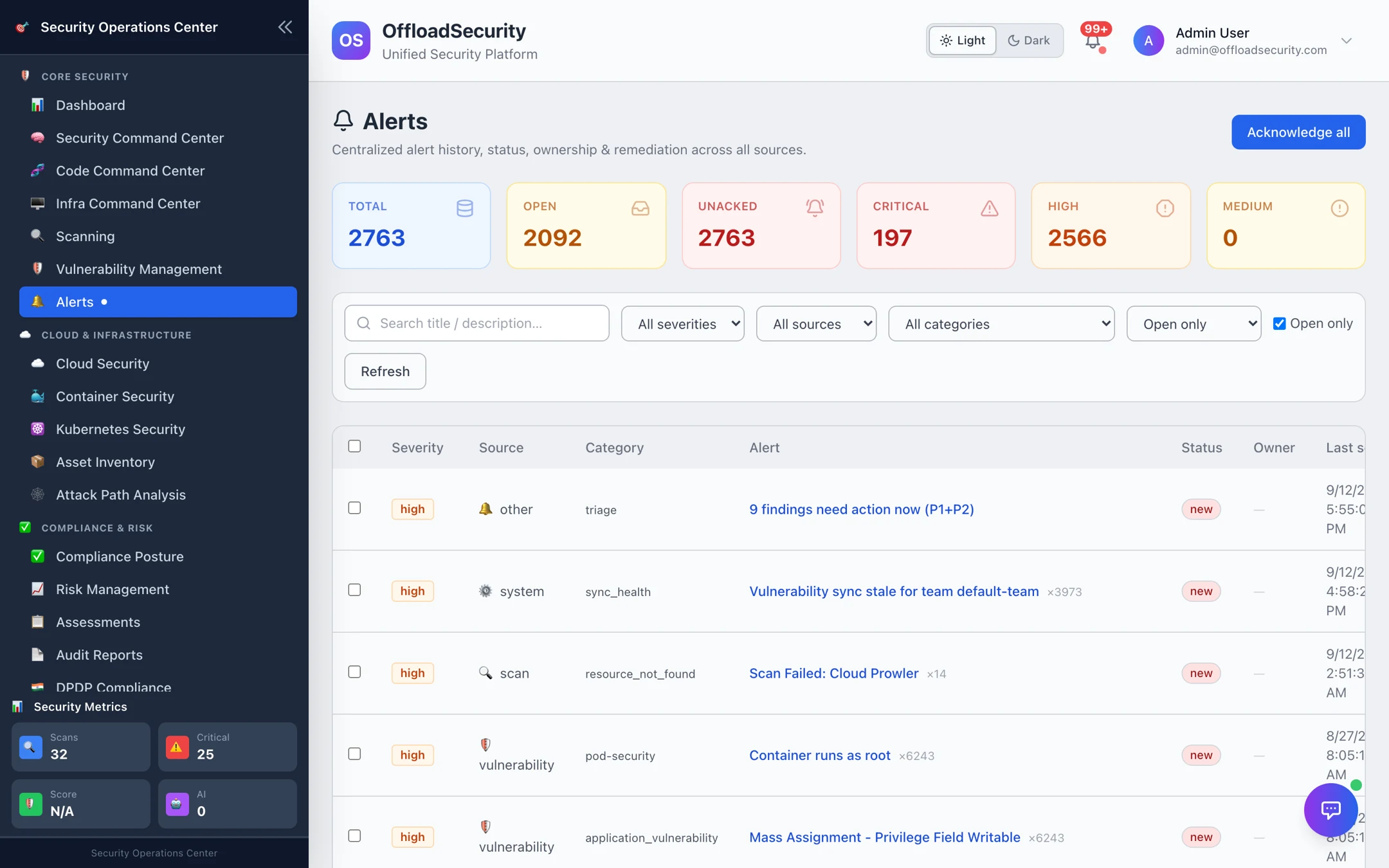
Alerts are the platform's "something changed and someone should look" stream. Every module raises them into one deduplicated list — a new high-severity vulnerability, a scan that failed, an integration that went unhealthy, an SLA breach, a compliance drift, a threat-intel hit, a paused cloud account — with a lifecycle, an owner and an audit trail. Notifications (Slack, Teams, email, webhooks) are delivered from alerts; this page is about the alerts themselves.
Where: left navigation → Alerts (under Core Security).
What raises an alert
| Source | Examples |
|---|---|
| vulnerability | A new open critical or high finding (one alert per vulnerability, not per asset), categorised by kind — misconfiguration, container_vulnerability, application_vulnerability, pod-security, … |
| scan | Scan Failed: Cloud Prowler, a tool that could not run, a credential that stopped working, Scheduled scans paused after repeated failures (and resumed) |
| integration | A connector's health check failed — Jira, Slack, SIEM, Wazuh, … |
| compliance | Compliance-mapped findings by domain — storage, network, compute, cloud_misconfiguration |
| threat_intel | An EPSS trend jump on a CVE in your estate (epss_trend), feed matches |
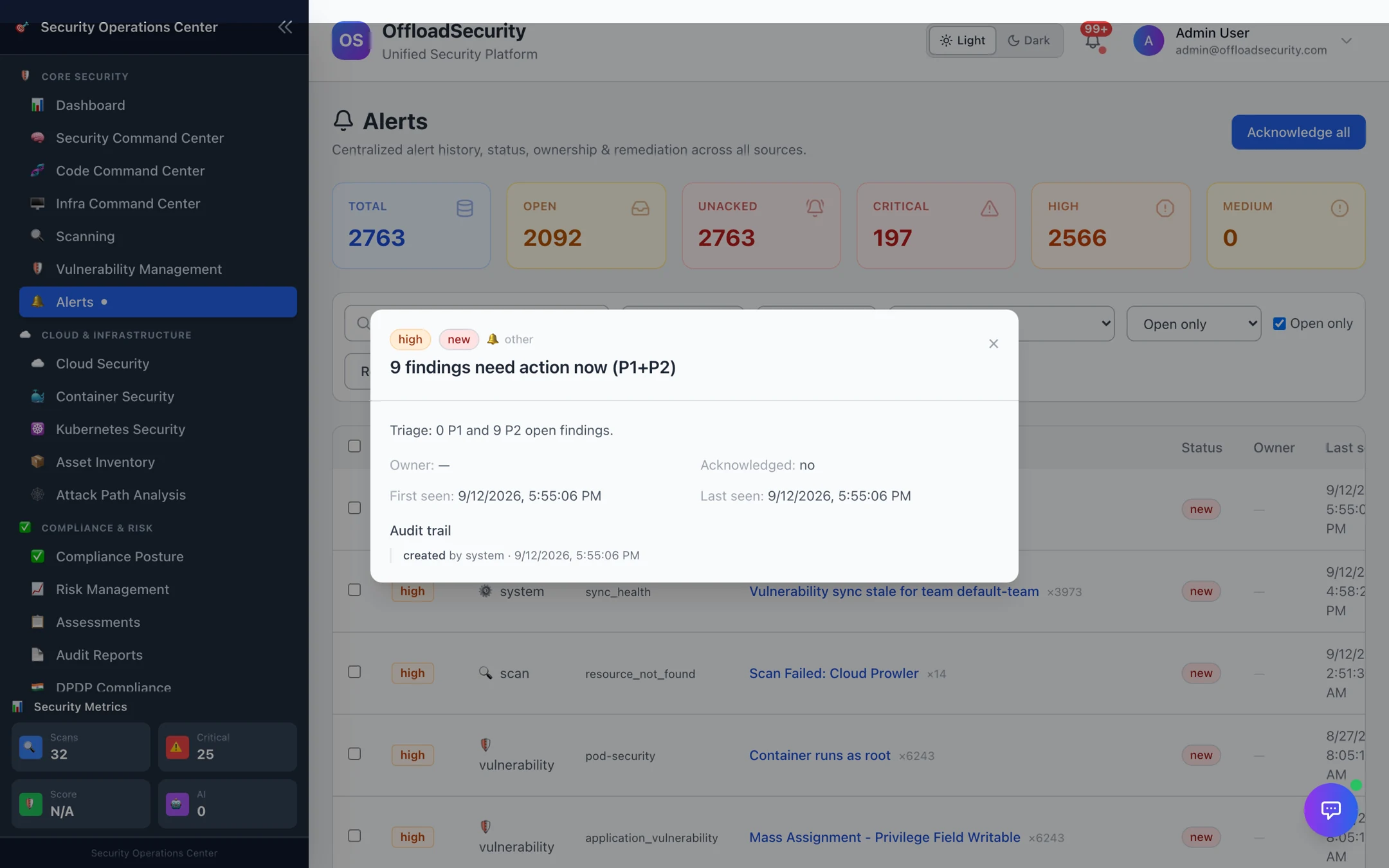
| other / system | The Triage Engine's "N findings need action now" digest (triage), sync health (sync_health) |
Alerts are idempotent: each producer supplies a stable dedup key, so a recurring condition bumps the alert's occurrence count and last seen rather than creating a new row — and a recurrence on an alert you already resolved reactivates it, so a problem that comes back cannot hide behind an old resolution.
The lifecycle
| Status | Meaning |
|---|---|
| new | Raised, nobody has looked |
| acknowledged | Someone has seen it (Ack, or Acknowledge all for the current filter) |
| investigating | Being worked; set an owner with Assign |
| escalated | Handed up; used by SLA escalation rules |
| resolved · false_positive · closed | Terminal — leaves the open view |
Open the row for the alert's detail: the linked finding, scan or integration, the first/last seen times, occurrence count and the audit trail of every status change with who and when.
Working the list
- Tiles — total, open, unacknowledged, and open counts by severity.
- Filters — severity, source, category, status, open only (default) and free-text search.
- Actions — Ack, Assign, Status… per row; Acknowledge all for everything currently filtered; Resolve from the detail.
Alerts are for things that need a human. If a source is noisy — e.g. scan failures from a decommissioned account — fix the cause (remove the account, repair the credential) rather than acknowledging the same alert every morning; the dedup key means the alert will simply stop recurring.
Alerts and notifications
An alert is recorded regardless of severity. Whether it is delivered to Slack, Teams, email or a webhook depends on the team's notification preferences: an enabled channel, a minimum severity (default high), and any per-source mutes or throttles. Delivery happens once per new alert, not on every recurrence. Configure channels, recipients and thresholds under Notifications; SIEM forwarding is described in Third-Party Integrations.
Related
- Triage Queue — where finding alerts lead.
- SLA Management — breach and escalation alerts.
- Notifications — channels, recipients, thresholds, mute.
- Vulnerabilities & Risk API — list, acknowledge, assign, resolve over REST.