Risk Register
The register is the list of risks your organisation has decided to track. Each entry has a category, an owner, a score, a status and a review date, and — when it came from a scanner — a link back to the findings that justify it.
Where: Risk Management → Risk Register.
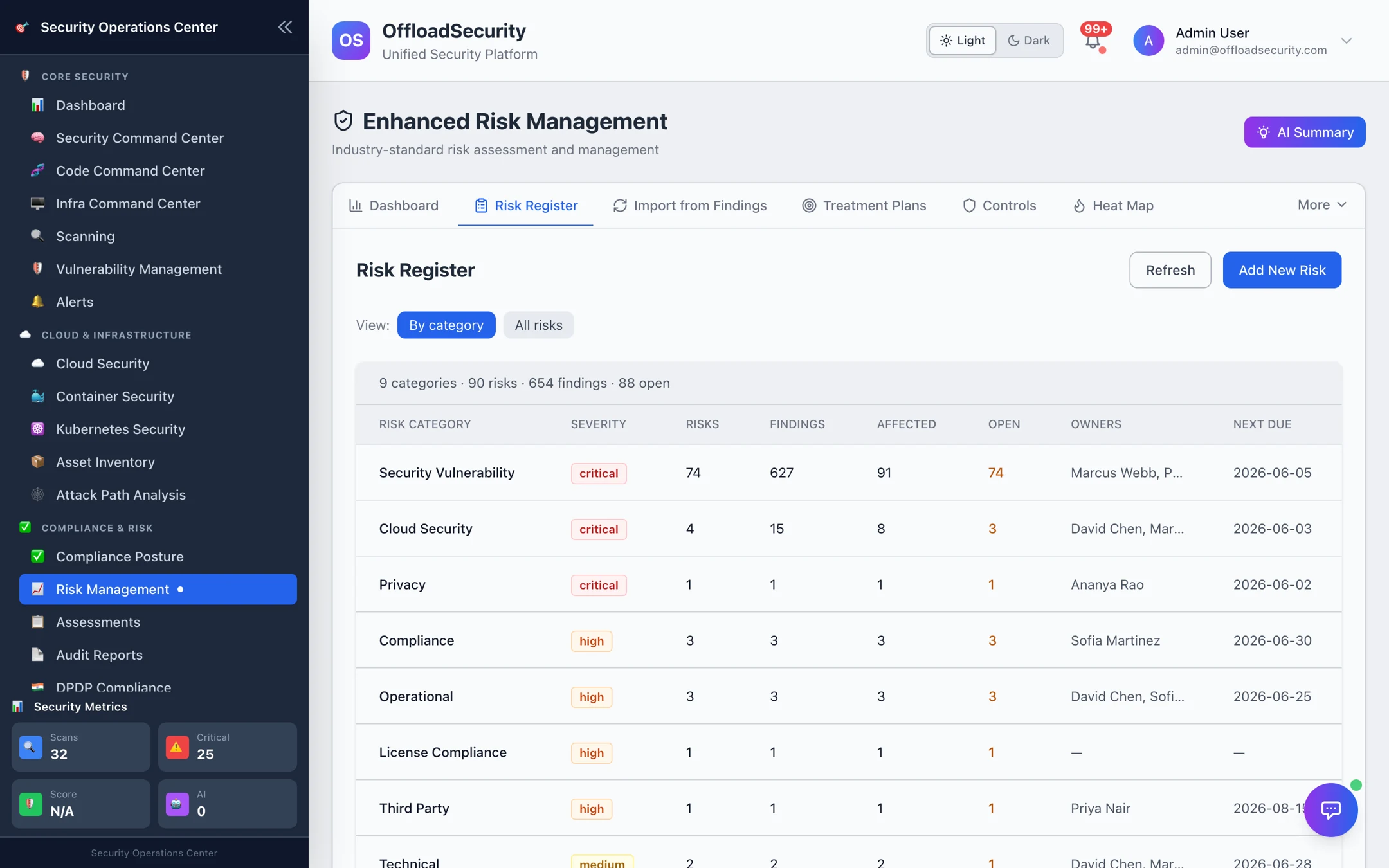
Two views
- By category (default) — one row per category with risk count, linked findings, affected assets, open count, owners and the earliest next due review. Expand a category to its risks.
- All risks — every risk as a row: ID (
RISK-001…), title, type, likelihood × impact score, severity, category, owner, status, next review. Search by title, description, owner or ID; filter by category, severity and status; select rows for bulk actions.
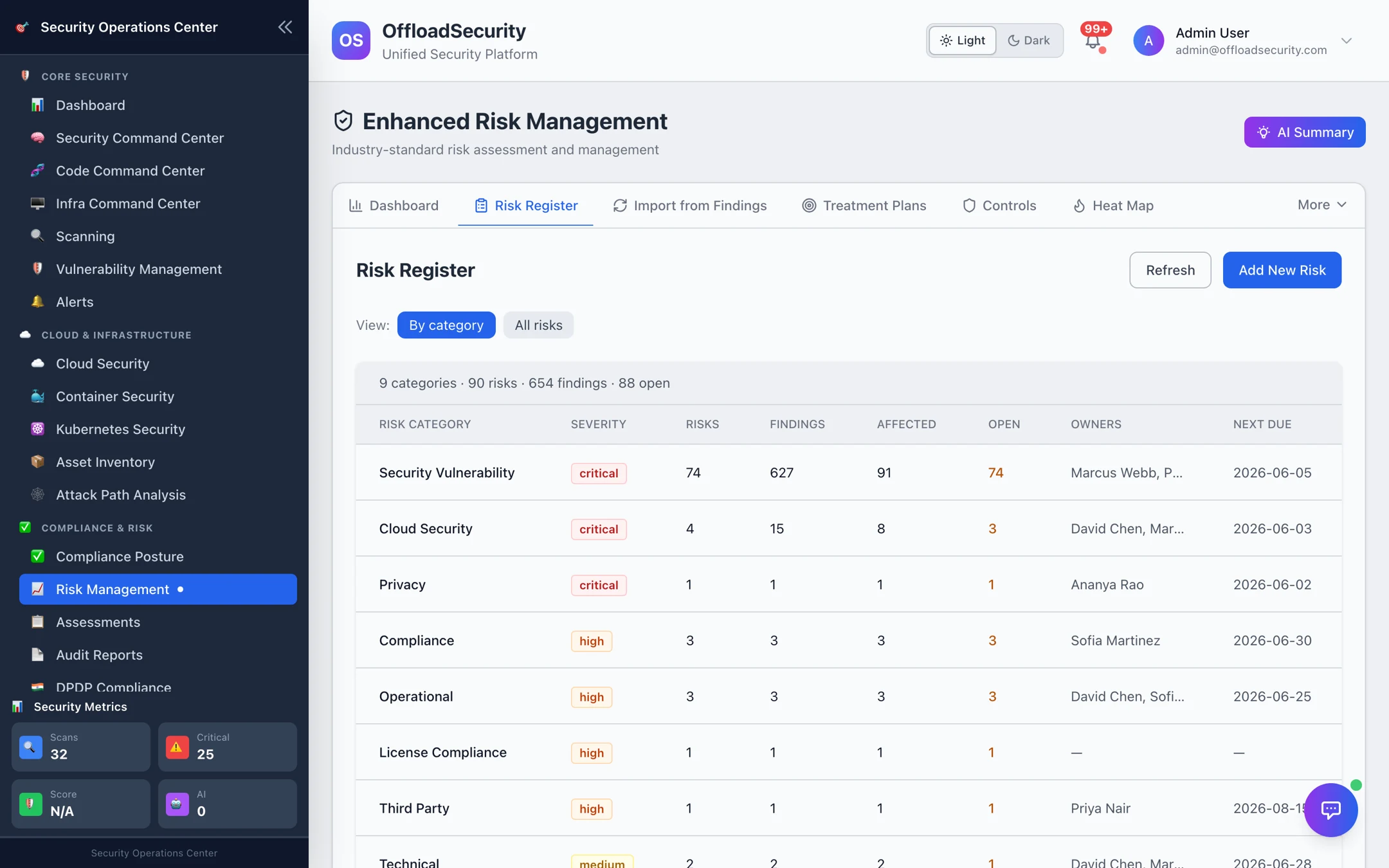
Create a risk
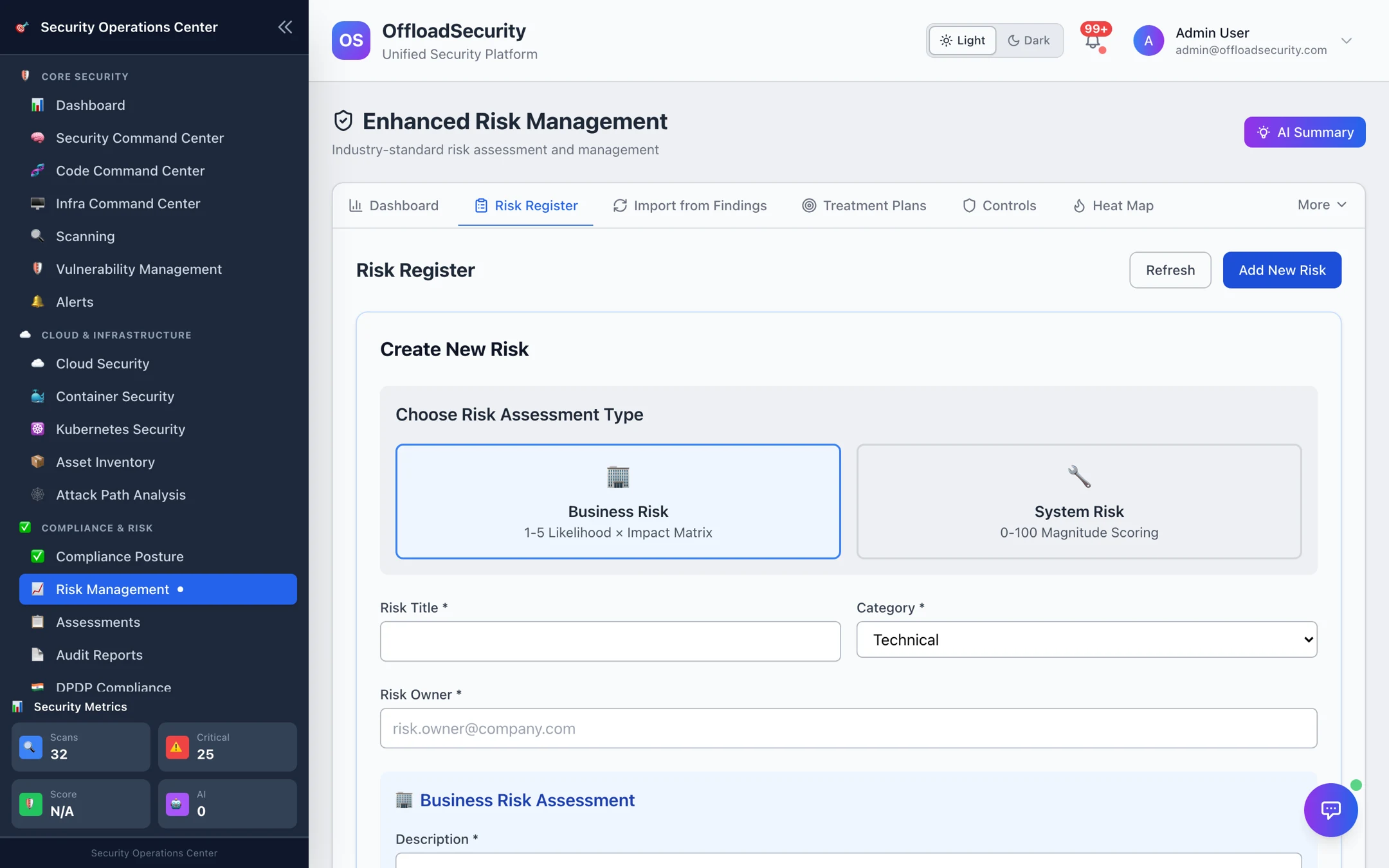
- Add New Risk and choose the assessment type: Business Risk (likelihood 1–5 × impact 1–5) or System Risk (initial and current magnitude 0–100).
- Title, category — Security Vulnerability, Cloud Security, Compliance, Data Privacy, Operational, Financial, Reputational, Strategic, Technical, Third Party, License Compliance — and owner.
- Description, the assessment values, and optionally a review frequency (monthly, quarterly, semi-annual, annual). AI can auto-fill description, category, likelihood and impact from the title.
- Save. The risk starts as identified.
| Status | Meaning |
|---|---|
| identified | Recorded, not yet assessed |
| assessed | Scored and owned; treatment under way |
| mitigated · accepted · transferred | Treated, per the plan's strategy |
| closed · archived | No longer active; kept for history |
Open a risk for its history (every score and status change), its linkages (findings, controls, treatment plans), and velocity — how fast its score has been changing.
Import from findings
Where: Risk Management → Import from Findings.
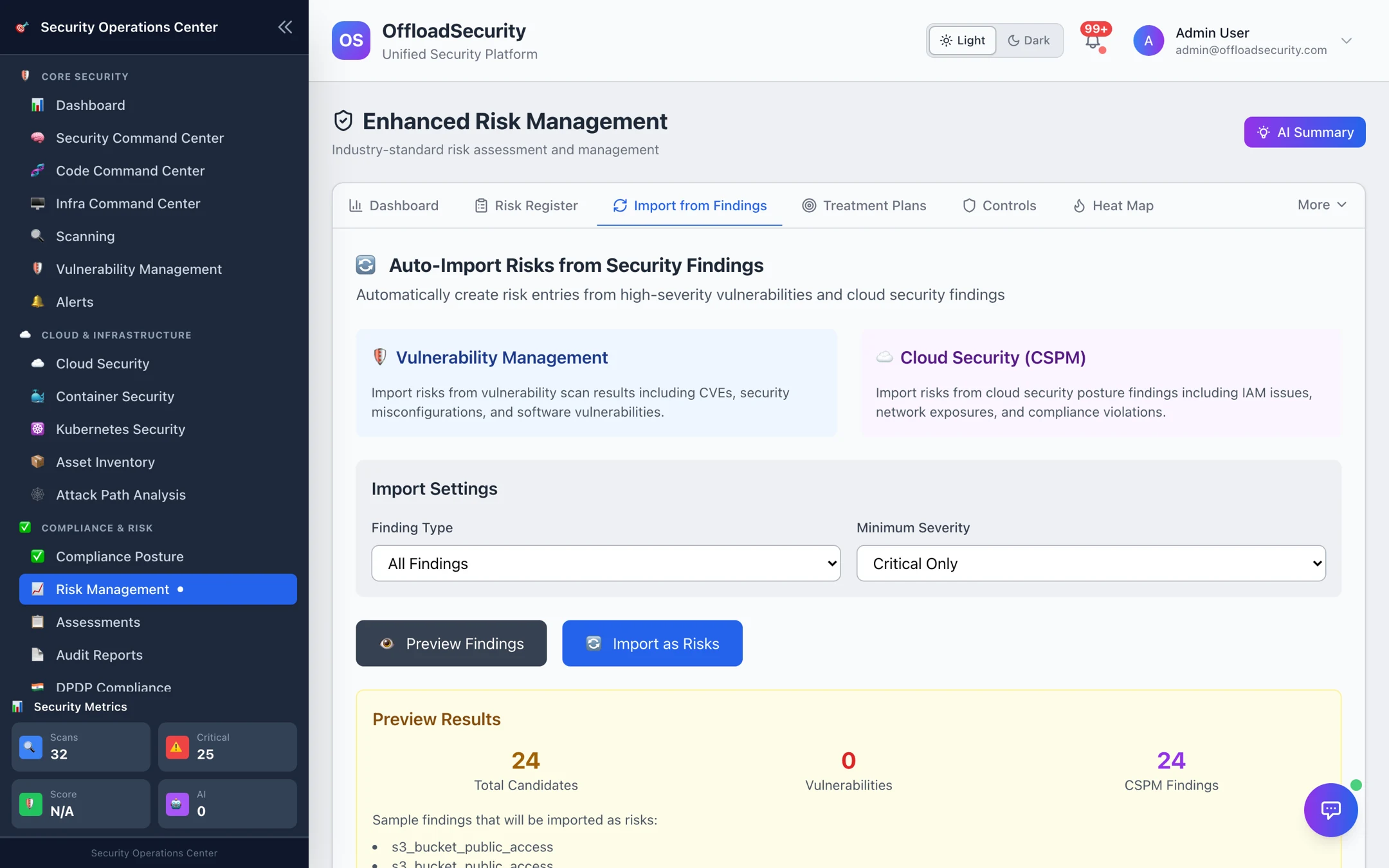
Findings are imported as risks in two ways:
- Automatically. After every vulnerability sync, still-open high and critical findings from any scanner that are not yet linked to a risk are minted as risks (one per vulnerability, deduplicated) and linked back to their occurrences. Cloud findings additionally import on the finding created event. This is why a freshly scanned team's register fills with a Security Vulnerability category.
- On demand. Choose the finding type (all, vulnerabilities only, CSPM findings only) and a minimum severity (critical / high / medium), Preview Findings to see the candidates, then Import as Risks. Already-linked findings are skipped, so re-running is safe.
Imported risks show their source findings in the linkages panel, and the finding shows its linked_risk_id, so a risk's evidence is always one click away.
Bulk import and export
Where: Risk Management → More → Bulk Import/Export.
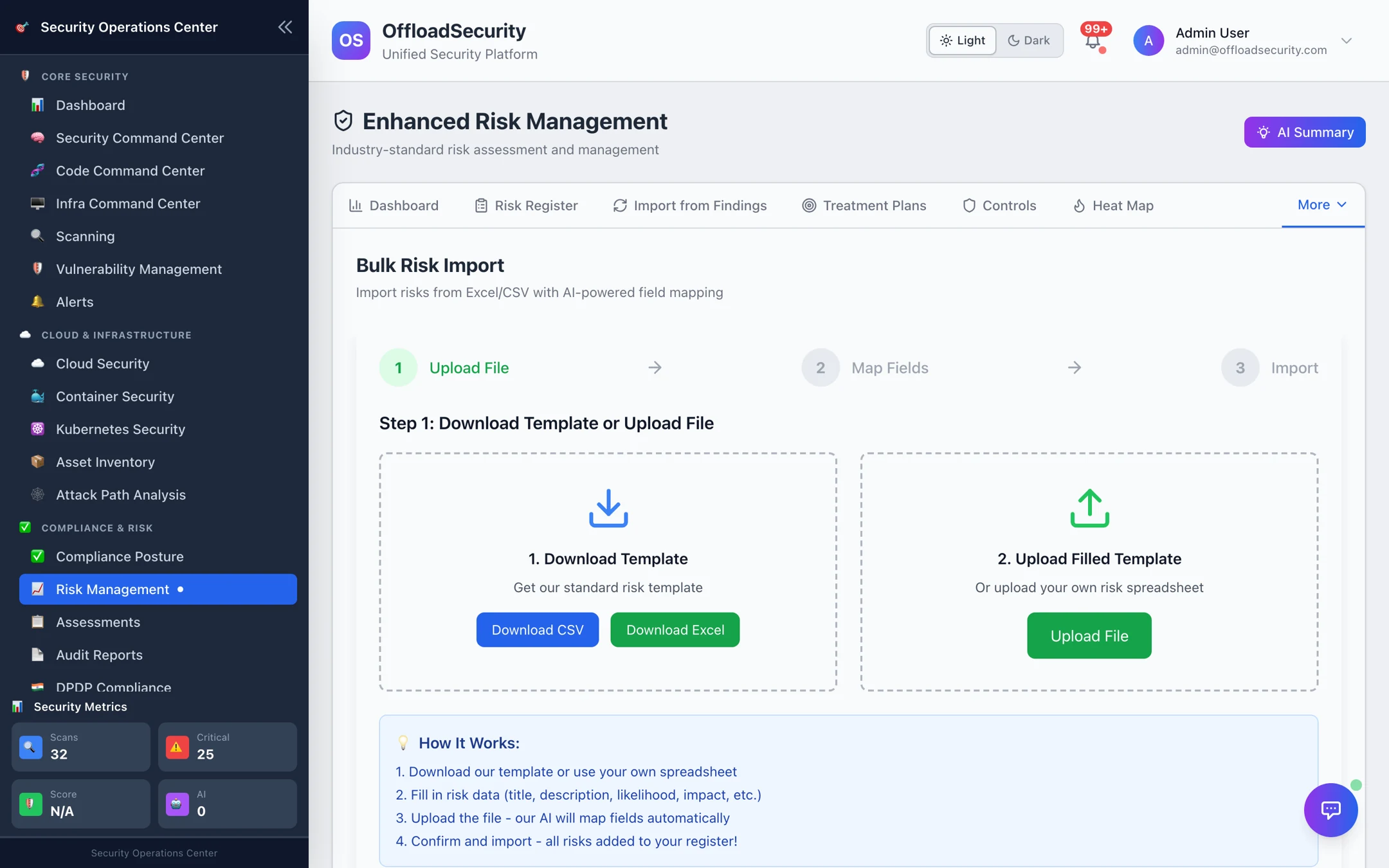
Migrating an existing register? Download Template (CSV or Excel) and fill it — columns are title, description, category, likelihood, impact (required) plus owner, status, mitigation_strategy — or upload your own spreadsheet: its column headers are matched to the template fields automatically (Risk Name, Probability, Severity, Risk Owner, Mitigation Plan and similar are recognised), and you confirm or adjust the mapping before Import. Each valid row becomes a new risk with the next RISK-nnn number; rows missing a required field are skipped and listed. Import never updates or deletes existing risks. Category and status labels are normalised to the register's values — anything unknown starts as technical / identified.
Export — select rows and Export CSV, or use Full Risk Export on the Reports tab for the whole register with treatment plans and controls.
Resist importing every medium finding. The register is for what needs a business decision; keep medium/low findings in the Triage queue and let Import from Findings at high or critical be the bridge.
Related
- Treatment & Controls — what you do about a risk, and how controls reduce it.
- Appetite, KRIs & Scenarios — whether the register is within tolerance.
- Vulnerabilities & Risk API — create, import, bulk and export over REST.