Raw Findings & Occurrences
The Triage queue tells you what to do first. These two views answer the other questions: what has this scanner found?, which assets have this CVE?, what is the state of this one occurrence?
Raw findings
Where: Vulnerability Management → Raw findings.
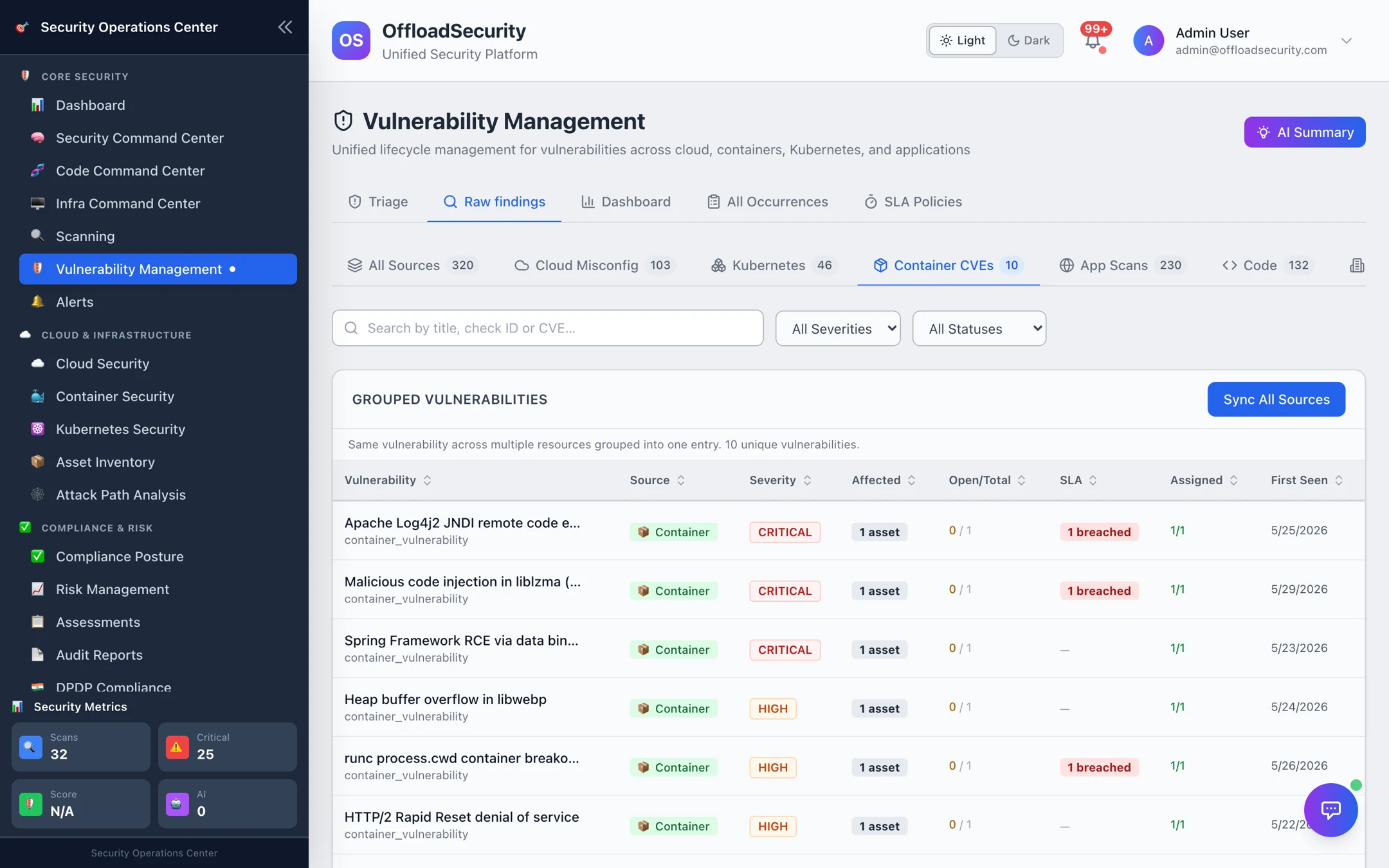
The list is grouped by vulnerability: one row per unique check or CVE with the number of affected assets, open / total occurrences, SLA state, assignee and first seen. The source chips at the top switch between All Sources, Cloud Misconfig, Kubernetes, Container CVEs, App Scans, Code, IaC, API, Domain and Wazuh, each with its count; filter further by severity and status, or search by title, check ID or CVE. Sort by any column.
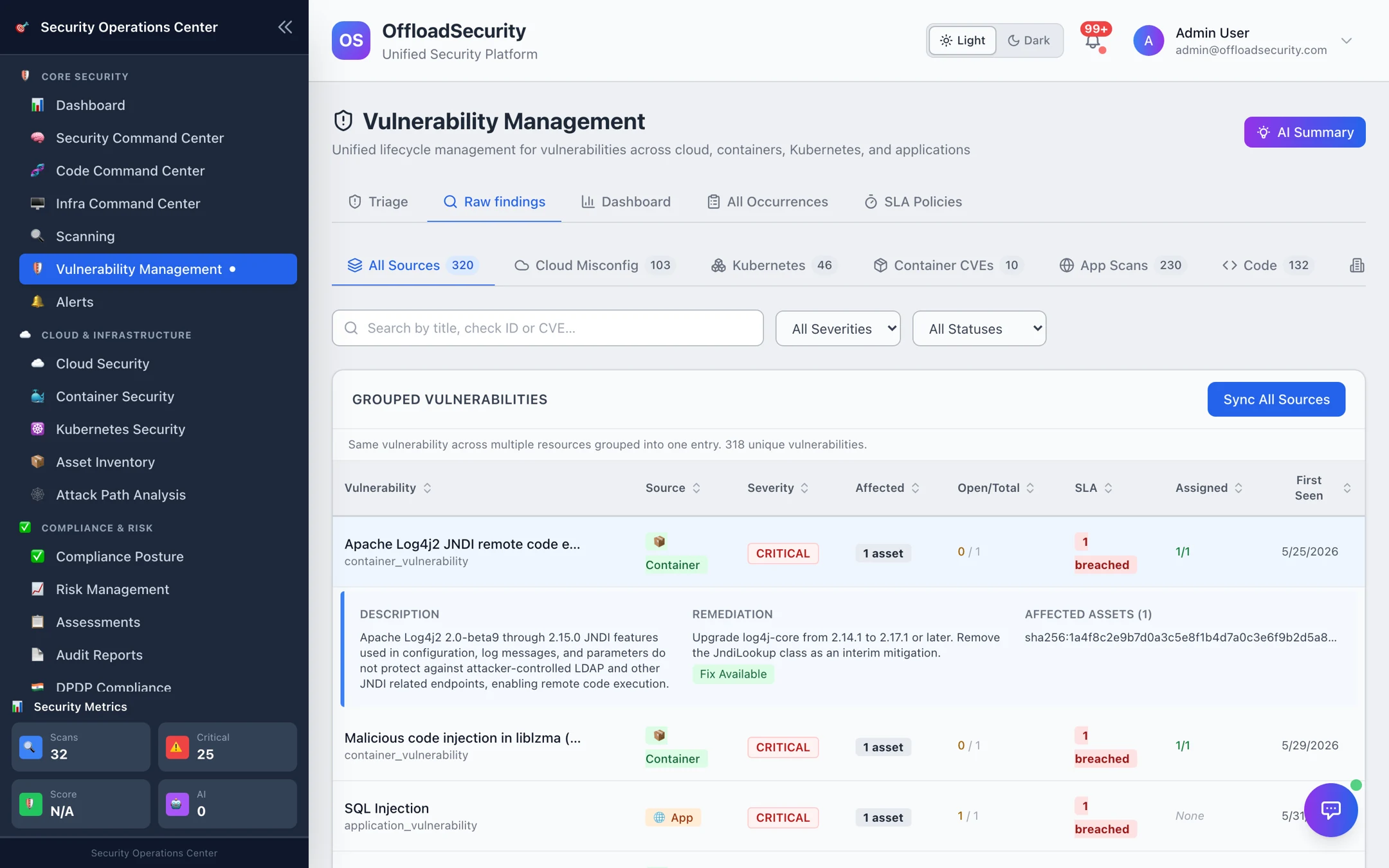
Expand a row for the description, the remediation (with the fixed version or the fix recipe), and the affected assets — account, cluster, image or repository plus region or namespace — with a link to each asset's detail.
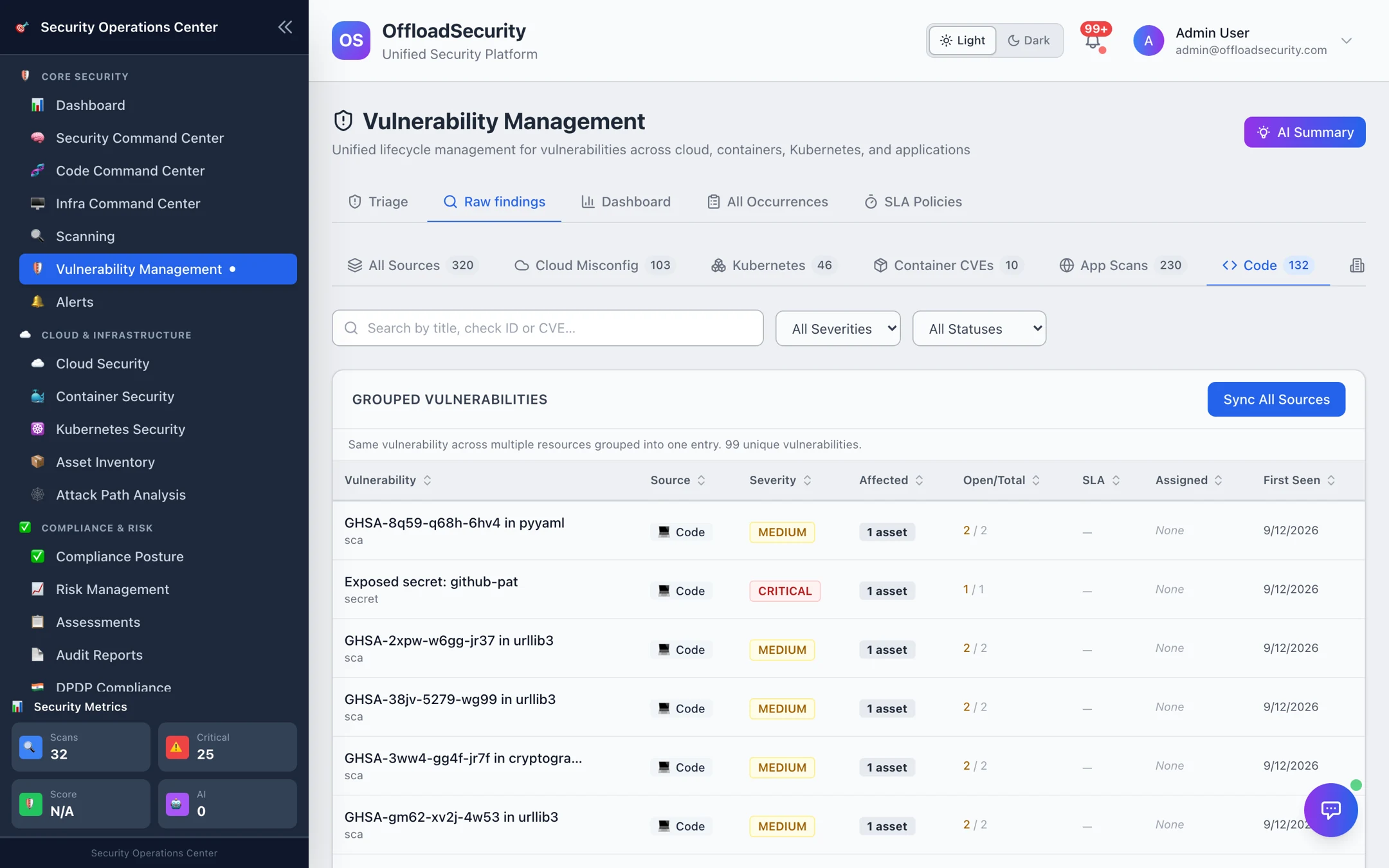
Sync All Sources pulls the latest results from every module and re-reconciles; use it after a burst of scans rather than waiting for the scheduled sync.
The cloud team lives in Cloud Misconfig, the platform team in Kubernetes and Container CVEs, developers in Code. Bookmark the filtered URL for each team — the counts on the chips are the fastest weekly status.
All Occurrences
Where: Vulnerability Management → All Occurrences.
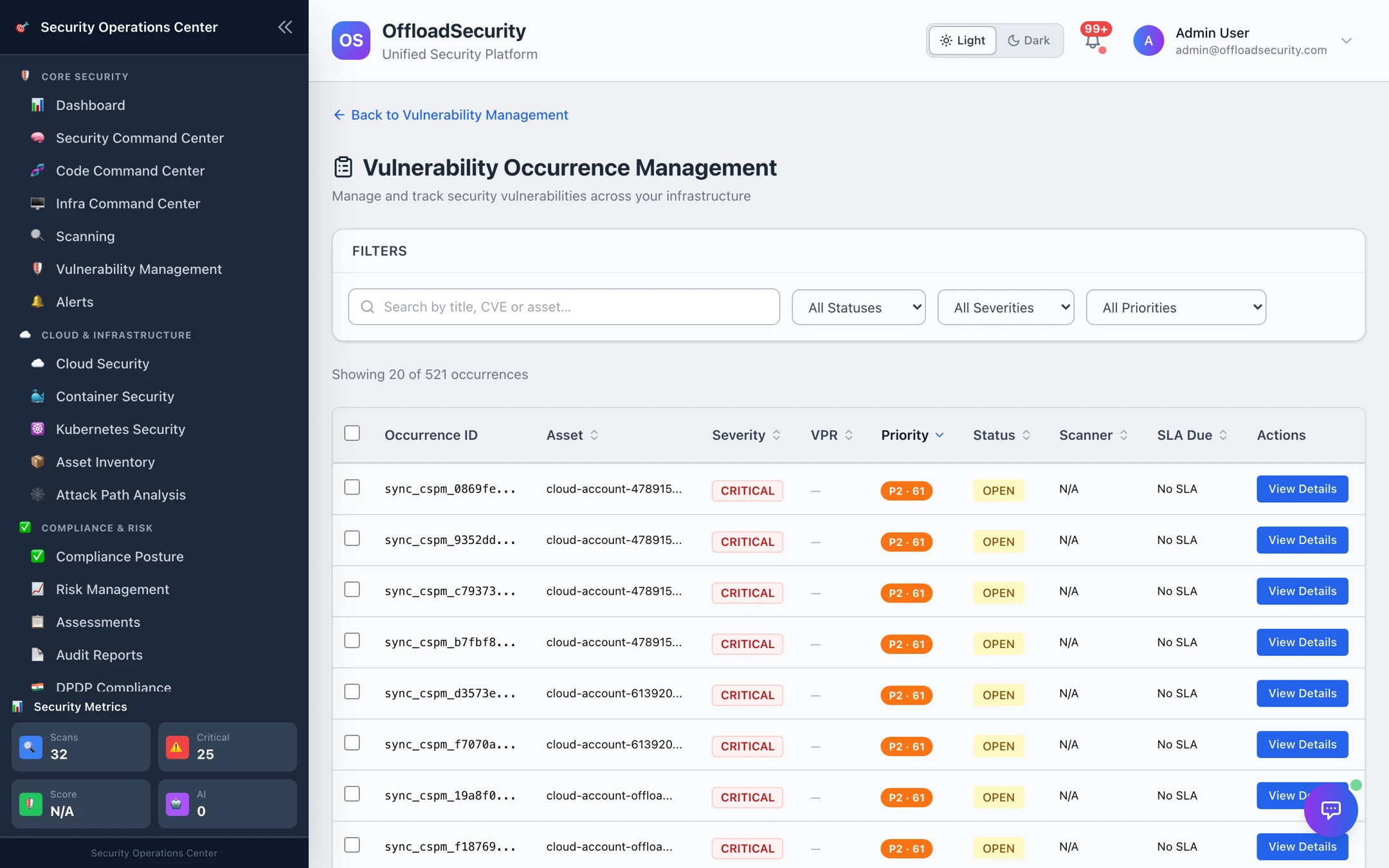
An occurrence is one vulnerability on one asset — the unit that SLAs, assignments and Jira tickets attach to. The occurrence list is the flat, auditable view:
| Column | Meaning |
|---|---|
| Occurrence ID | Stable identifier used in the API and in tickets |
| Asset | Cloud account, cluster, image, repository or application target |
| Severity / VPR | Scanner severity and the Vulnerability Priority Rating (KEV × EPSS × CVSS × reachability × criticality) |
| Priority | P1–P4 from the Triage Engine |
| Status | open → triaged → in_progress → resolved → verified → closed, or false_positive / accepted_risk |
| Scanner / SLA due | Which tool found it, and when the SLA policy says it must be fixed |
View Details opens the occurrence: vulnerability details, remediation, lifecycle and SLA (due, breached, notified), assignee, and the status history. From there Assign (by email) and Update Status move it through the lifecycle — verified is the state that confirms a fix was checked, and closed is terminal.
Raw findings and the Triage queue act on the vulnerability (all its occurrences at once); All Occurrences acts on one asset. Use the occurrence view when a fix landed on some assets but not others, or when one asset legitimately needs an exception.
Related
- Triage Queue — bulk decisions across resources.
- SLA Management — where SLA due and breached come from.
- Vulnerabilities & Risk API — grouped and occurrence endpoints.