Triage Queue
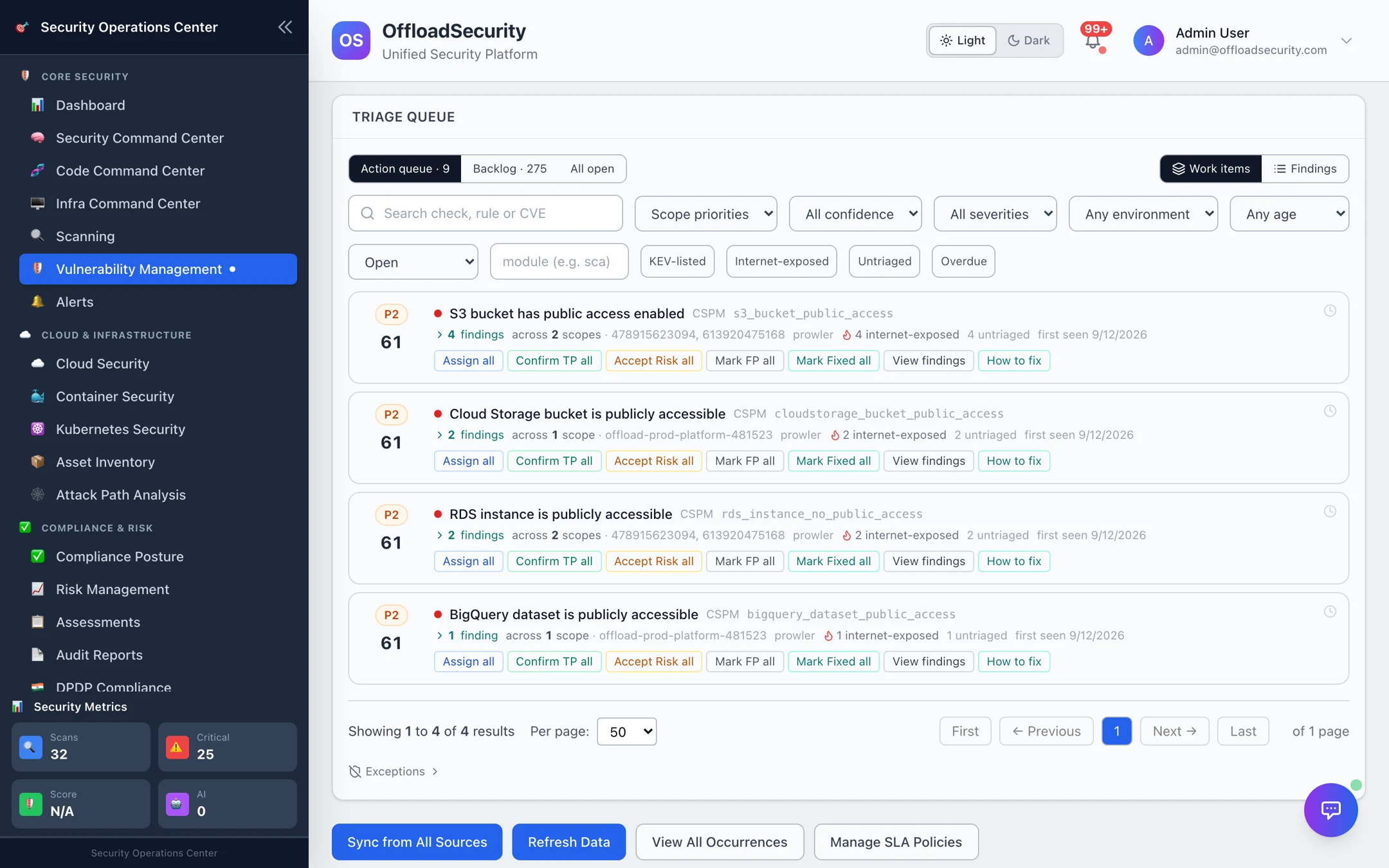
The Triage tab is where the day starts. Instead of a list of thousands of findings sorted by CVSS, it shows work items — one check across every resource it affects — ranked by a risk score that reflects exploitability, exposure and business context, and it tells you how many need action now.
Where: Vulnerability Management → Triage.
The risk score and priority
Every open finding gets a deterministic risk score (0–100) from the Triage Engine. It combines the scanner's severity with what the scanner cannot know:
| Signal | Effect |
|---|---|
| Exploitability — CISA KEV, EPSS, public exploit | Raises the score; KEV + reachable recommends True Positive |
| Internet exposure | Raises the score; exposed + exploitable + production is always P1 |
| Environment — production vs staging/dev | Production weighs more |
| Asset criticality and sensitive data (PII / PHI / PCI) from business context | Multiplies the score (critical assets × 1.2, low × 0.75) |
| Scanner confidence and corroboration by a second tool | Sets the finding's confidence (high / medium / low) |
| Active provider detection (GuardDuty / Defender / SCC) on a production resource | Always P1 — someone is already acting on it |
| Priority | Score | Meaning | Default queue |
|---|---|---|---|
| P1 · Immediate | ≥ 80, or an override above | Immediate action | Action queue |
| P2 · High | 55–79 | Fix in this cycle | Action queue |
| P3 · Medium | 30–54 | Schedule remediation | Backlog |
| P4 · Review | < 30 | Review; often accept or suppress | Backlog |
The engine is pure and deterministic — no AI in the score — so the same finding always ranks the same way, and the reasoning (factors) is shown on every item. It also recommends a status, conservatively: True Positive or False Positive only with corroborating evidence, otherwise Needs Investigation; accepted risk and duplicate are always your call. Scores are refreshed daily and whenever you press Score findings.
Reading the queue
- Headline — N findings need action now in M work items — P1 + P2 of X open; Y more deferred (P3/P4 backlog).
- Overview tiles — open, critical, high, P1, P2, untriaged, high-confidence, false positives.
- Scope — Action queue (P1 + P2), Backlog (P3 + P4) or All open.
- Unit — Work items (default) or Findings (one row per finding).
- Filters — status (open, new, in progress, reopened, resolved, accepted risk, false positive, duplicate, suppressed), scope priorities, confidence, severity, environment, age, module, plus one-click KEV-listed, Internet-exposed, Untriaged and Overdue.
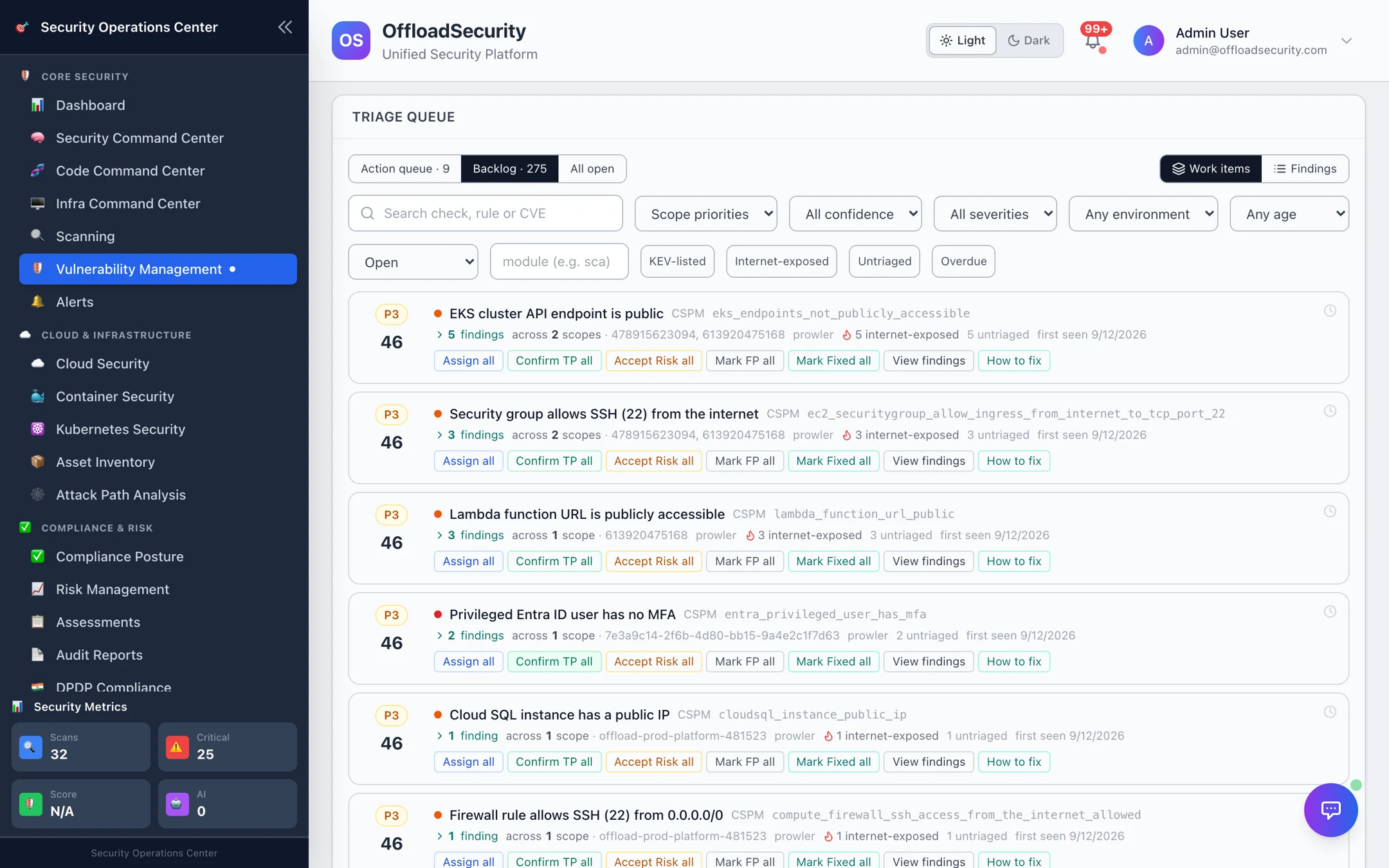
Each work item shows its priority and score, the check and module, the number of findings, scopes (accounts / repositories / clusters) and resources, exposure and confidence, first-seen age, and its next action — the engine's one-line recommendation.
Deciding
Every action on a work item applies to all of its open findings — optionally narrowed to one scope (account / repo / cluster) or an explicit subset — and shows a preview (how many findings, in how many scopes) before it writes.
| Action | Records | Requires |
|---|---|---|
| Assign | An owner for the whole work item | Assignee |
| Confirm TP | The finding is real and will be fixed | — |
| Mark Fixed | Fixed; the next scan verifies it and reopens if still detected | — |
| Accept risk | Accepted, time-bound | Reason and expiry (review date) |
| Mark FP | Not a real issue | Reason |
| Suppress | Hidden until a date | Reason and expiry |
| Investigate | Parked as in progress | — |
Accepted-risk and false-positive decisions on a work item become exceptions: matching new findings for the same check in the same scope are dispositioned automatically at the next reconcile, so the decision does not have to be repeated every week. Review them under Exceptions at the foot of the queue; each shows its expiry.
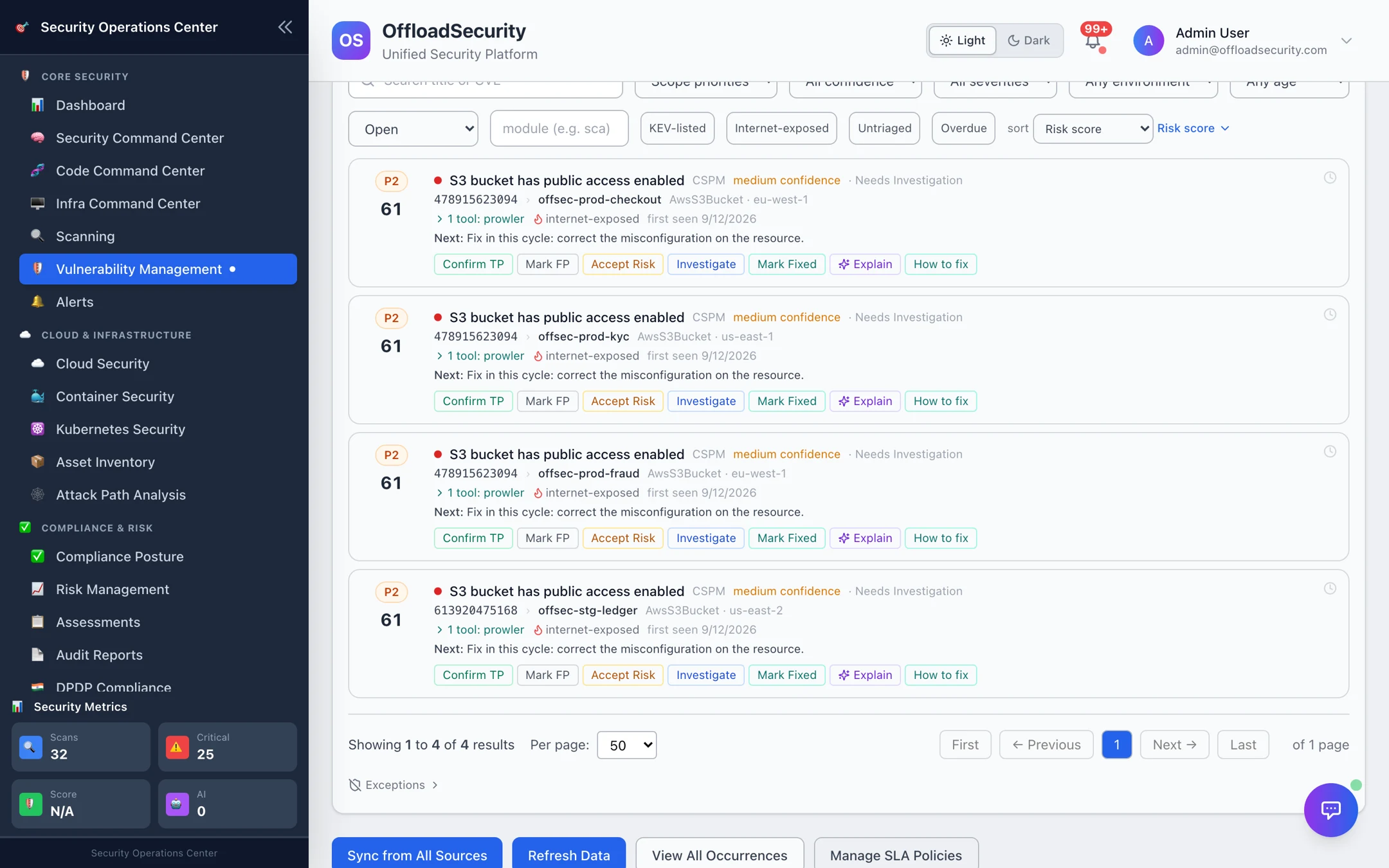
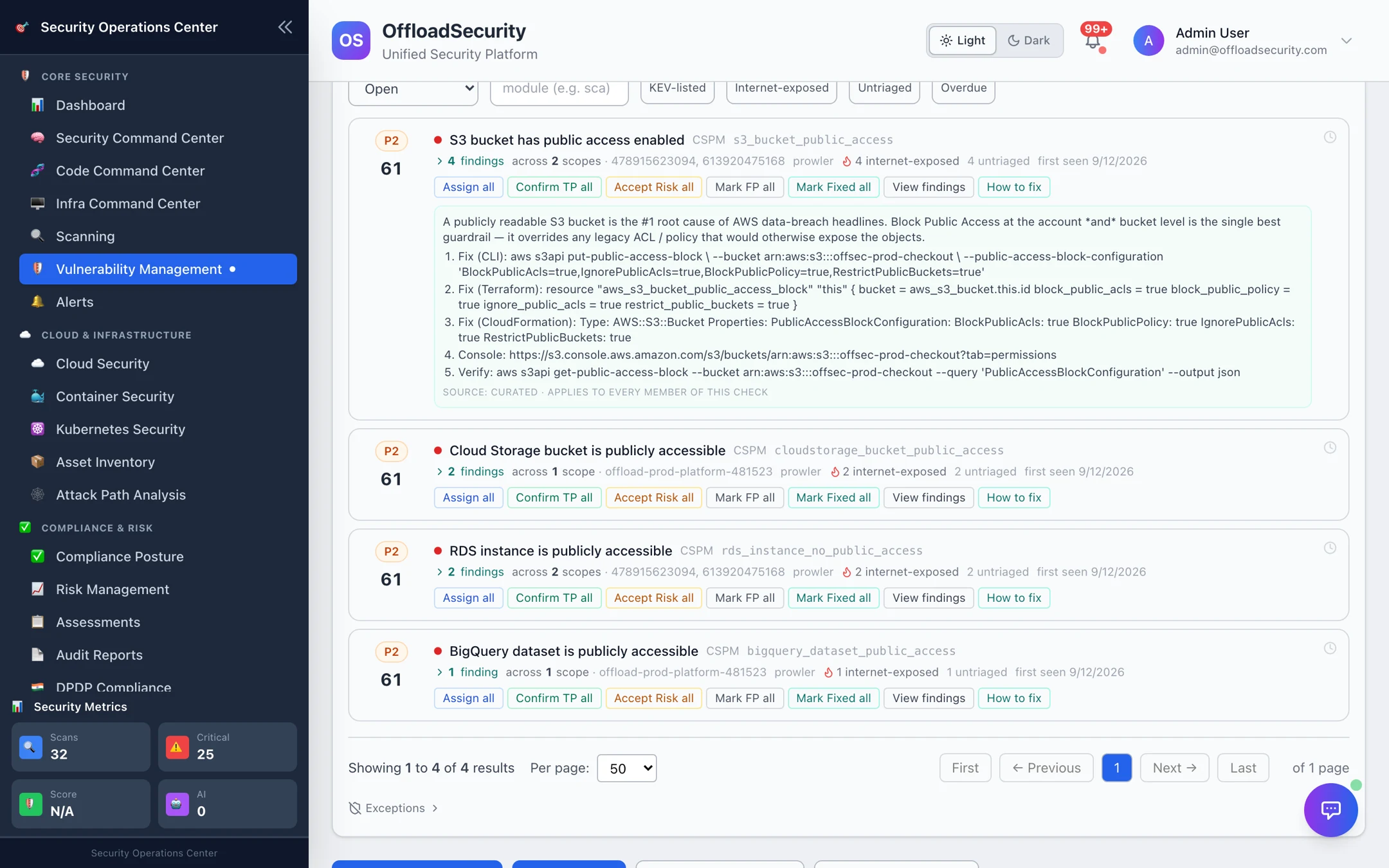
View findings expands the work item to its individual findings so you can decide per resource; Explain asks the AI layer to reason about one finding; How to fix shows the remediation — a curated cloud recipe from the platform's library, the fixed package version for a CVE, or the scanner's own guidance — labelled with its source.
- Action queue, Work items, sorted by score. 2. Anything KEV-listed or Internet-exposed first. 3. For each: Assign or Mark Fixed; Accept risk only with an expiry you will actually review. 4. Clear Untriaged so nothing new hides behind old items. 5. Once a week, walk the Backlog and the Exceptions list.
Suppressions
Where: Vulnerability Management → Suppressions (the same view is under Code Command Center).
One list of everything currently hidden from open counts — triage-queue decisions, rule exceptions and code-finding lifecycle decisions — grouped by rule with what was decided, since when, by whom, the expiry and days remaining, and whether it has expired or is expiring soon. Filter by decision or status, expand a rule for its findings, and Revoke an active exception to bring its findings back. It answers the review question — which rules are suppressed and for how long — without opening a single finding. Details in Findings & Reports.
Where decisions go
- The finding's status changes everywhere it appears — Raw findings, All Occurrences, module views, reports.
- Significant findings can be promoted into the Risk Register, where they are measured against risk appetite.
- SLA clocks stop on fixed / accepted / FP and keep running on everything else (SLA Management).
- Every decision is written to the finding's audit trail with who, when and why.
Related
- Raw Findings & Occurrences — the per-source and per-asset views.
- SLA Management — deadlines that drive the Overdue filter.
- Vulnerabilities & Risk API — the queue, decisions and exceptions over REST.